My Files → Assign Domain → Install Module → Register

Follow the steps below to download, install, and register your Extendo Modules product

1. Find your purchased module

Sign in to your Extendo Modules account and open the My Files section.

There you can view your purchased modules, assigned domains, available versions, registration information, and download links.

2. Assign your domain

Some commercial modules must be assigned to the domain where they will be used before they can be downloaded.

Enter the production domain of your PrestaShop store, for example:

example.com

Do not include:

  • https:// or http://
  • page paths such as /shop
  • trailing slashes

After a domain has been assigned, the module can be downloaded and registered for that domain.

Important: Check the domain carefully before confirming it. Contact us if you assigned an incorrect domain or need to move 

3. Download and install the module

After assigning the domain:

  1. Download the module ZIP file from My Files.
  2. Open your PrestaShop back office.
  3. Go to Modules → Module Manager.
  4. Click Upload a module.
  5. Select the downloaded ZIP file and complete the installation.

4. Register the module

Commercial modules may provide limited functionality until registration is completed.

Registration is handled automatically:

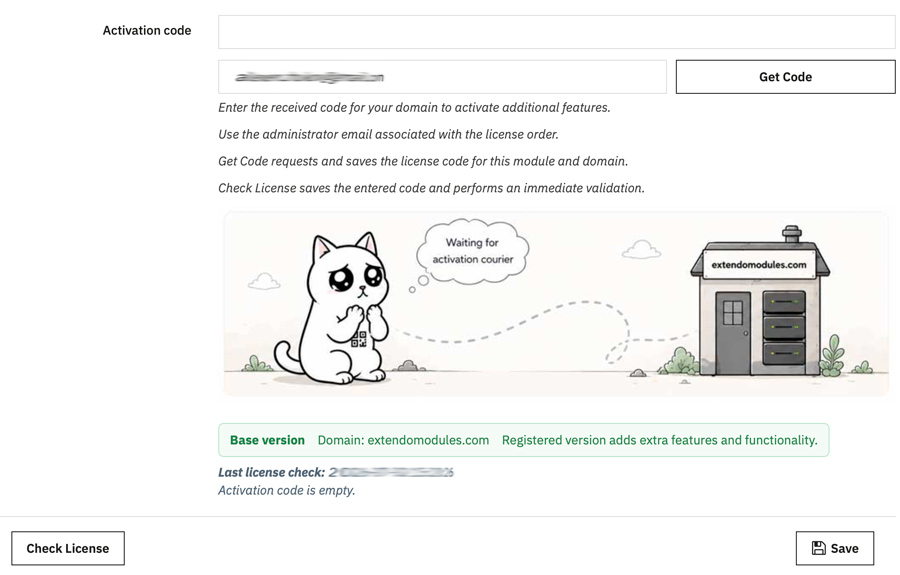
  1. Open the installed module configuration page.
  2. Find the Activation section.
  3. Enter your contact email address.
  4. Click Get Code and Save.

The module will contact the Extendo Modules registration service, obtain the registration code, and save it automatically.

Your contact email is used for registration-related communication and support. It does not need to match your PrestaShop administrator email.

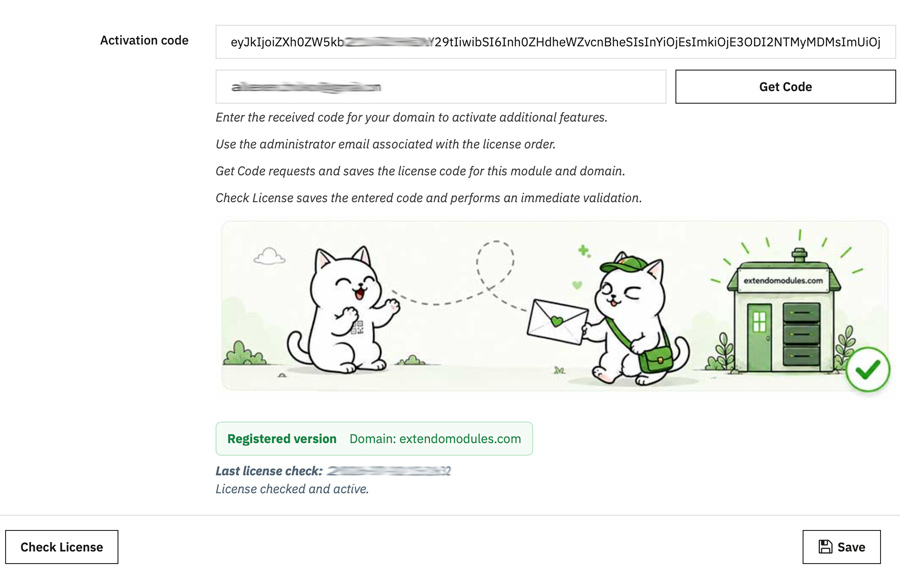
Once registration is successful, the status indicator will confirm that the module is activated.

Alternatively you can copy and paste code manualy.

Licence and updates

Lifetime licence

The registration code remains valid for the assigned domain for the lifetime of the licence.

Free updates for one year

You can download new versions released during the first year after your purchase.

One-domain activation

A commercial module licence is assigned to one production domain unless the product page or licence terms state otherwise.

Continued update access

After the included update period expires, you can continue using your installed and registered module. Access to newer releases can be renewed at a discounted price.

Registration problems

If automatic registration does not work, check that:

  • the store can make outgoing HTTPS connections;
  • PHP cURL is enabled;
  • PHP ionCube is installed and eneabled
  • the assigned domain matches the store domain;
  • your firewall or hosting provider is not blocking the registration request.

If the problem continues, contact support and include:

  • the module name;
  • your order reference;
  • the assigned domain;
  • your PrestaShop version;
  • your PHP version;
  • the complete error message.
Product added to wishlist