xtdblocker - Ultra Blocker Security Module for PrestaShop - PrestaShop module by Extendo Modules

Ultra Blocker Security Module for PrestaShop

xtdblocker
€44.90
Tax included

Block malicious bots, exploit scans, abusive requests, and repeated login attempts

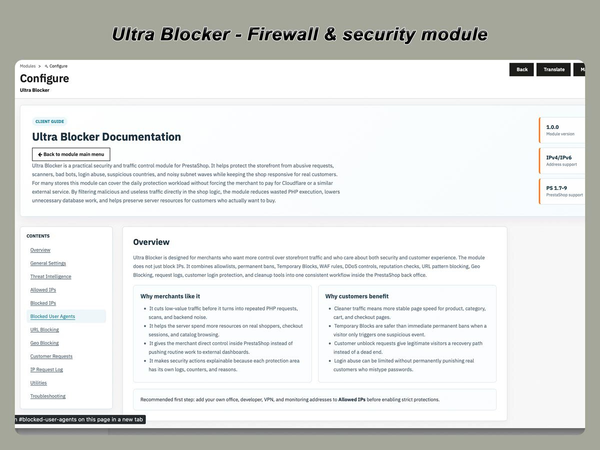
Ultra Blocker is a PrestaShop security module that filters suspicious traffic before it can affect your store, consume hosting resources, or create unnecessary records in logs and statistics.

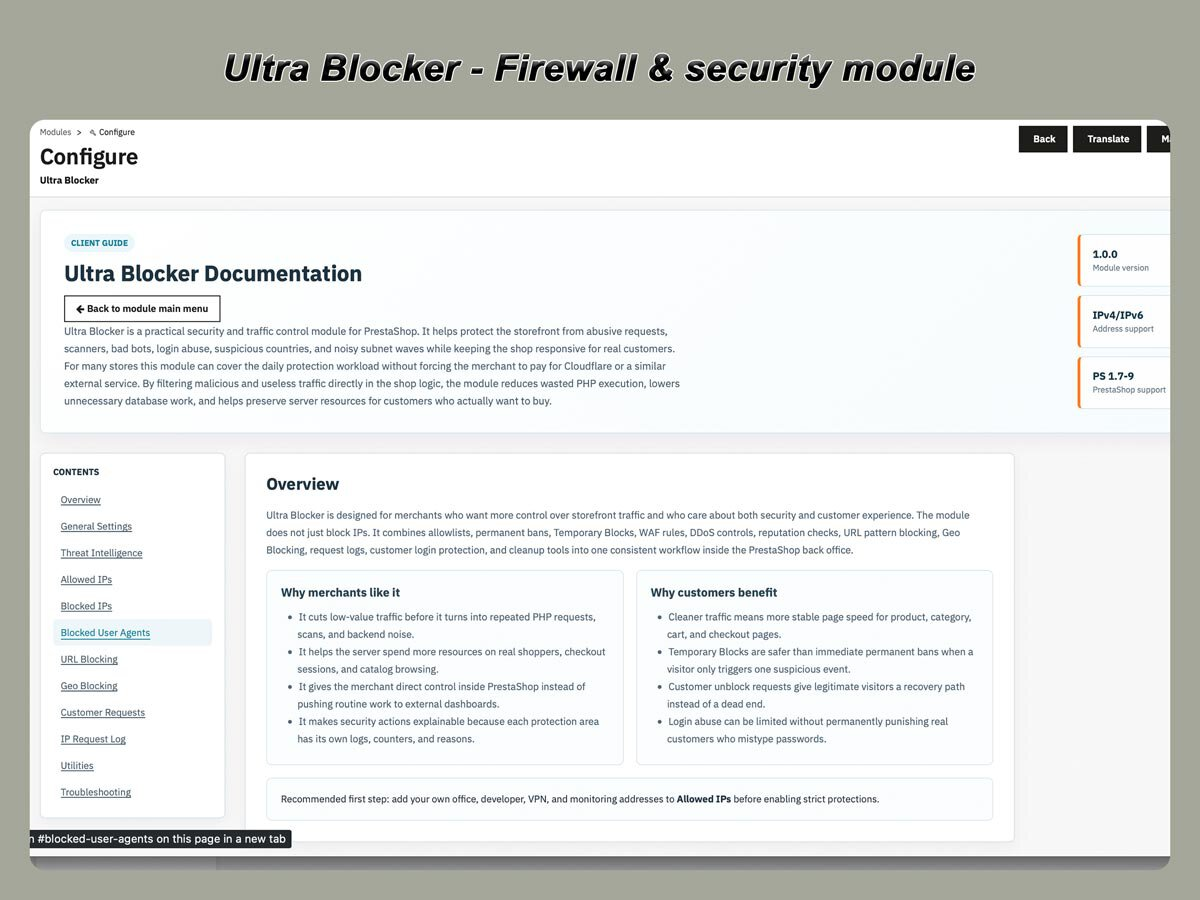
The module combines web application firewall rules, login protection, rate limiting, threat scoring, IP controls, country restrictions, and security logs in one PrestaShop back-office interface.

  • Web application firewall rules
  • Login and brute-force protection
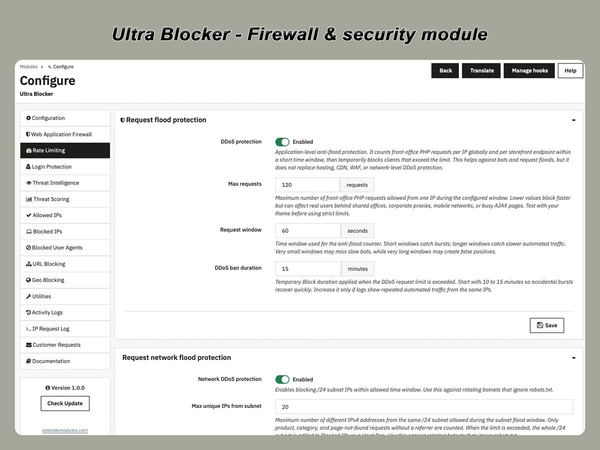
  • Rate limiting and request flood control
  • IP, User-Agent, URL, and country filtering
  • Threat scoring and automatic temporary blocks
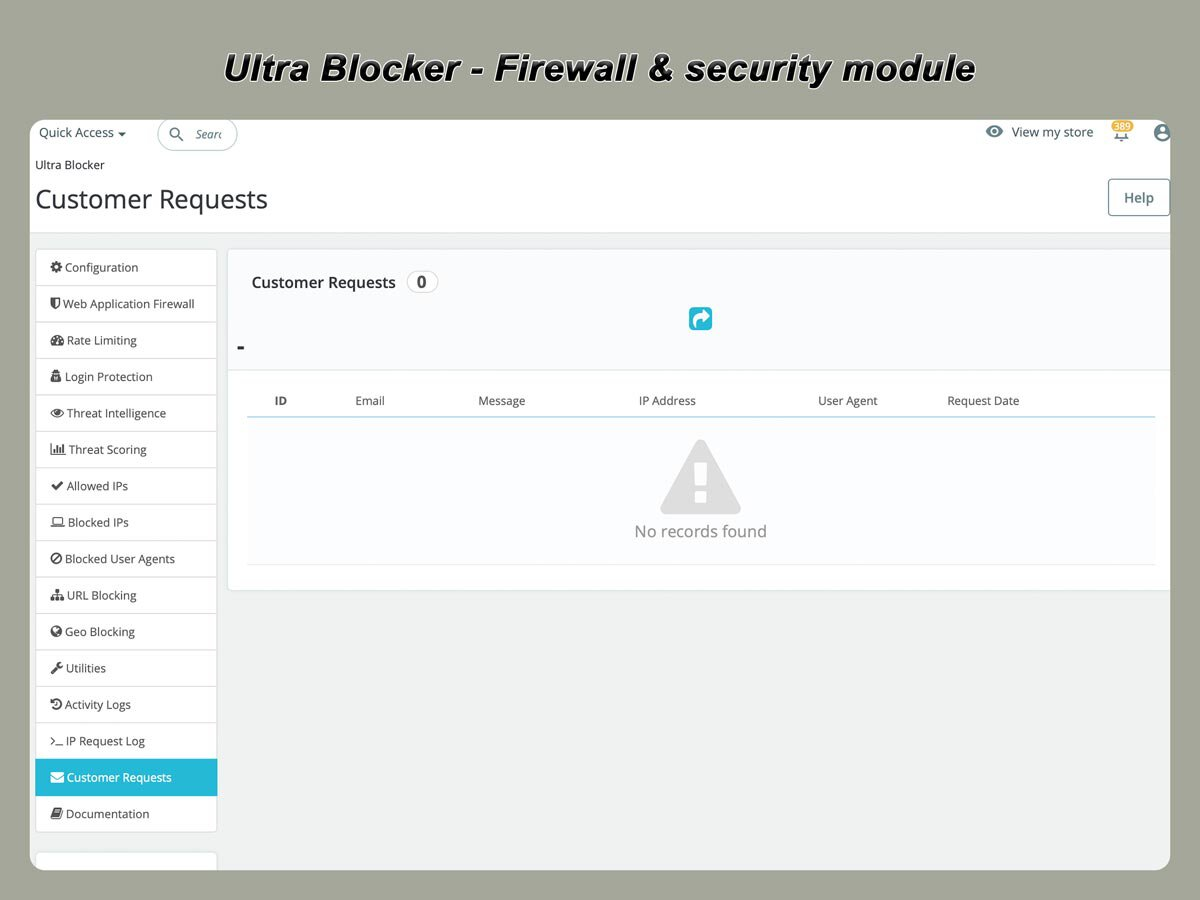
  • Security logs and customer unblock requests
PrestaShop version support: 1.7.8.x 8.x 9.x
Translations: English French Spanish Portuguese Polish Italian Ukranian
Requirements: PHP extension - IonCube Loader v14


Protect your store from unwanted and abusive traffic

Online stores regularly receive requests that are unrelated to genuine customers.

These may include:

  • automated vulnerability scans;
  • WordPress probes sent to PrestaShop websites;
  • repeated requests to nonexistent URLs;
  • brute-force login attempts;
  • aggressive crawlers;
  • suspicious User-Agents;
  • requests containing common exploit patterns;
  • repeated traffic bursts from the same IP address;
  • access attempts from blocked networks or countries.

Ultra Blocker evaluates incoming requests using configurable security layers and decides whether the request should be allowed, logged, temporarily blocked, or permanently denied.

The module operates inside PrestaShop and gives store administrators direct control over security rules without requiring a separate external dashboard.

Security layers

Web Application Firewall

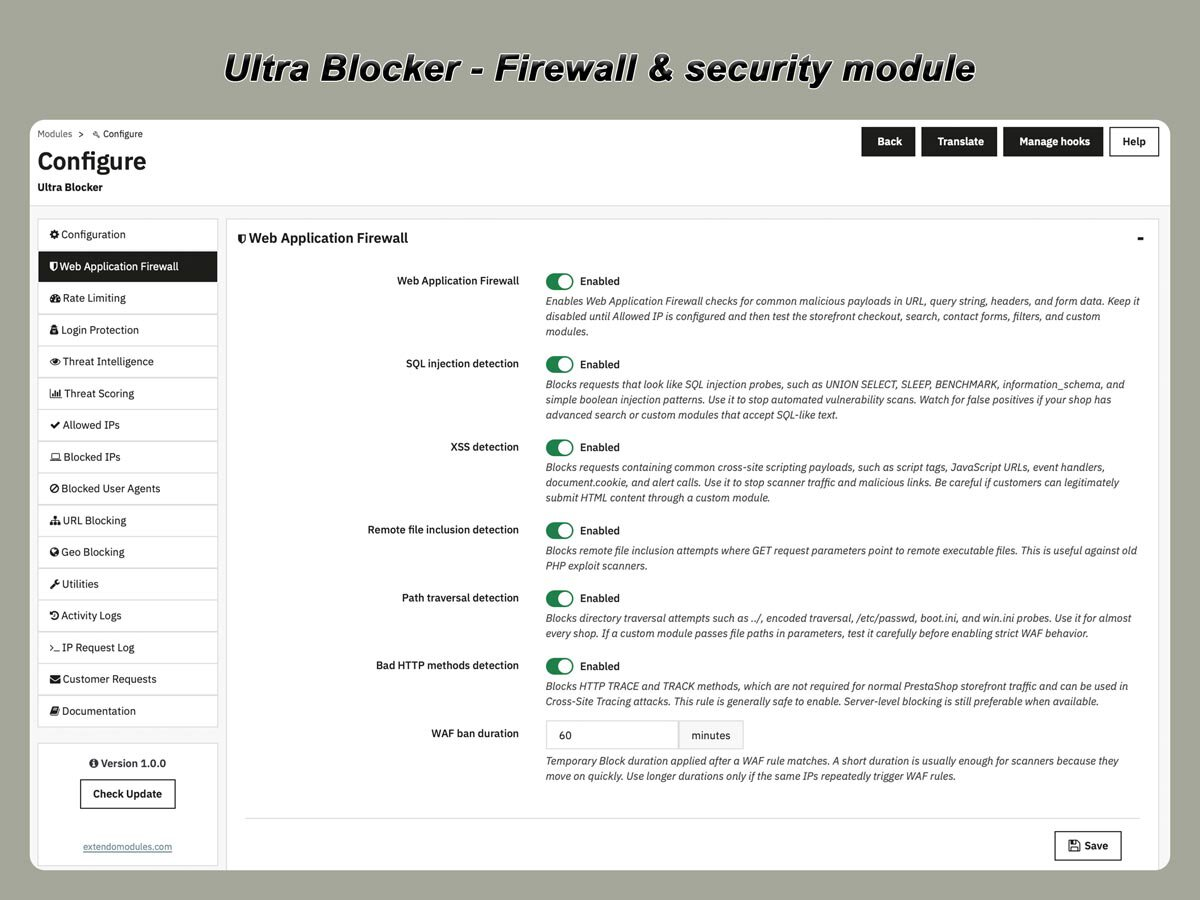
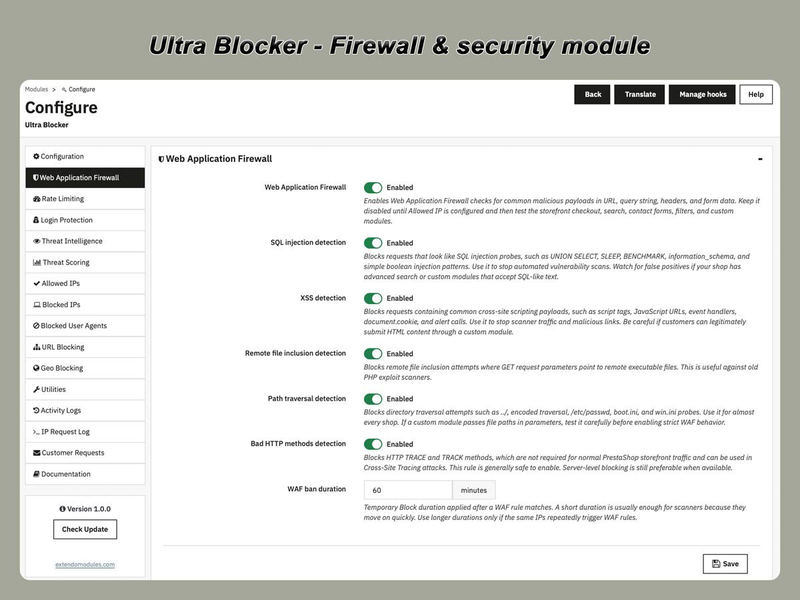
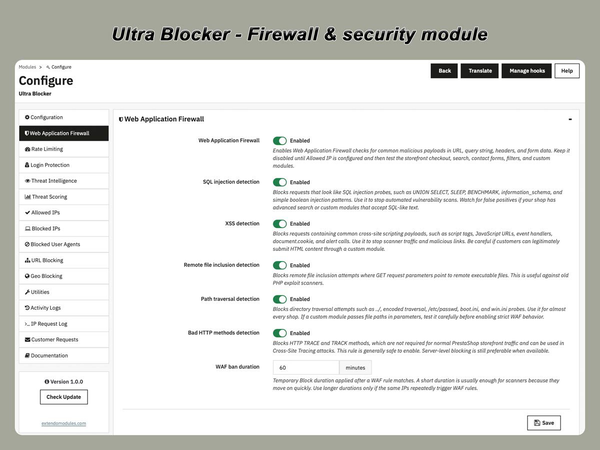
The Web Application Firewall checks incoming requests for common application-level attack patterns.

It can detect and block requests associated with:

  • SQL injection attempts;
  • cross-site scripting patterns;
  • remote file inclusion;
  • path traversal;
  • suspicious request methods;
  • malformed or dangerous URL parameters;
  • exploit probes targeting known application paths.

The firewall analyses request data before the normal storefront controller completes processing.

This helps reduce automated scans and malicious requests that should never reach regular store functionality.

Threat Scoring

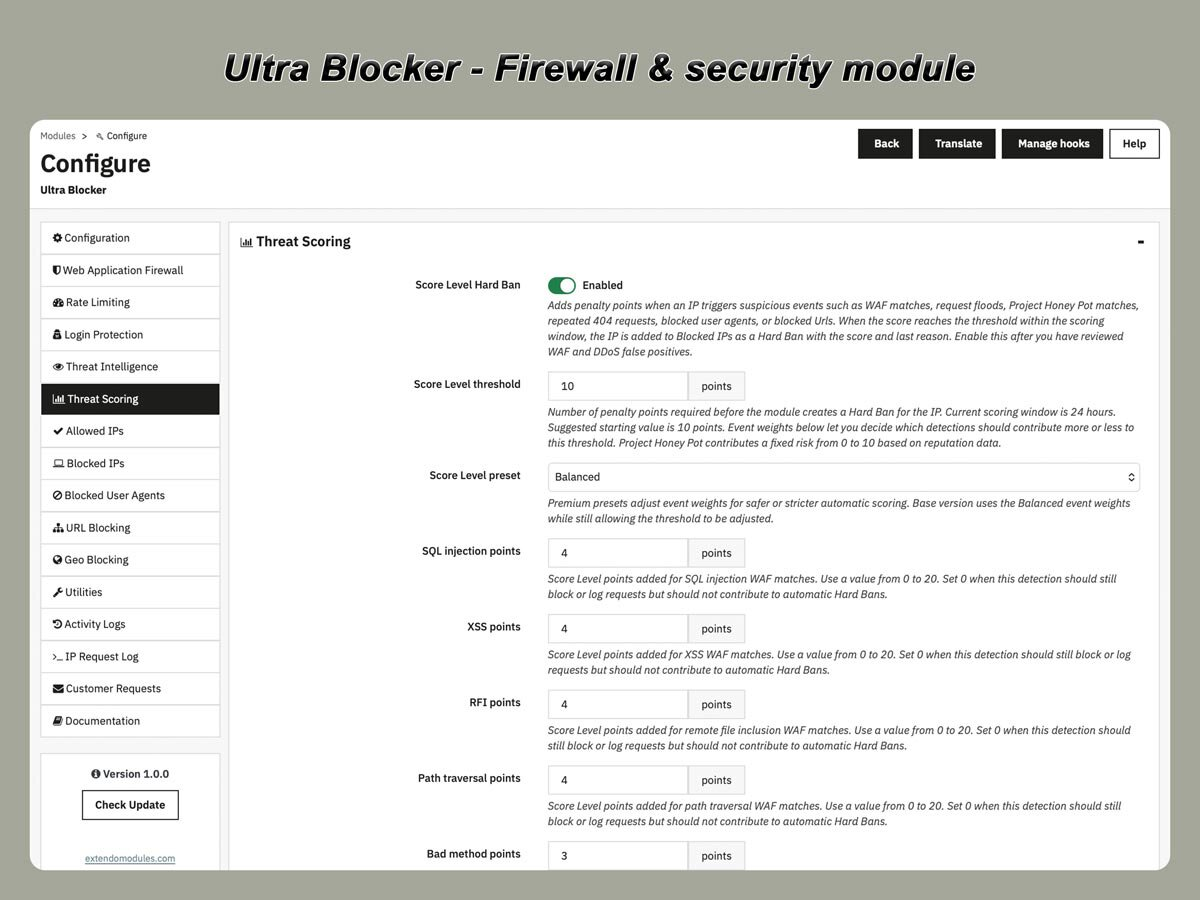
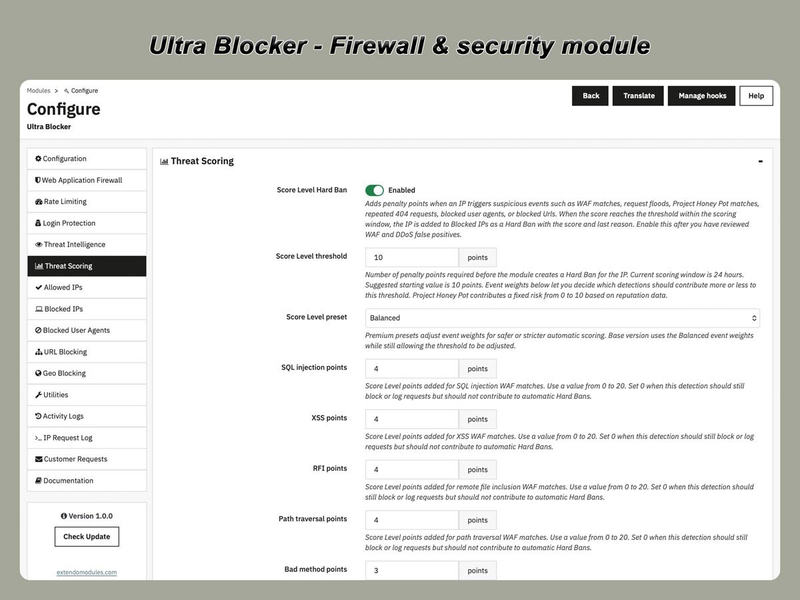
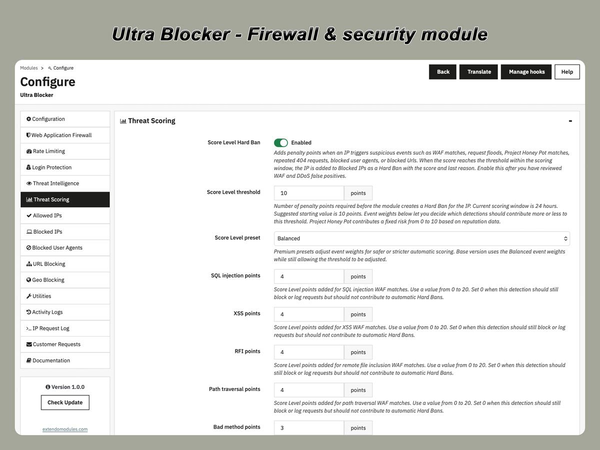
Threat Scoring allows suspicious actions to contribute penalty points to an IP address.

For example, points can be added when a visitor:

  • requests suspicious URLs;
  • triggers a firewall rule;
  • generates repeated 404 errors;
  • exceeds a rate limit;
  • uses a blocked or suspicious User-Agent;
  • repeatedly fails to log in;
  • matches an external reputation rule.

When the accumulated score reaches a configured threshold, the module can automatically apply a temporary block or another configured action.

This approach allows several smaller suspicious events to be evaluated together instead of relying on only one request.

Threat Intelligence

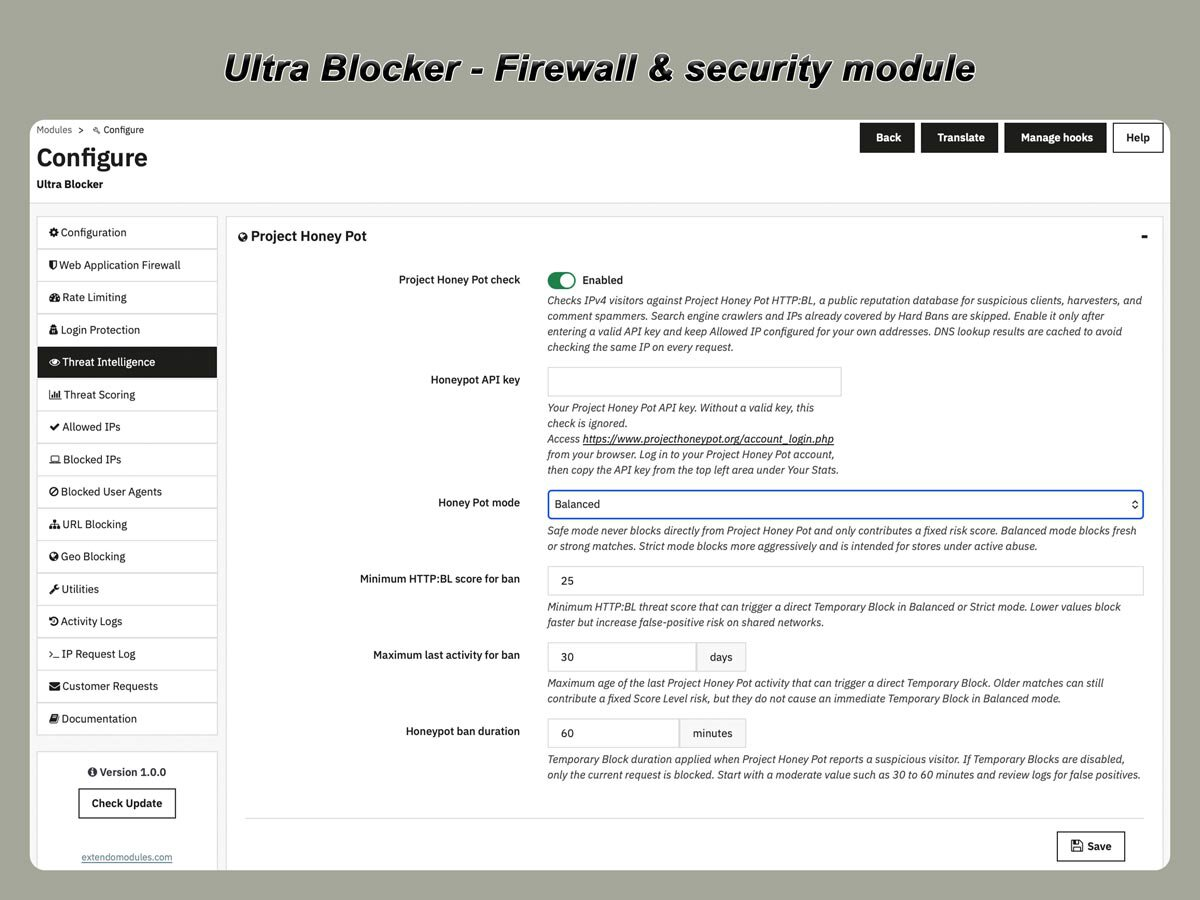
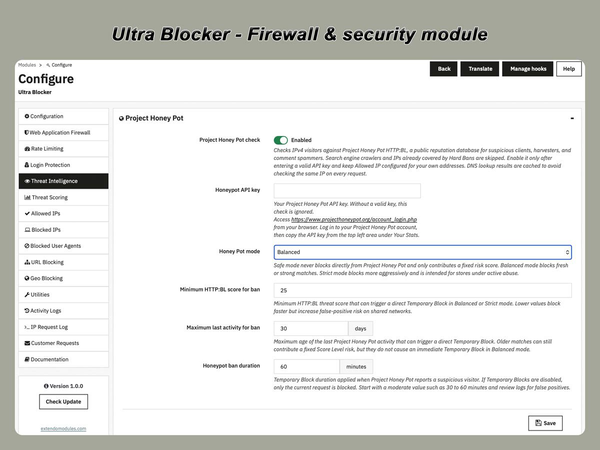
Threat Intelligence adds reputation-based checks to local security rules.

Depending on the enabled configuration, the module can work with:

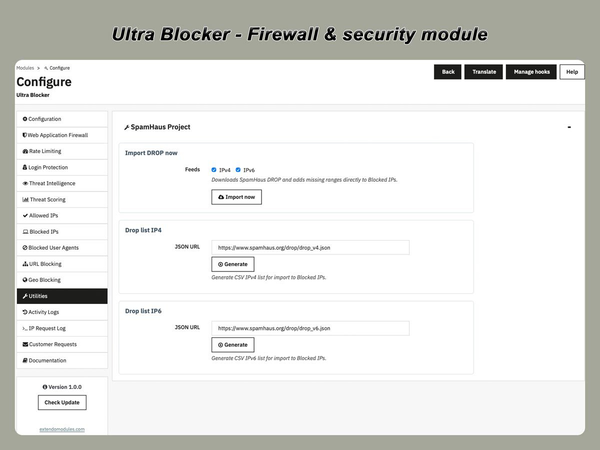
  • imported IP blocklists;
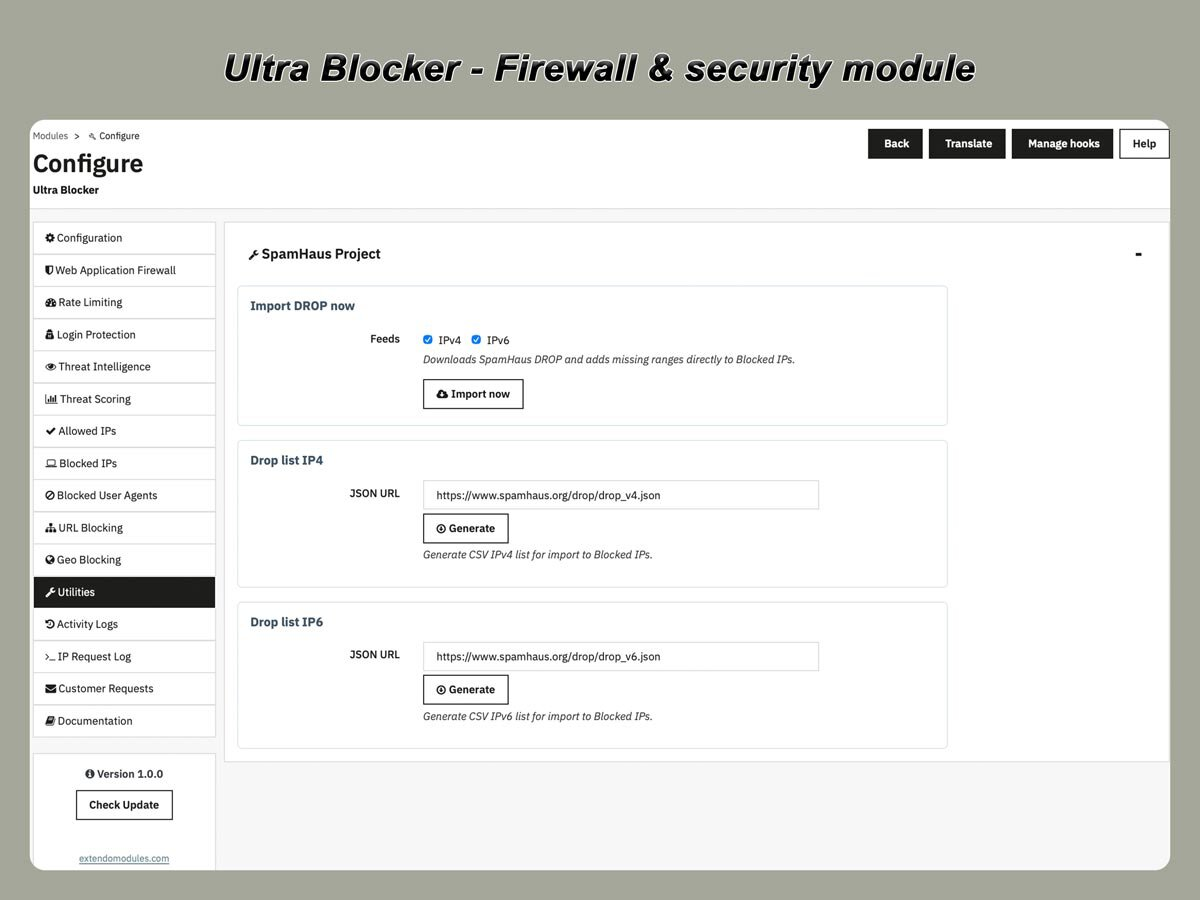
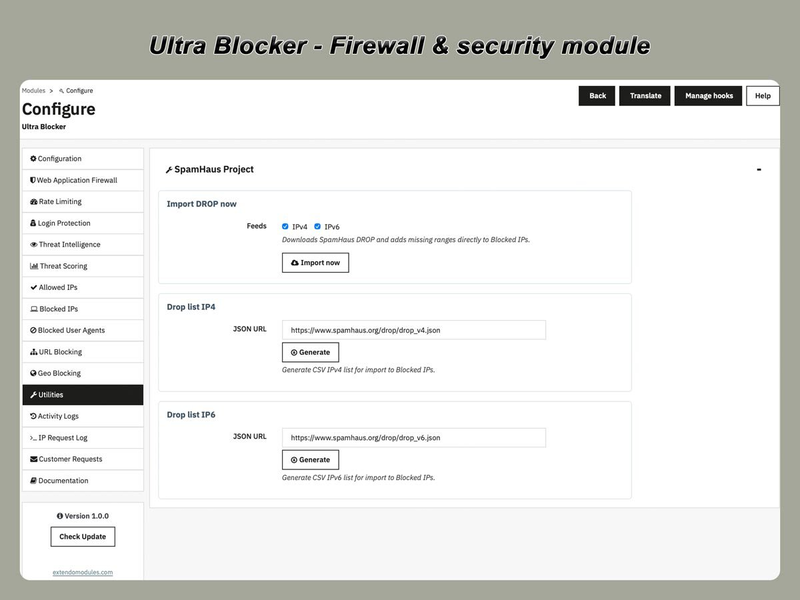
  • Spamhaus DROP and EDROP data;
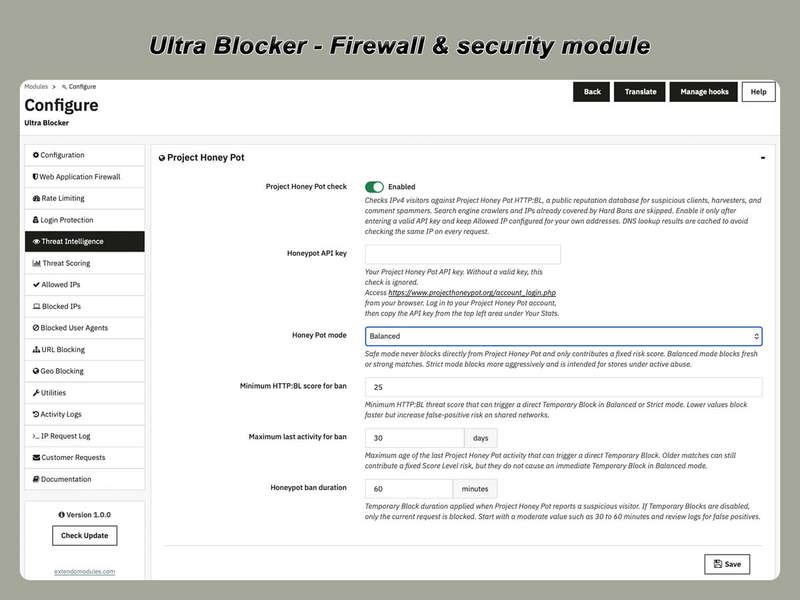
  • Project Honey Pot checks;
  • manually maintained threat sources;
  • previously detected abusive IP addresses.

Core filtering and enforcement run locally on your server. Optional reputation checks or blocklist imports may use external data providers when enabled.

Threat intelligence features can be disabled when only local filtering is required.

Login Protection

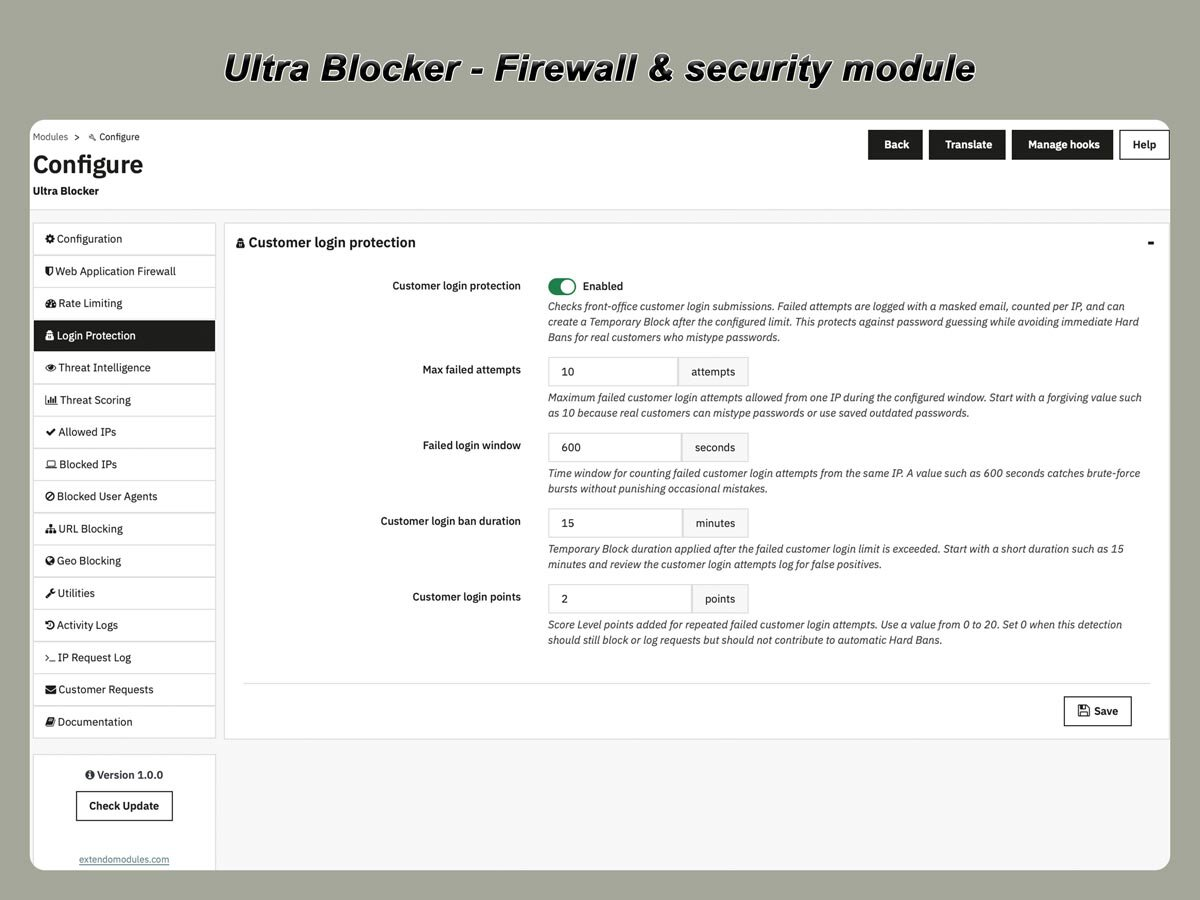
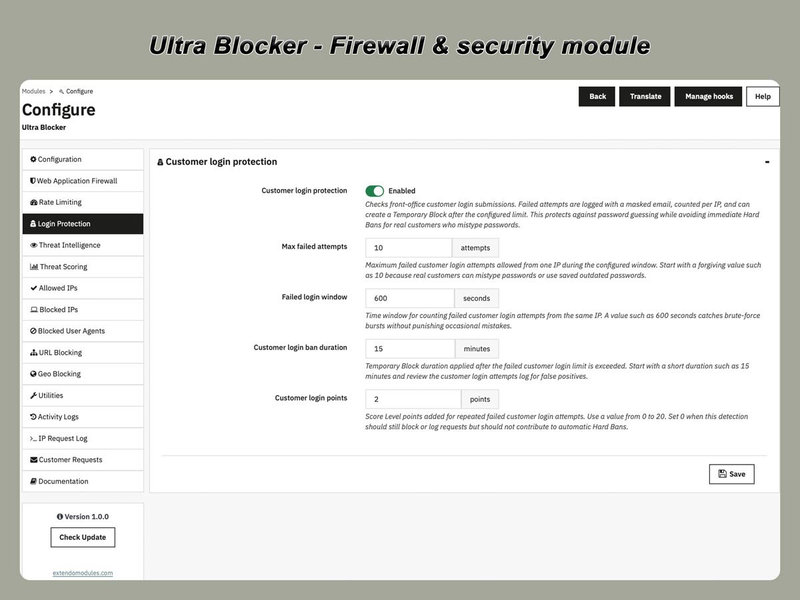
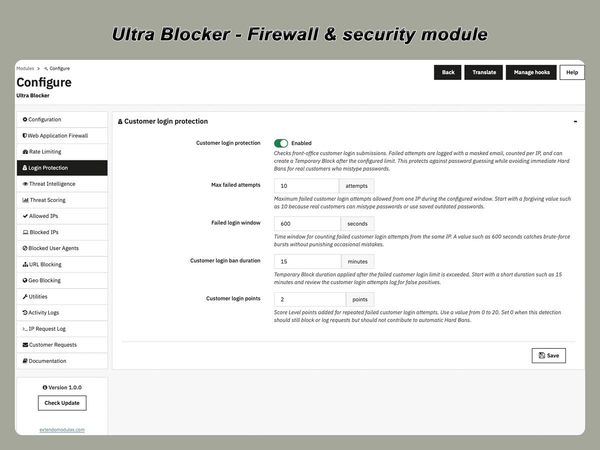
Login Protection helps defend customer and administrator authentication forms against repeated login attempts.

You can configure limits for failed authentication attempts and temporarily restrict IP addresses that exceed the allowed threshold.

This protection is useful for reducing:

  • customer account brute-force attempts;
  • administrator login attacks;
  • credential-stuffing activity;
  • repeated automated authentication requests.

Temporary blocks expire automatically after the configured period.

Rate Limiting and Request Flood Control

Stops brute torce atacks on domin and customer login forms.

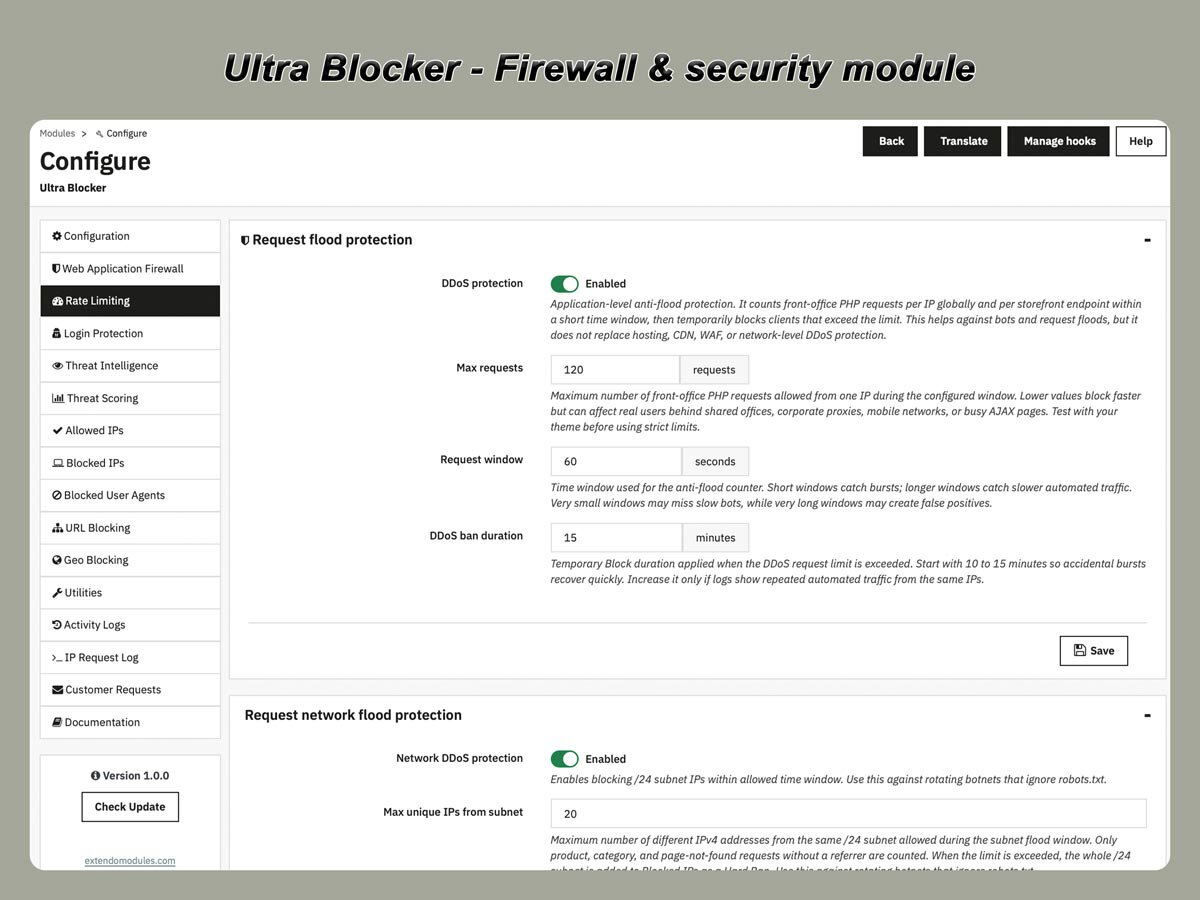
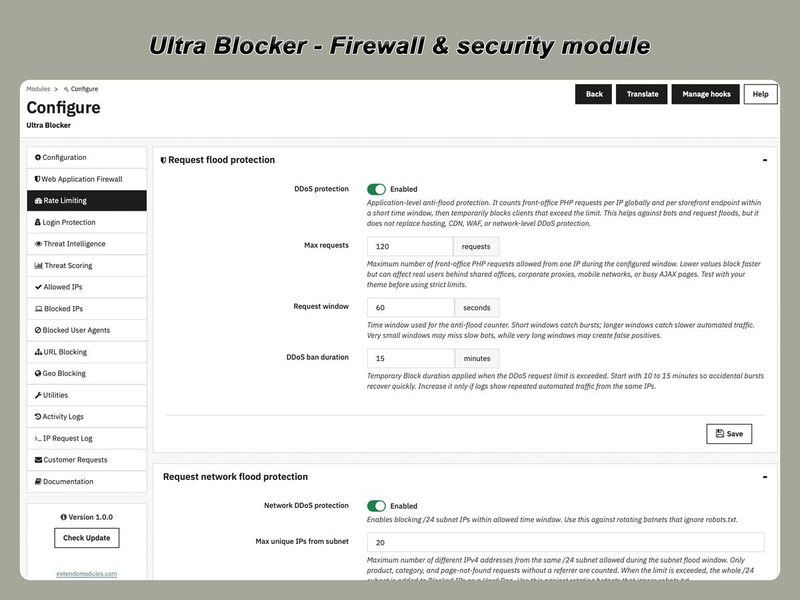
Ultra Blocker monitors front-office request activity per IP and per endpoint to reduce application-level floods, aggressive crawlers, and repeated bursts of abusive traffic. This helps stores limit server waste and control noisy bot traffic without relying only on network-level protection.

Automatic Temporary Blocks

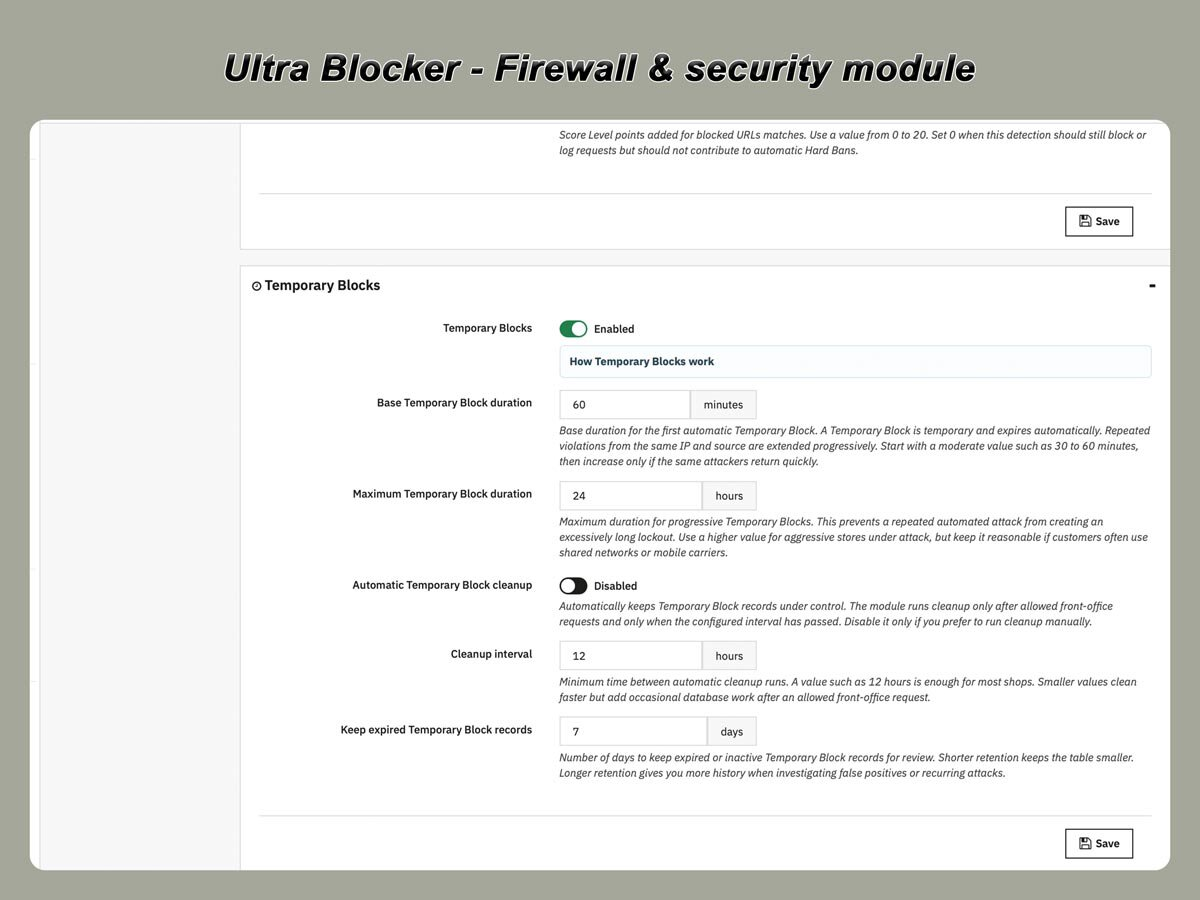
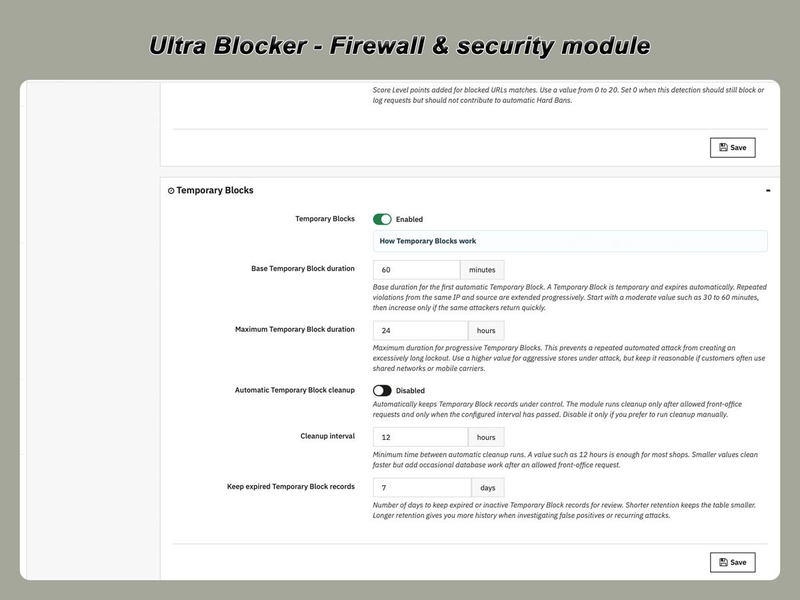
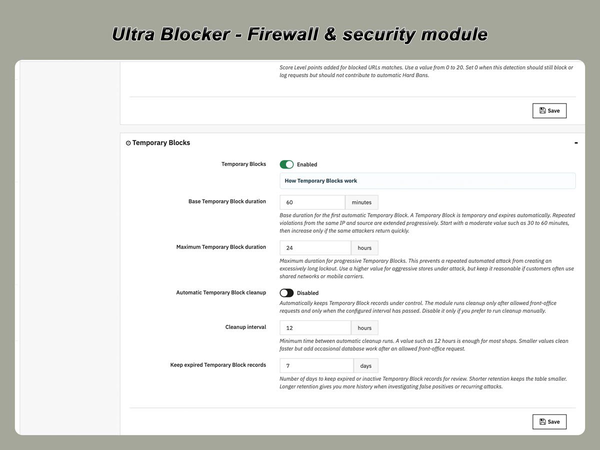
Ultra Blocker can automatically restrict suspicious IP addresses for a configurable period.

Temporary blocks are useful when an IP address:

  • exceeds a request limit;
  • reaches a threat-score threshold;
  • repeatedly fails authentication;
  • triggers configured security rules.

The block expires automatically after the selected duration, so administrators do not need to remove every temporary record manually.

Traffic filtering controls

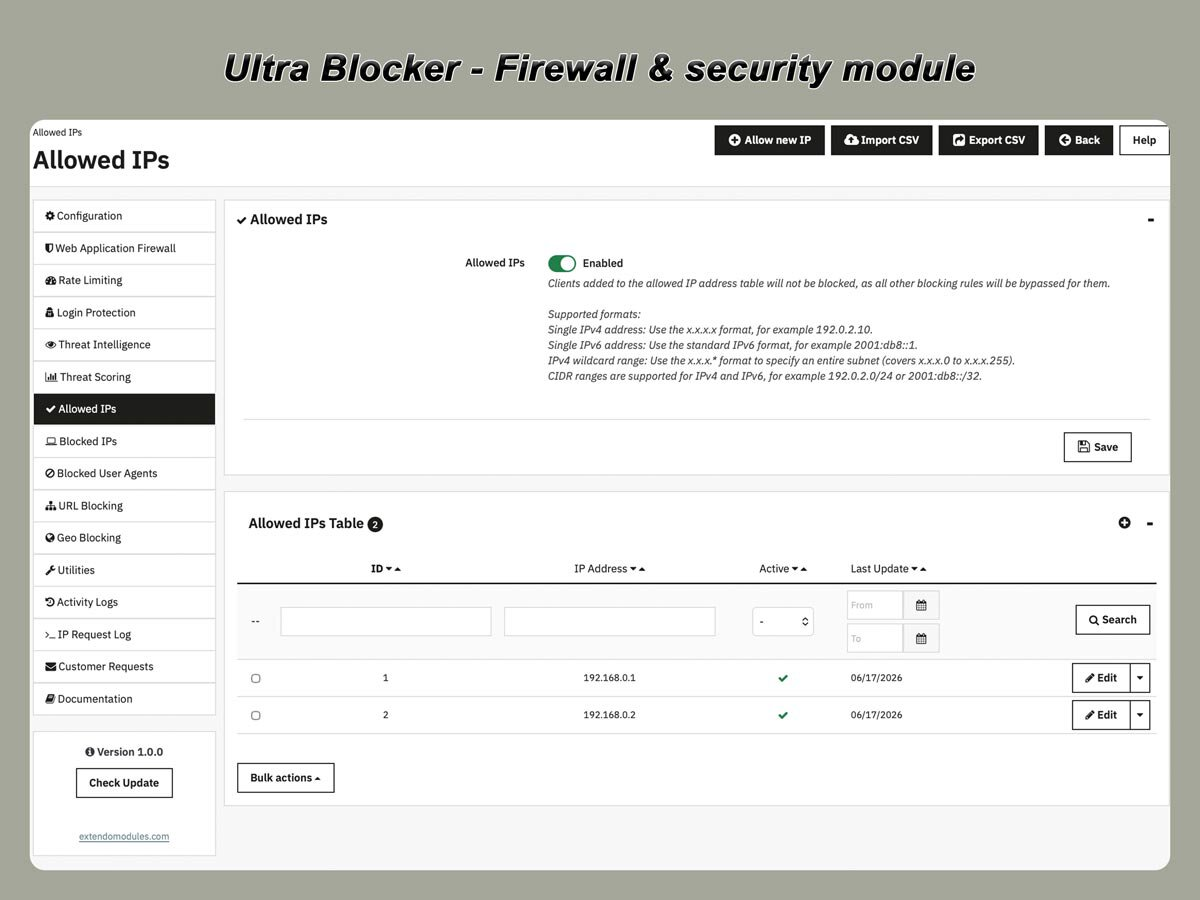
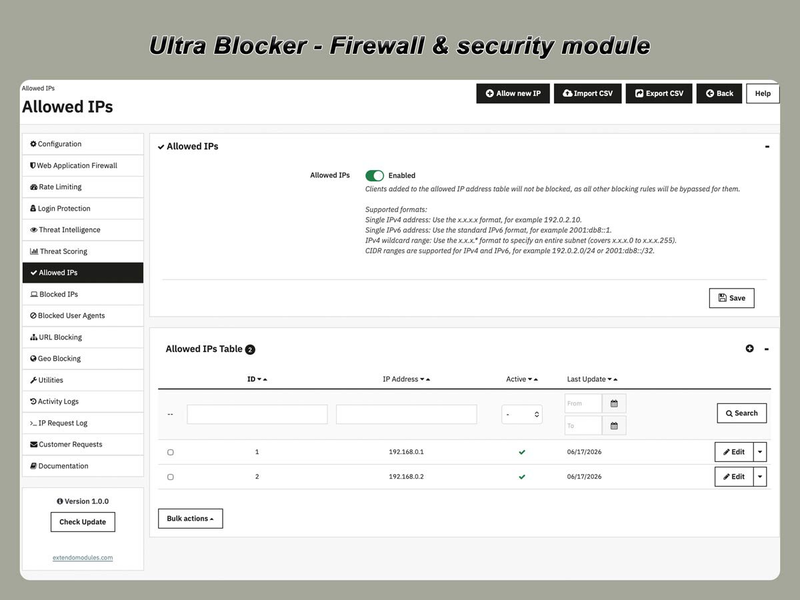
Allowed IPs

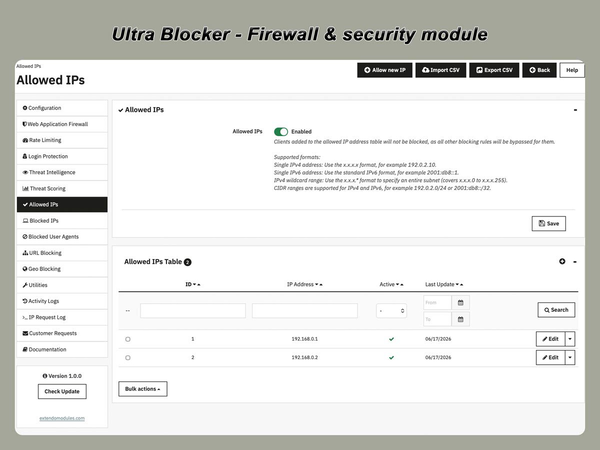
Trusted IP addresses can be added to the allowlist.

Allowed addresses bypass selected security checks and help prevent administrators, developers, payment services, monitoring systems, or trusted integrations from being blocked accidentally.

Use allowlist rules carefully and only add IP addresses that you control or trust.

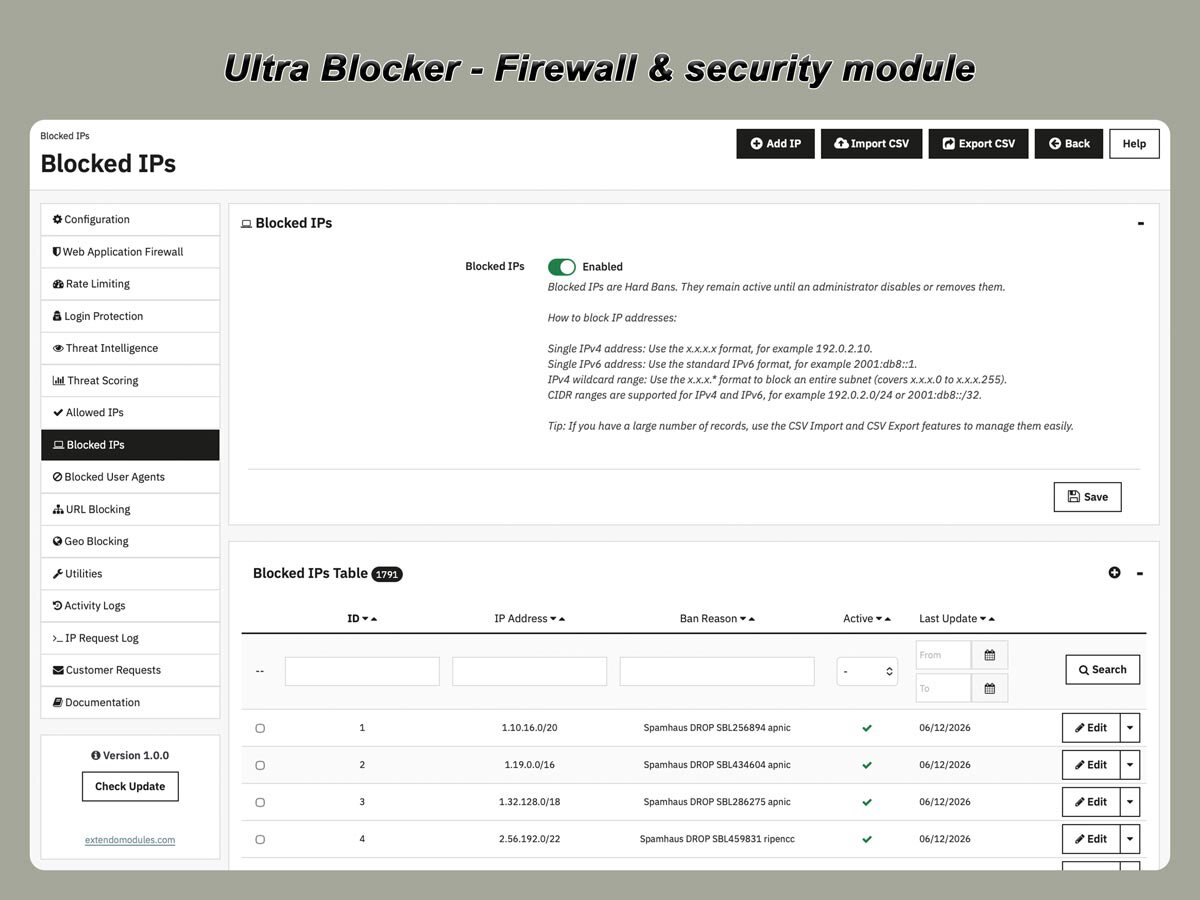
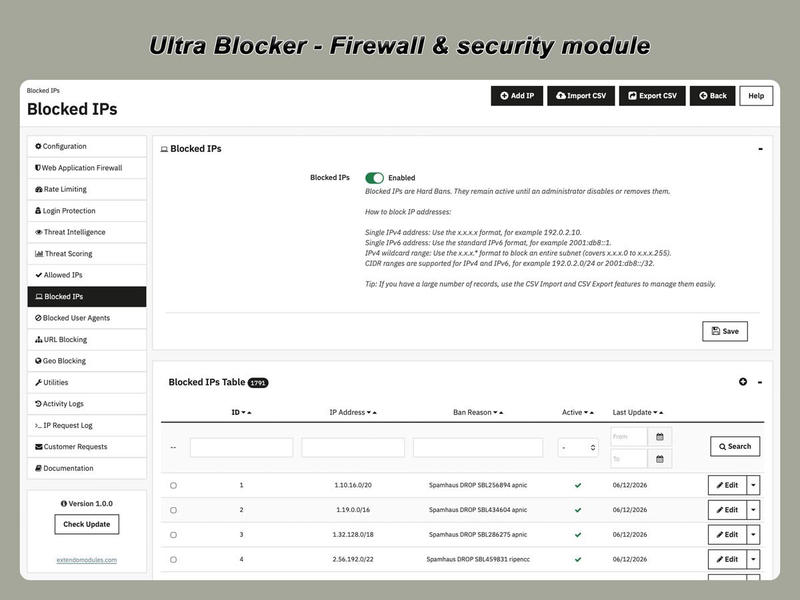
Blocked IPs

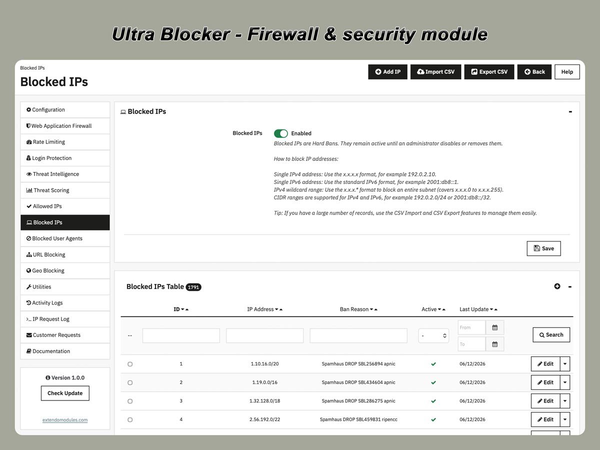
Block individual IP addresses or entire network ranges.

Supported formats include:

  • single IPv4 address, such as 192.0.2.10;
  • single IPv6 address, such as 2001:db8::1;
  • IPv4 wildcard range, such as 192.0.2.*;
  • IPv4 CIDR range, such as 192.0.2.0/24;
  • IPv6 CIDR range, such as 2001:db8::/32.

Blocked IP records are Hard Bans. They remain active until an administrator disables or removes them.

CSV import and export tools can be used to manage larger IP lists.

Temporary Block vs Hard Ban

A temporary block expires automatically after the configured period.

A Hard Ban remains active until an administrator manually disables or removes it.

Temporary blocks are suitable for rate-limit violations and repeated suspicious behaviour. Hard Bans are intended for IP addresses and networks that should not be allowed to access the store.

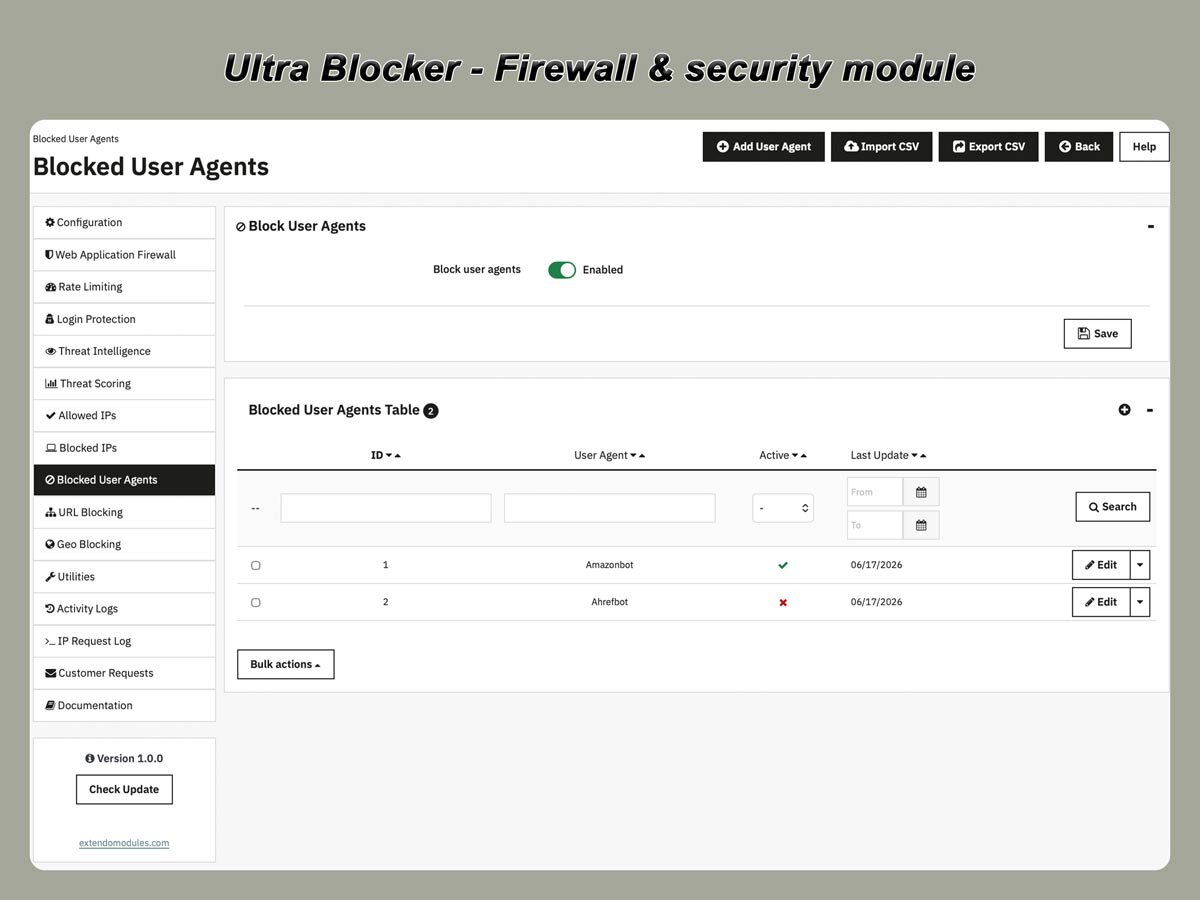
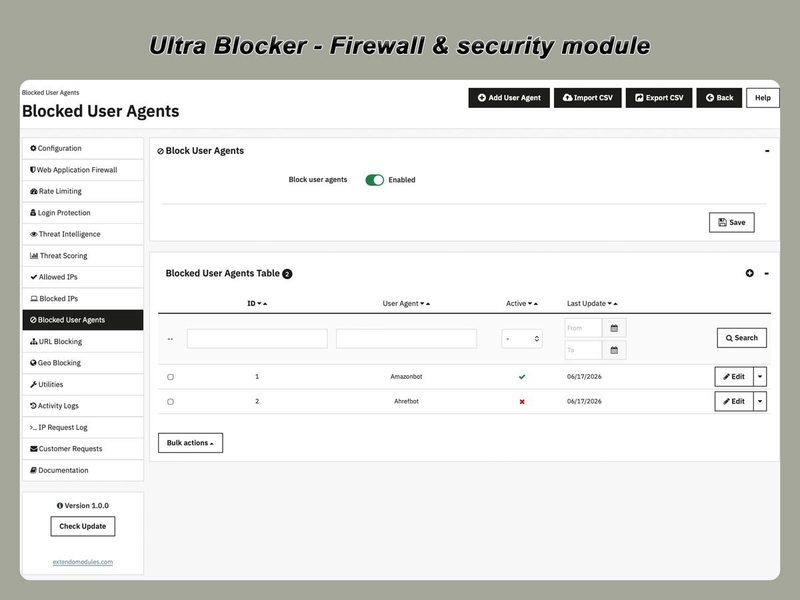
Blocked User-Agents

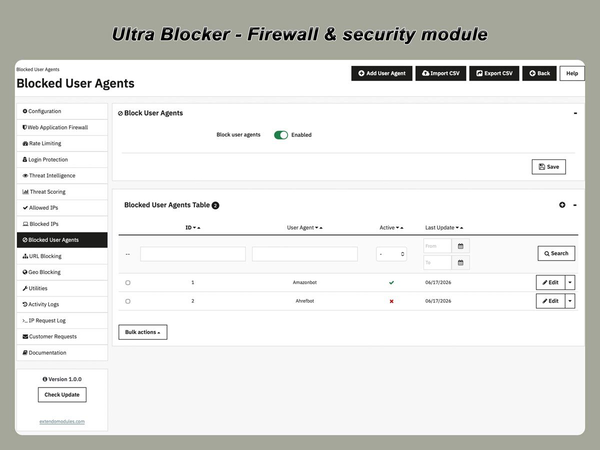
Block requests by complete or partial User-Agent values.

This is useful for filtering:

  • known malicious bots;
  • vulnerability scanners;
  • unwanted scraping tools;
  • automated clients using identifiable signatures;
  • empty or malformed User-Agent values.

Rules can be updated from the PrestaShop back office.

User-Agent filtering should be combined with other controls because advanced bots may change or imitate browser identifiers.

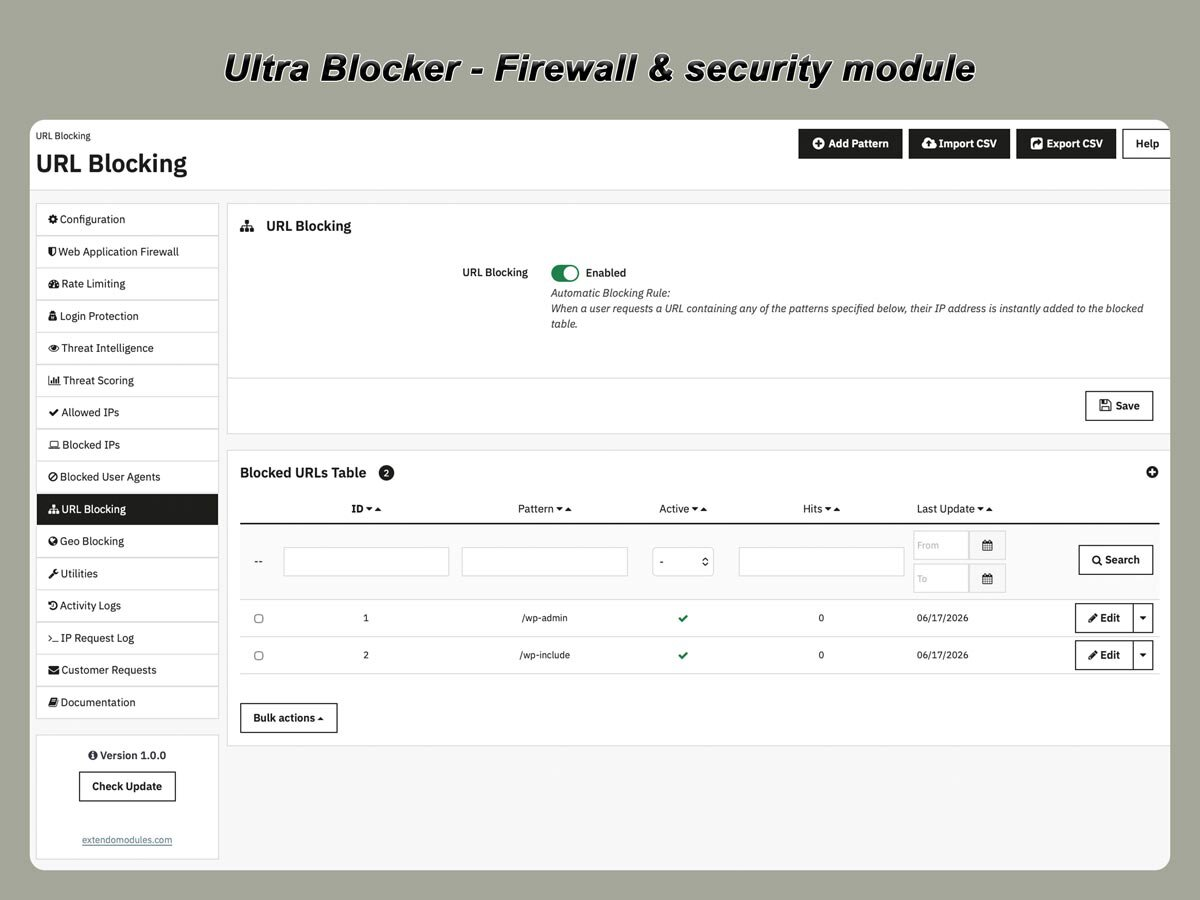
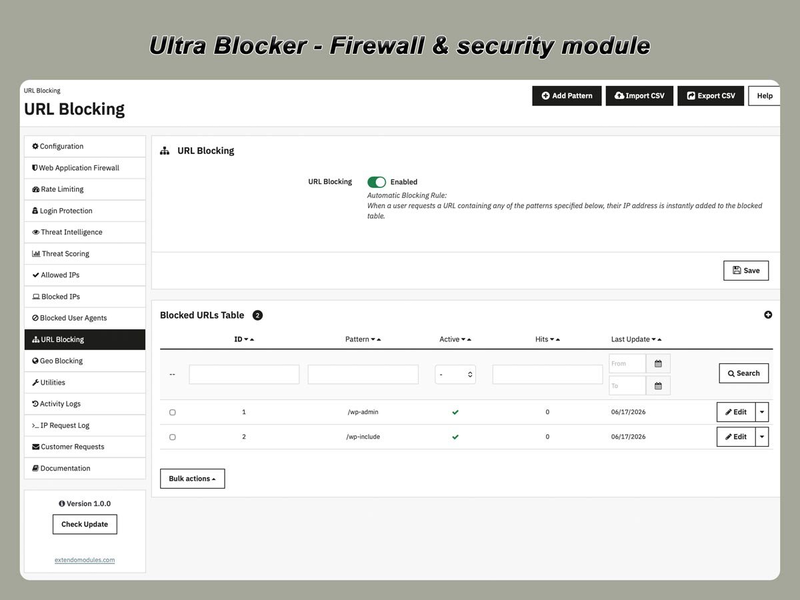
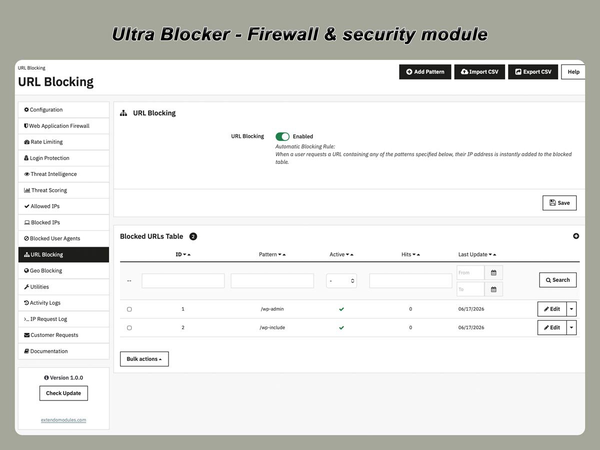
URL Blocking

Block requests when the URL contains configured paths, fragments, or suspicious patterns.

This is useful for stopping:

  • WordPress probes on a PrestaShop store;
  • requests to nonexistent administration paths;
  • exploit scanner routes;
  • repeated requests to sensitive files;
  • paths that should never be accessible on the website.

Examples may include requests for /wp-admin, /wp-login.php, configuration backups, environment files, or known exploit paths.

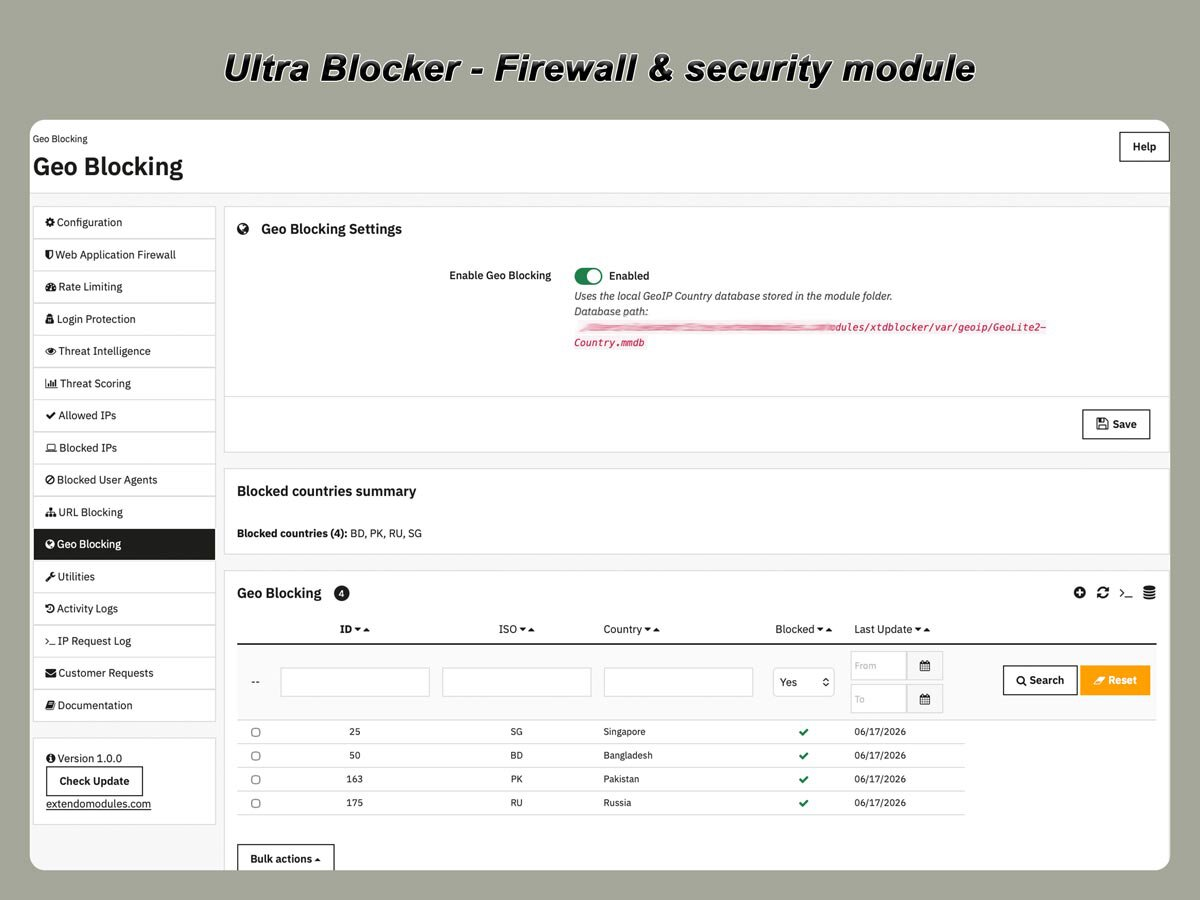
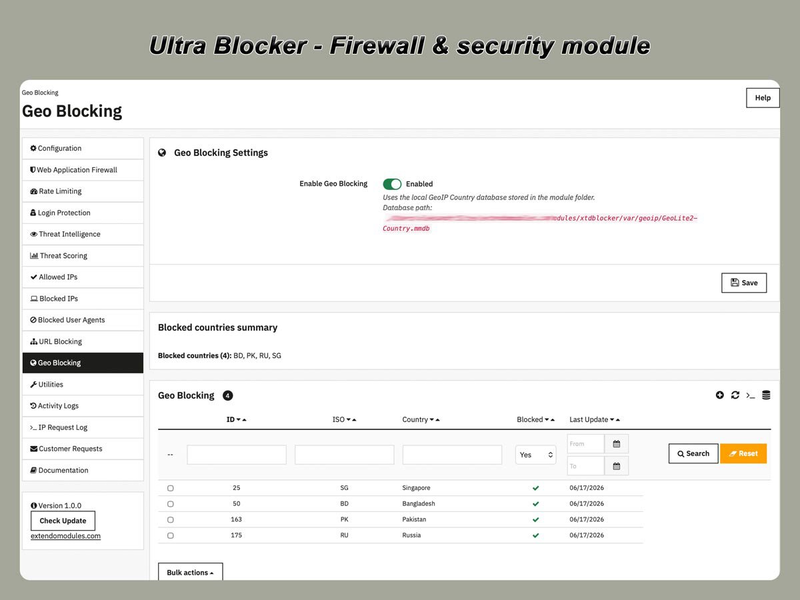
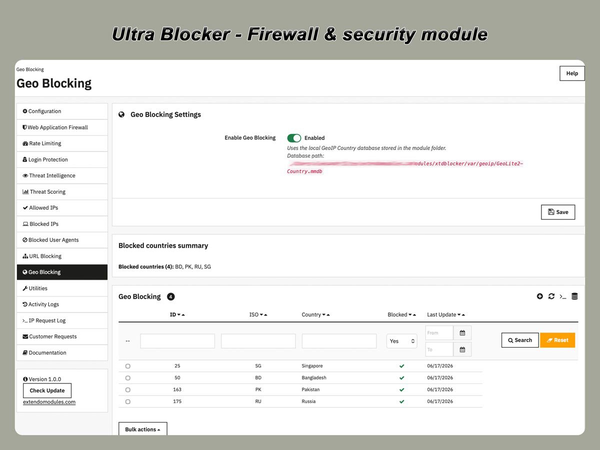
Geo Blocking

Restrict storefront access according to the visitor’s detected country.

Geo blocking can be used to:

  • block countries outside the store’s sales area;
  • allow access only from selected countries;
  • reduce traffic from regions that generate repeated abuse;
  • apply country rules without relying on an external proxy service.

Country detection uses a local GeoIP country database.

GeoIP detection is not guaranteed to be completely accurate. VPNs, proxies, mobile networks, and recently reassigned IP ranges can affect the detected country.

Logs and security visibility

Review blocked traffic and security events

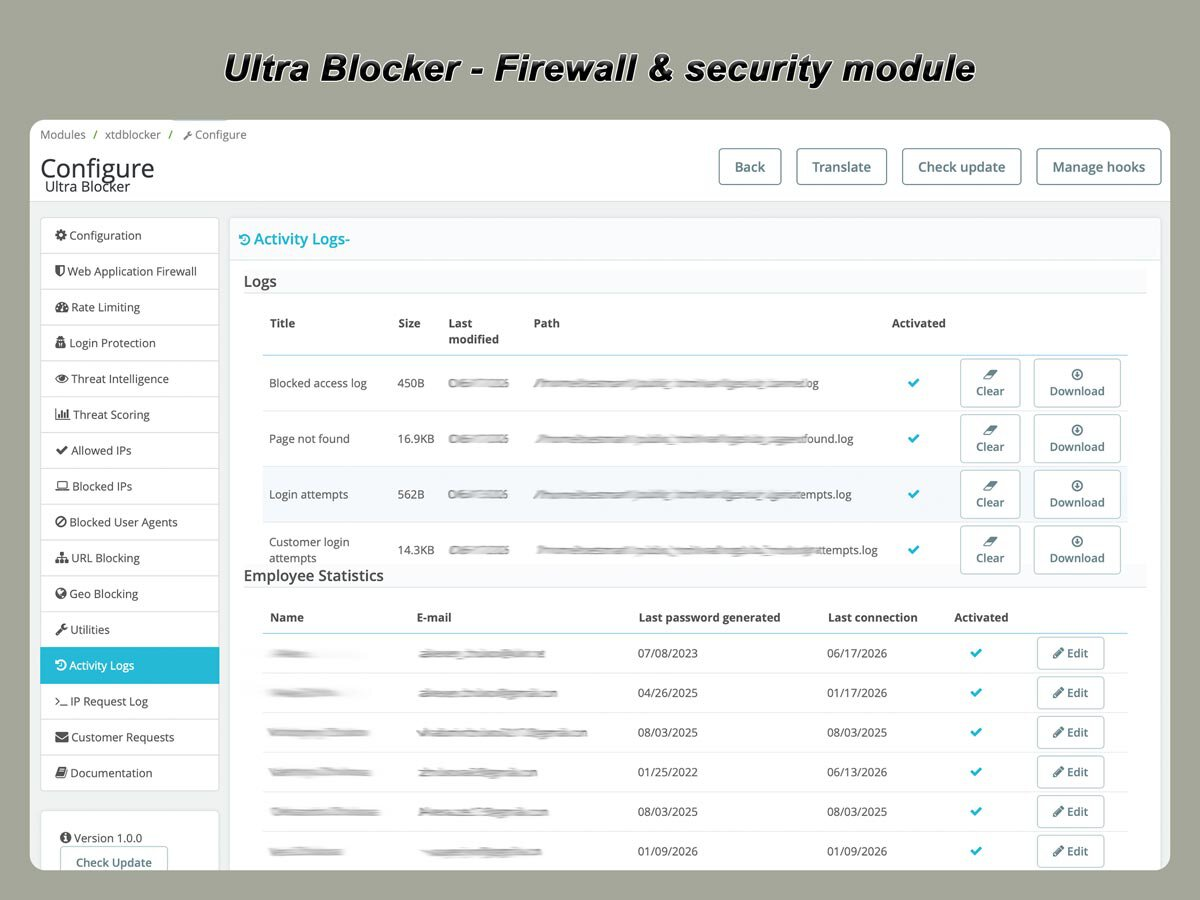
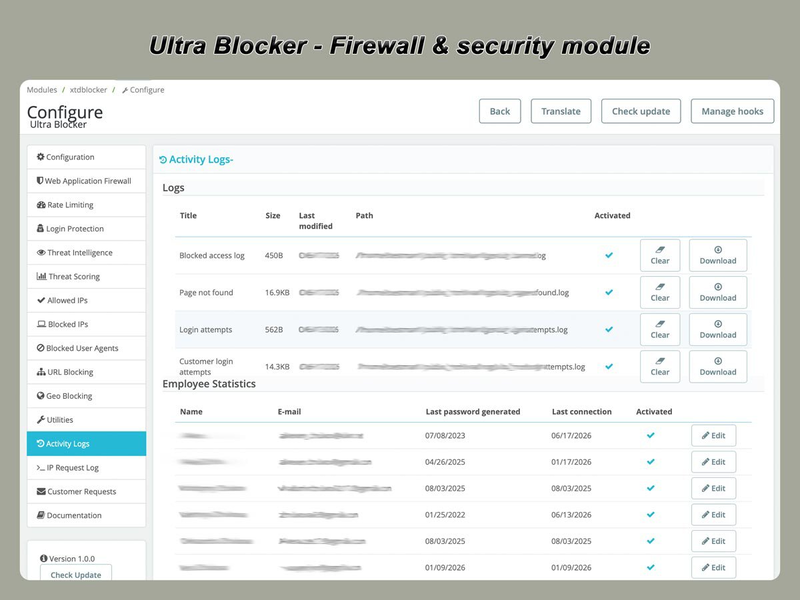
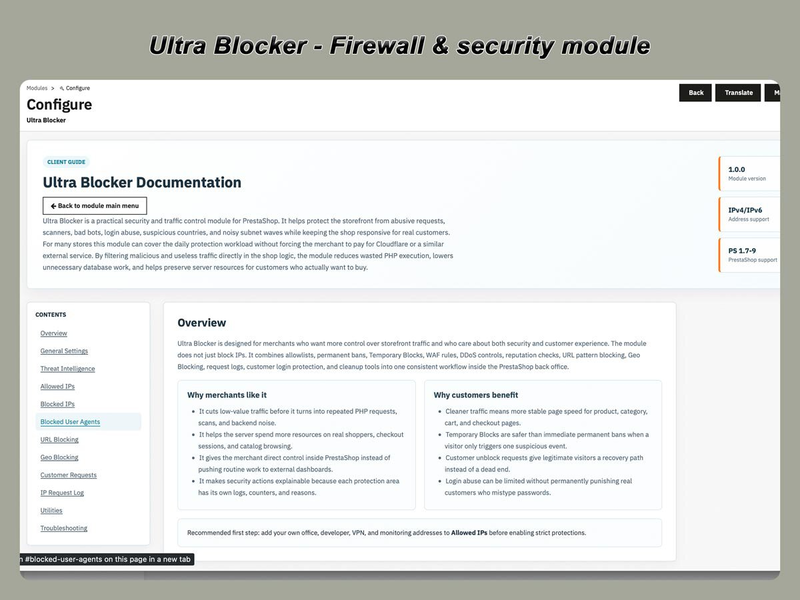
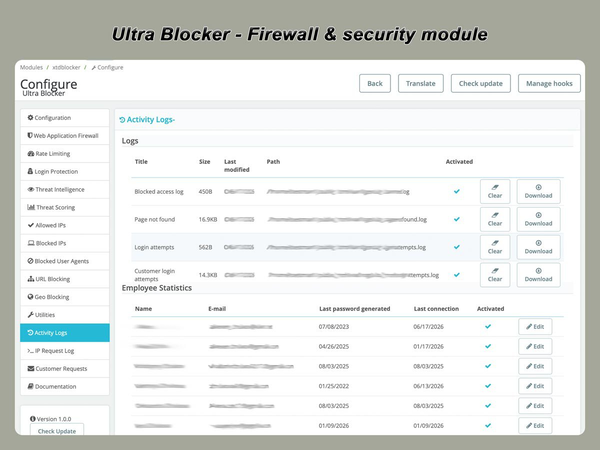
Ultra Blocker records security events so administrators can understand why requests were blocked.

Depending on the triggered rule, log records may include:

  • IP address;
  • requested URL;
  • request method;
  • User-Agent;
  • triggered security rule;
  • threat score;
  • action taken;
  • temporary block duration;
  • event date and time.

Logs help distinguish automated abuse from legitimate customer activity and allow security rules to be adjusted when necessary.

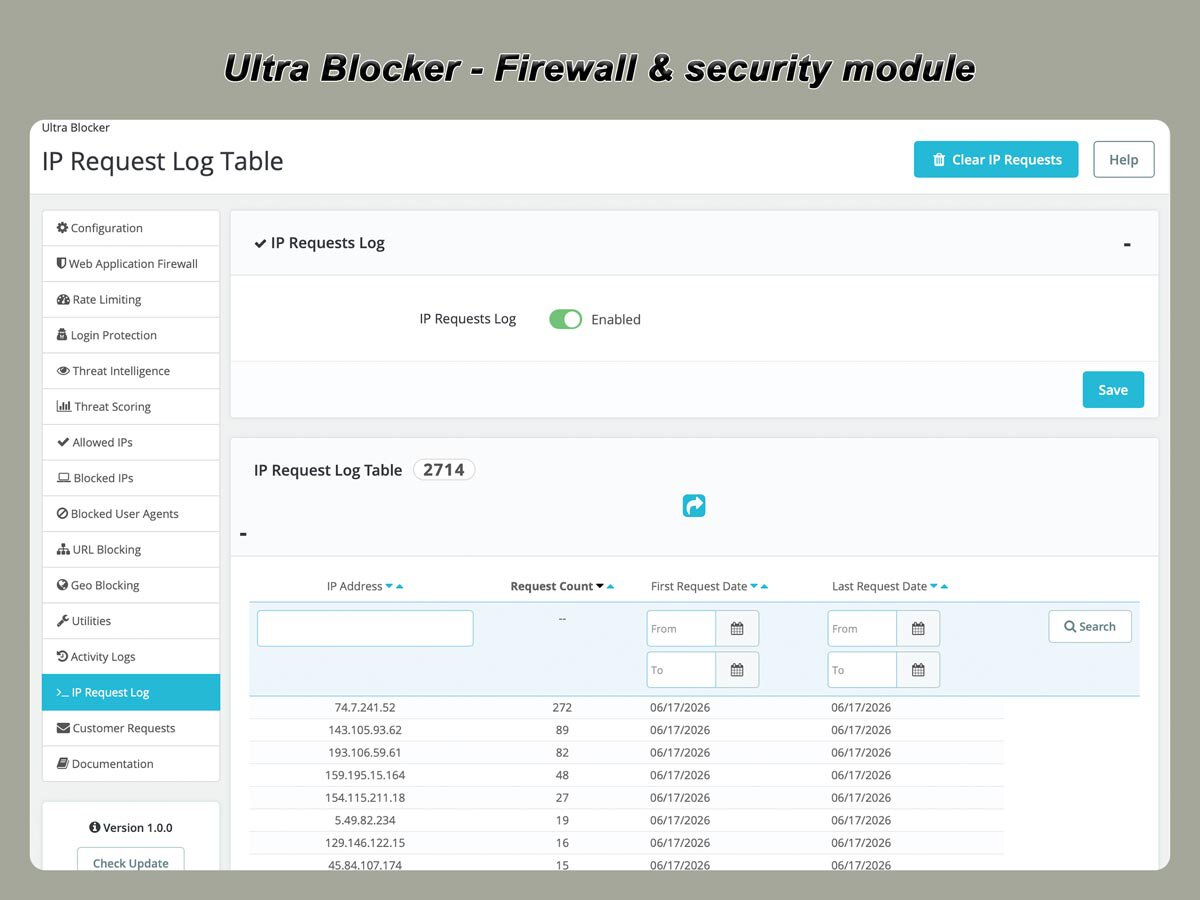
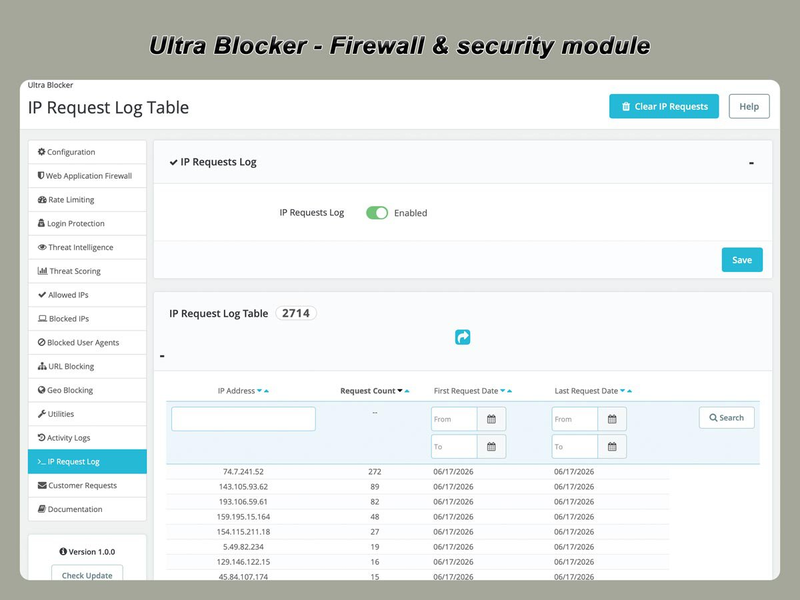
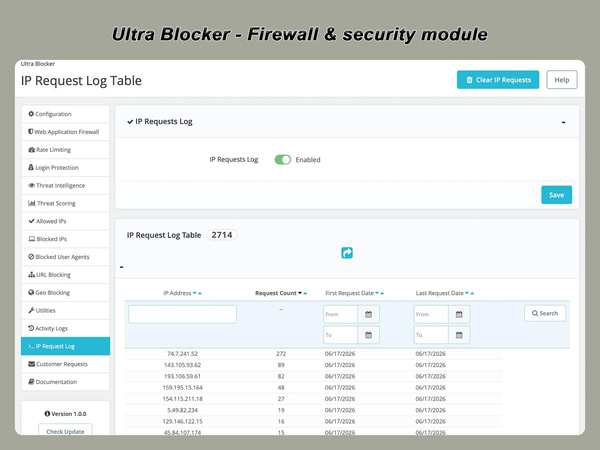
Request Counters and Statistics

Request counters help identify IP addresses that generate unusual traffic volumes.

Administrators can review repeated requests and determine whether an address should be:

  • allowed;
  • temporarily restricted;
  • permanently blocked;
  • excluded from selected rules.

Counters also help diagnose aggressive bots and repeated application-level requests before they create larger performance issues.

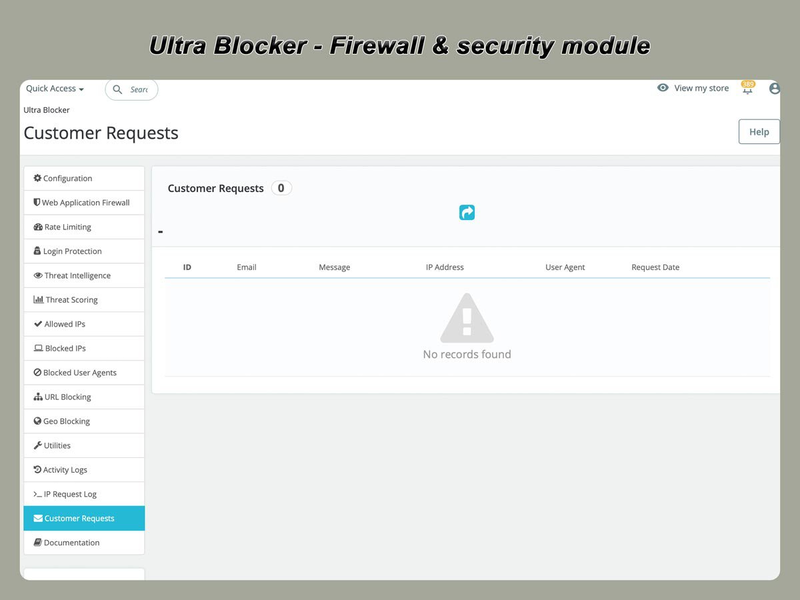
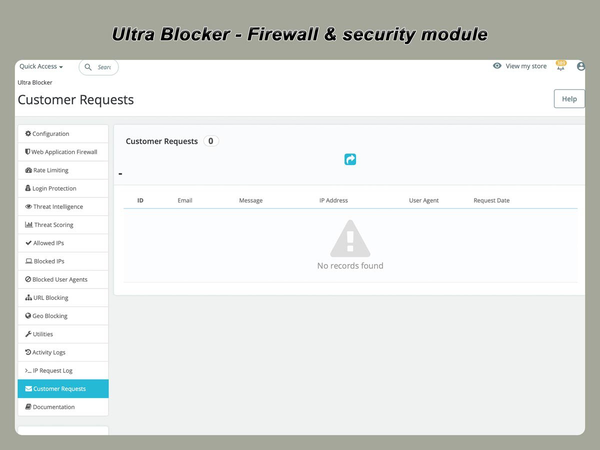
Customer Unblock Requests

A legitimate customer may occasionally be affected by an IP block, particularly when using a shared network, mobile provider, VPN, or previously abused address.

Ultra Blocker can provide a customer recovery workflow that allows the visitor to request a review.

Administrators can inspect the request and decide whether to:

  • allow the IP address;
  • remove a temporary restriction;
  • remove a Hard Ban;
  • reject the request.

This provides a controlled recovery process without exposing back-office security settings.

Practical use cases

Stop WordPress probes

PrestaShop stores often receive requests for WordPress-specific paths such as /wp-admin and /wp-login.php.

Ultra Blocker can detect these requests, log them, add threat-score points, or block the source IP.

Reduce repeated 404 scans

Automated scanners may request hundreds of nonexistent files and directories.

Repeated 404 requests can be counted and used as a signal for threat scoring or temporary blocking.

Protect customer and administrator logins

Login rules limit repeated failed authentication attempts and reduce brute-force activity against customer and back-office accounts.

Restrict aggressive crawlers

Rate limits and User-Agent rules can reduce traffic from bots that request too many pages within a short period.

Block known abusive networks

Individual addresses, wildcard ranges, and CIDR networks can be added as Hard Bans.

External blocklists may also be imported when required.

Restrict access by country

Stores that sell only in selected markets can block or allow traffic according to the visitor’s detected country.

Review possible false positives

Security logs and customer unblock requests help administrators investigate blocked visitors and correct overly strict rules.

Designed for local control

Ultra Blocker provides store-level security controls directly inside PrestaShop.

The module can be used independently for routine application-level filtering or together with:

  • Cloudflare;
  • another CDN;
  • a reverse proxy;
  • hosting firewall rules;
  • server-level security software;
  • network DDoS protection.

These tools operate at different layers.

A CDN or network firewall can stop traffic before it reaches the server. Ultra Blocker has access to PrestaShop-specific context and can apply rules based on storefront requests, login activity, product URLs, customers, and module configuration.

Using both approaches provides stronger layered protection.

Performance considerations

Ultra Blocker is designed for efficient request filtering using local rules, cached lookups, and configurable logging.

Performance-related controls include:

  • local IP and URL rules;
  • cached GeoIP lookups;
  • configurable security layers;
  • adjustable logging;
  • automatic cleanup options;
  • indexed database records;
  • optional external checks.

The exact performance impact depends on traffic volume, enabled rules, logging level, server configuration, and database size.

Administrators should enable only the security layers needed for their store and review logs periodically.

Security and privacy

Core filtering takes place on the merchant’s server.

Store traffic is not automatically routed through an Extendo Modules proxy or remote firewall.

Optional external services may be contacted only when the related threat intelligence feature is enabled.

Depending on configuration, the module may store:

  • visitor IP addresses;
  • requested URLs;
  • User-Agent values;
  • timestamps;
  • triggered security rules;
  • threat scores;
  • blocking actions.

Store administrators are responsible for configuring log retention and privacy notices according to applicable legislation.

Unregistered and Registered modes

Purchasing Ultra Blocker includes registration for one assigned production domain and unlocks the full commercial feature set. No separate feature upgrade is required.

FeatureUnregistered modeRegistered mode
Web Application FirewallIncludedIncluded
Login ProtectionIncludedIncluded
Basic Rate LimitingIncludedIncluded
Allowed IP AddressesIncludedIncluded
Blocked IP AddressesIncludedIncluded
Blocked User-AgentsIncludedIncluded
Advanced Threat ScoringLimitedIncluded
Automatic Temporary BlocksLimitedIncluded
URL BlockingIncluded
Geo BlockingIncluded
Advanced Logs and StatisticsLimitedIncluded
CSV Import and ExportIncluded
External Blocklist ImportIncluded
Customer Unblock RequestsIncluded

Frequently Asked Questions

What is Ultra Blocker?

Ultra Blocker is an application-level security and traffic filtering module for PrestaShop. It blocks or restricts suspicious requests using firewall rules, rate limiting, login protection, IP controls, threat scoring, and security logs.

Does Ultra Blocker replace Cloudflare?

No. Ultra Blocker operates inside PrestaShop and provides application-level filtering with store-specific context.

It can be used independently for routine traffic control or together with Cloudflare, another CDN, a hosting firewall, or reverse-proxy protection.

Does the module protect against DDoS attacks?

Ultra Blocker helps reduce application-level request floods and repeated abusive HTTP traffic.

It cannot replace network-level DDoS protection because large attacks may consume bandwidth or server resources before PrestaShop or PHP can process the request.

Does Ultra Blocker work with IPv6?

Yes. The blocked IP system supports individual IPv6 addresses and IPv6 CIDR ranges.

What is a Hard Ban?

A Hard Ban is a permanent blocked-IP rule. It remains active until an administrator disables or removes it.

What is the difference between a temporary block and a Hard Ban?

A temporary block expires automatically after a configured period. A Hard Ban does not expire automatically.

Can I block an entire network?

Yes. The module supports IPv4 and IPv6 CIDR ranges. IPv4 wildcard ranges are also supported.

Can I block access from specific countries?

Yes. Geo blocking can allow or deny access according to the visitor’s detected country.

Does the module send store traffic to an external service?

No. Core filtering runs locally on your server.

Optional threat intelligence services may receive limited request data only when the related integration is enabled.

Can legitimate customers request to be unblocked?

Yes. The customer recovery workflow can allow blocked visitors to submit a review request.

Can I import or export blocked IP addresses?

Yes. Registered mode includes CSV tools for managing larger IP lists.

Will the module slow down my store?

Every request-filtering system requires some processing.

Ultra Blocker is designed to use local rules, cached lookups, indexed data, and configurable logging. Actual impact depends on traffic, enabled features, server performance, and log size.

Do I receive the complete version after purchase?

Yes. The purchase includes registration for one assigned production domain and unlocks the full listed commercial feature set.

How long is the licence valid?

The licence remains valid for the assigned domain according to the licence terms.

The module can continue to be used after the included update period ends.

How long are updates included?

The purchase includes one year of access to new module versions. Update access can be renewed after the included period.

Downloading, registering and using a module

Translations
English
French
Italian
Polish
Portuguese
Spanish
Ukranian
PrestaShop version support
1.7.8.x
8.x
9.x
Requirements
PHP extension - IonCube Loader v14

Current version: 1.0.0


Version 1.0.0

Initial stable release

Product added to wishlist