• New
xtdwayforpay - WayForPay Payments module - PrestaShop module by Extendo Modules

WayForPay Payments module

xtdwayforpay
€34.90
Tax included

Accept and manage WayForPay payments in PrestaShop

Provide customers with a configurable WayForPay checkout and manage payment statuses, authorizations, captures, refunds and payment recovery from the PrestaShop back office.

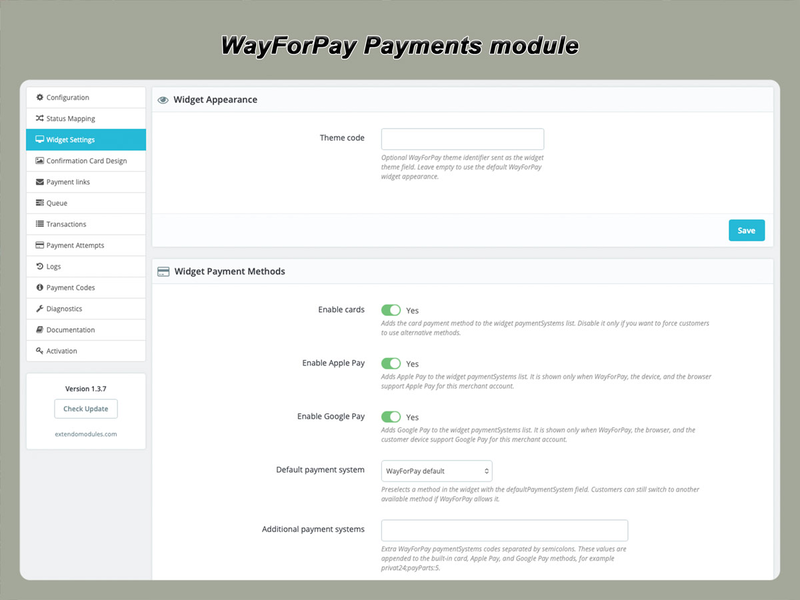
  • Redirect and widget checkout
  • SALE and AUTH payment workflows
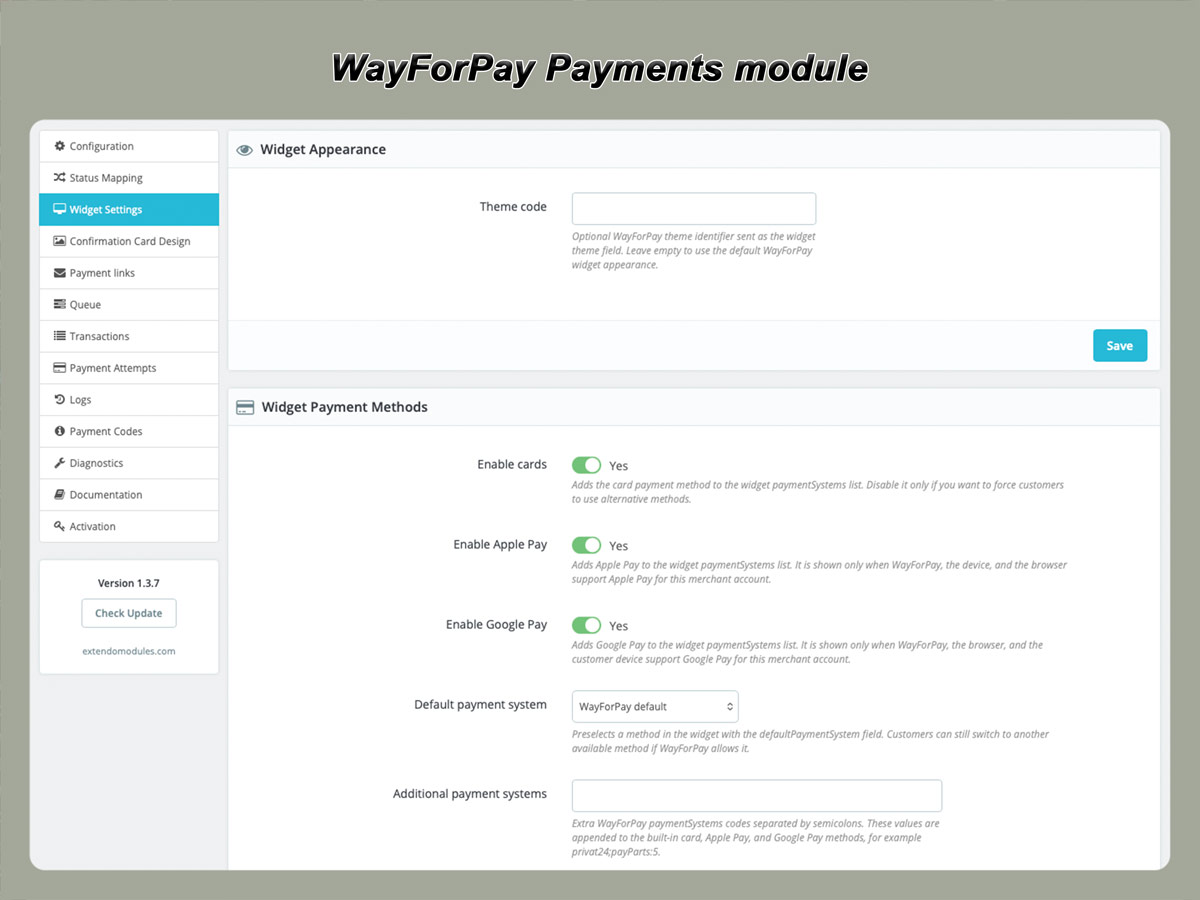
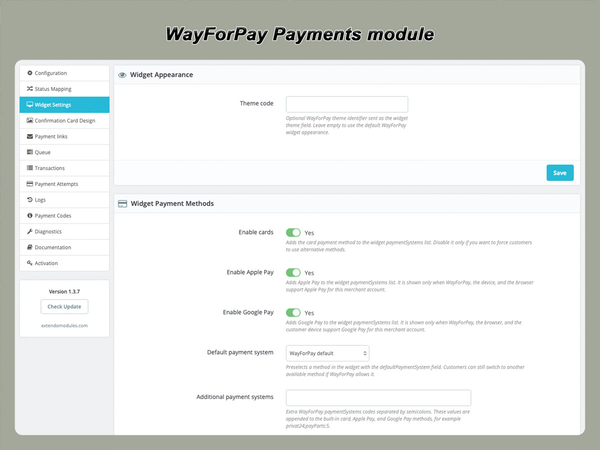
  • Apple Pay and Google Pay availability
  • Signed callback processing
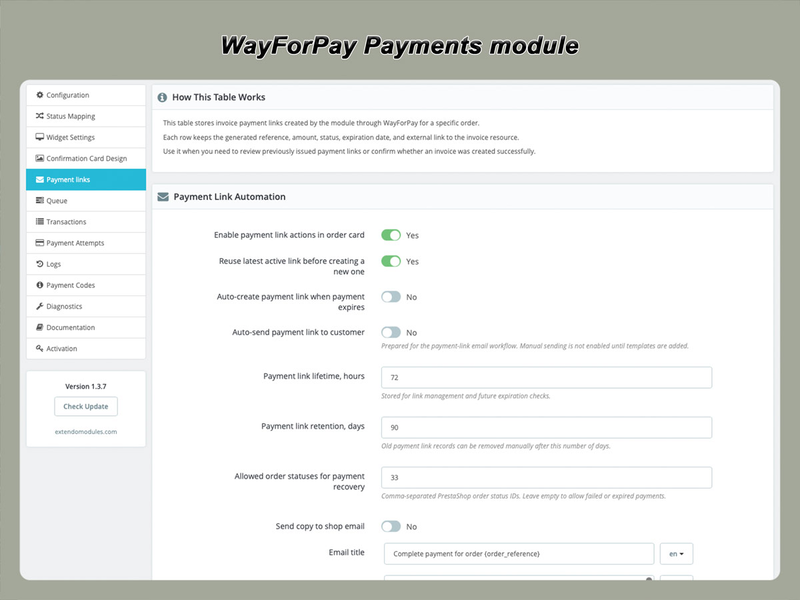
  • Payment links for unpaid orders
  • Registered mode included with purchase
  • Lifetime licence for one assigned domain
  • One year of free updates
PrestaShop version support: 1.7.8.x 8.x 9.x
Translations: English Ukranian
Requirements: PHP extension - IonCube Loader v14


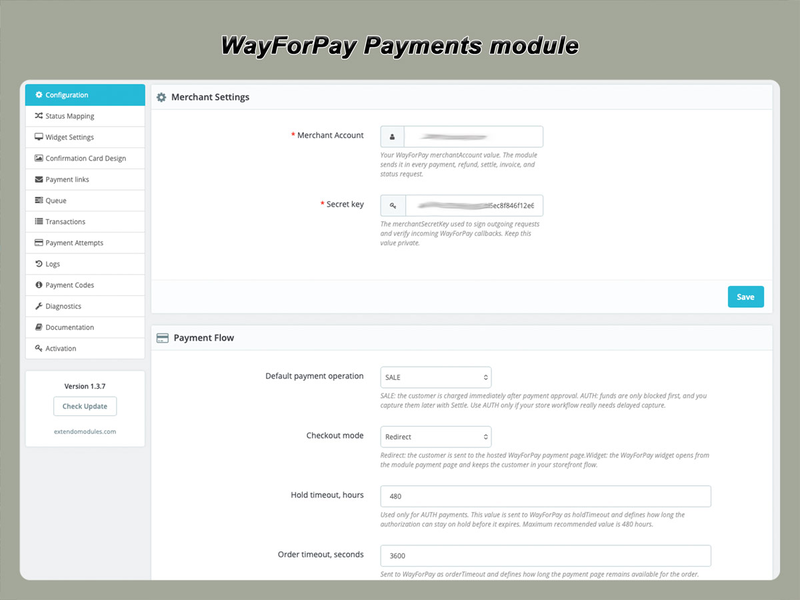
Connect your PrestaShop store to WayForPay

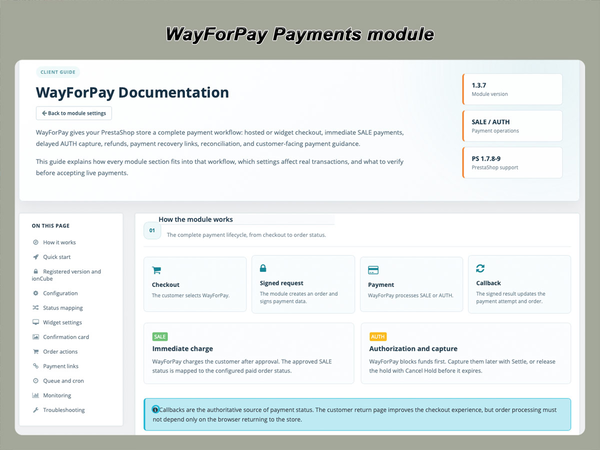
The module provides a structured integration between PrestaShop orders and WayForPay transactions.

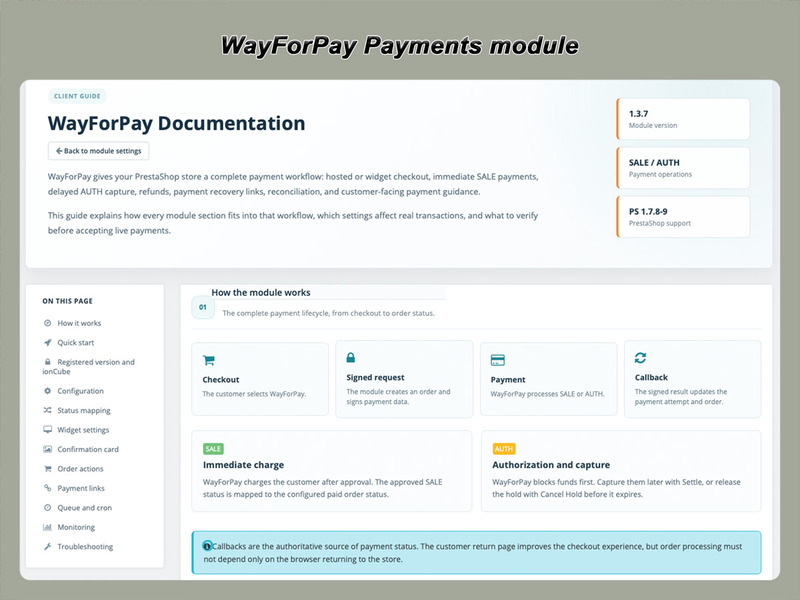
When a customer places an order, the module securely sends the required order and payment information to WayForPay. The customer completes the payment using the selected checkout flow, and WayForPay sends the transaction result back to the store.

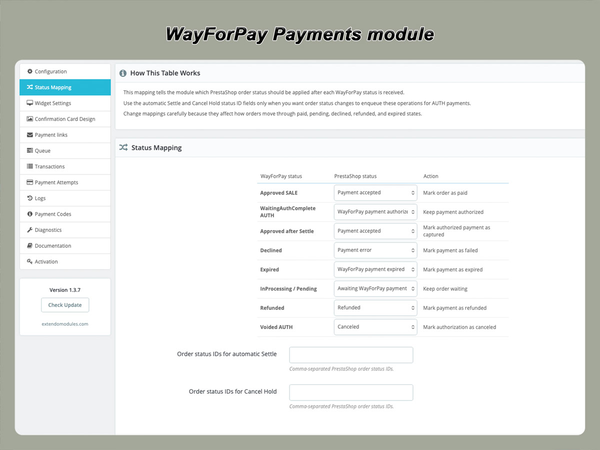
The corresponding PrestaShop order status is then updated according to the configured payment status mapping.

This allows merchants to manage the complete payment workflow without manually checking every transaction in a separate payment dashboard.

Choose the checkout experience

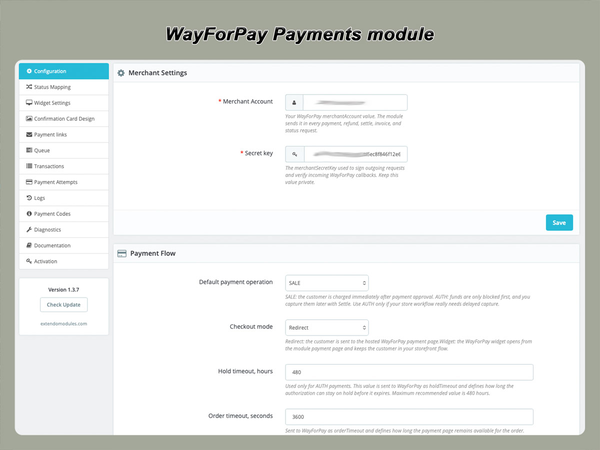
Redirect checkout

With redirect checkout, the customer is transferred from your store to the secure WayForPay payment page.

After completing or cancelling the payment, the customer is redirected back to the store.

This option is suitable when you want:

  • a simple integration;
  • payment details entered on the hosted WayForPay page;
  • minimal payment interface configuration inside the store;
  • a checkout flow maintained by the payment provider.

The actual payment methods displayed on the WayForPay page depend on your merchant account, currency, customer device, browser and WayForPay configuration.

Embedded widget checkout

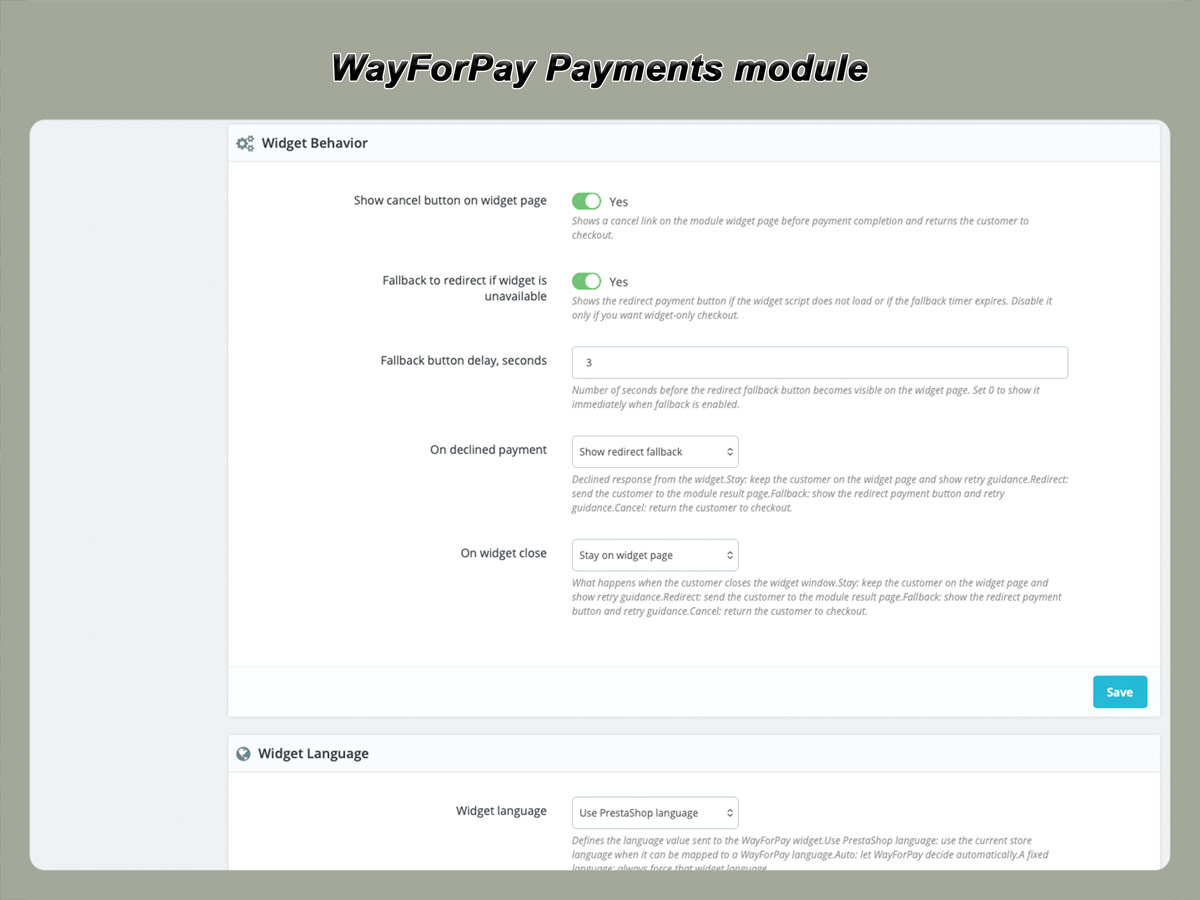
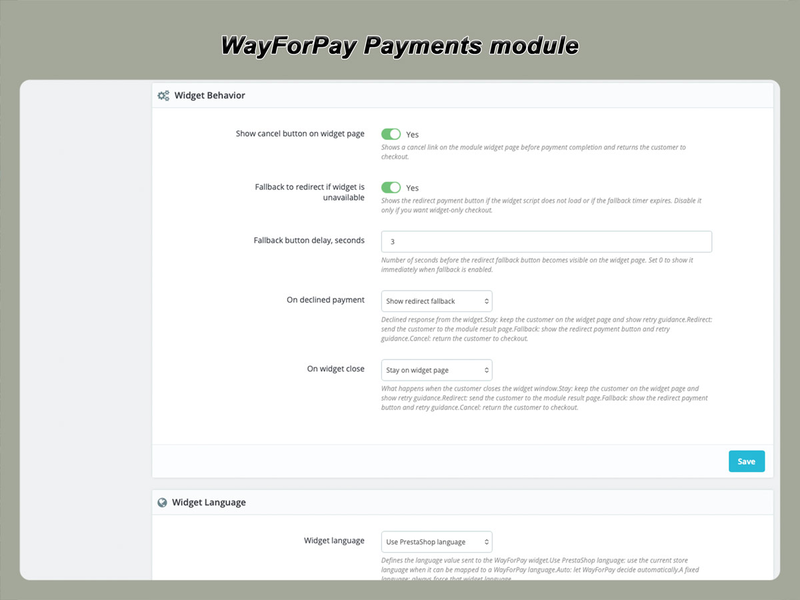
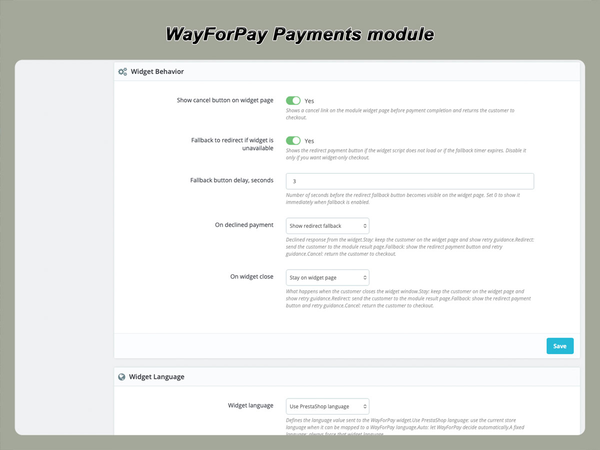
Widget checkout displays the WayForPay payment interface without sending the customer through a conventional full-page redirect.

This can provide a more integrated payment experience while the secure payment form and card processing remain handled by WayForPay.

Widget checkout is suitable when you want:

  • a more continuous storefront experience;
  • less visible movement between the store and payment gateway;
  • a payment interface integrated into the checkout flow;
  • the option to keep more of the payment process within the store page.

The appearance and availability of payment methods inside the widget depend on WayForPay account settings and customer device support.

Supported customer payment methods

Depending on the payment methods enabled for your WayForPay merchant account, customers may be able to pay using:

  • Visa and Mastercard payment cards;
  • Apple Pay;
  • Google Pay;
  • other methods made available by WayForPay for your merchant account.

Apple Pay and Google Pay availability depends on the customer’s device, browser, wallet configuration, WayForPay merchant eligibility and enabled payment methods.

The module does not independently enable payment methods that have not been activated for your WayForPay account.

Immediate and delayed payment capture

SALE: charge the payment immediately

SALE is the standard one-stage payment workflow.

When the transaction is approved, the customer’s card is charged and the PrestaShop order is moved to the configured successful-payment status.

SALE is suitable when:

  • products are available for immediate fulfilment;
  • the full order amount should be charged during checkout;
  • no manual payment confirmation is required;
  • the store uses a conventional pay-and-process workflow.
AUTH: authorize the payment before capture

AUTH creates a two-stage payment workflow.

Instead of immediately capturing the payment, WayForPay authorizes the transaction and places a hold on the required amount.

The merchant can later capture the authorized amount using Settle or cancel the hold when the order cannot be fulfilled.

AUTH is useful when:

  • stock availability must be confirmed;
  • the final order amount may change;
  • payment should be captured only after manual review;
  • custom-made or limited-stock products are sold;
  • the merchant wants to verify an order before collecting funds.

Availability and duration of the authorization hold are controlled by WayForPay and the issuing bank.

Settle an authorized payment

A successfully authorized transaction can be completed using the Settle operation.

Depending on the transaction and WayForPay rules, the module can submit the full or supported partial amount for capture.

This operation can be performed from the related PrestaShop order when the transaction is eligible.

The result is recorded in the module’s payment information and can update the order status according to the configured mapping.

Cancel an authorization hold

When an authorized order cannot be fulfilled, the hold can be cancelled instead of capturing the payment.

This releases the blocked amount according to the processing times of WayForPay and the customer’s bank.

Typical use cases include:

  • product unavailable after ordering;
  • order rejected during manual review;
  • customer cancellation before capture;
  • incorrect order amount;
  • duplicate authorization.

Cancelling a hold is different from refunding a completed payment because the authorized amount has not yet been captured.

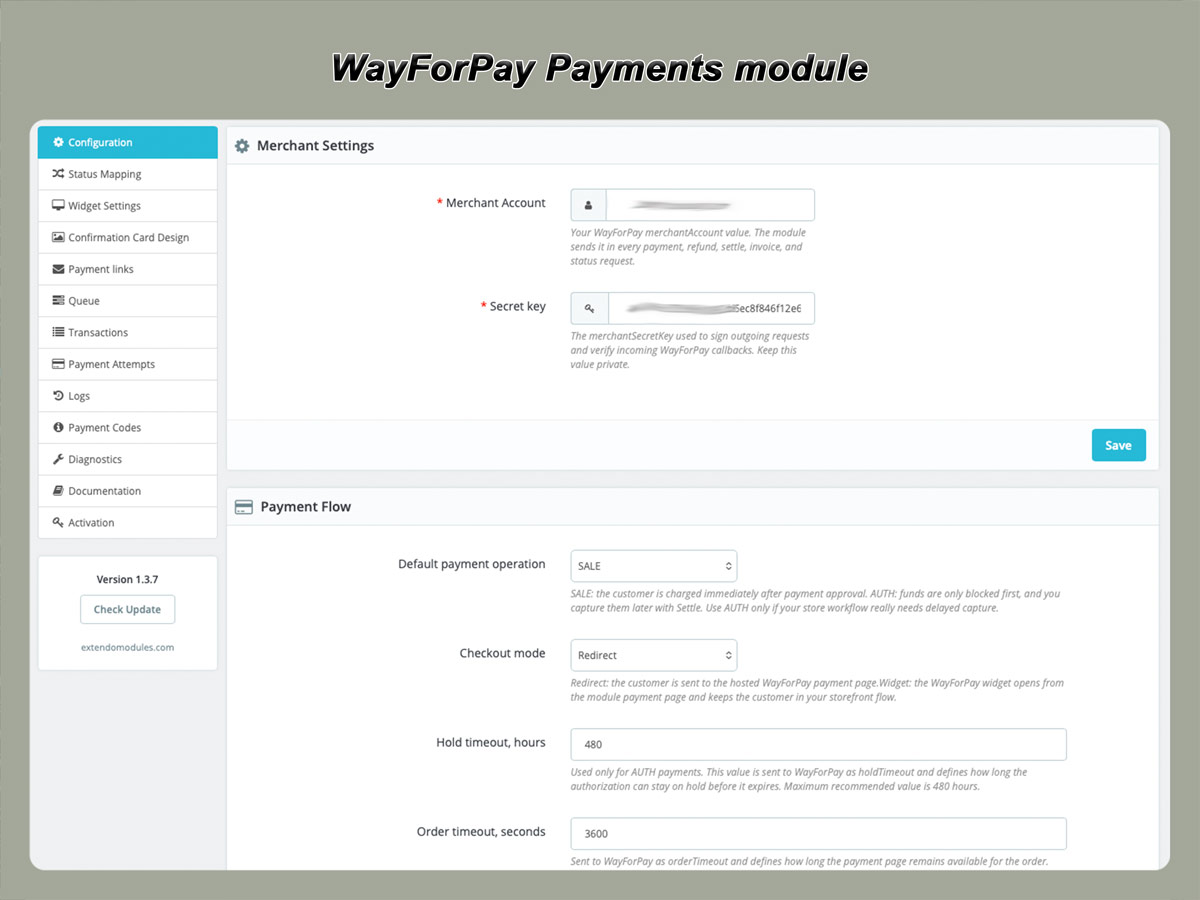
Manage payments from the PrestaShop back office

The module adds supported WayForPay transaction operations to the related PrestaShop order.

Depending on the transaction status and registered feature availability, administrators can:

  • check the current transaction status;
  • settle an authorized payment;
  • cancel an authorization hold;
  • issue a full or partial refund;
  • create a new payment link;
  • review payment attempts;
  • inspect gateway response codes and messages;
  • process queued operations.

Only actions valid for the current WayForPay transaction status should be displayed or accepted.

This helps prevent administrators from submitting operations that are not applicable to the payment.

Automatic payment status updates

Signed WayForPay callbacks

WayForPay sends server-to-server notifications when a transaction is created, approved, declined or otherwise changes status.

The module validates incoming callback data before applying the result to the corresponding PrestaShop order.

A valid callback can:

  • record the payment attempt;
  • save the WayForPay transaction status;
  • store available response information;
  • update the PrestaShop order status;
  • prevent the same successful transaction from being processed twice.

Because callbacks are delivered directly between WayForPay and the store, order updates do not depend only on the customer returning to the success page.

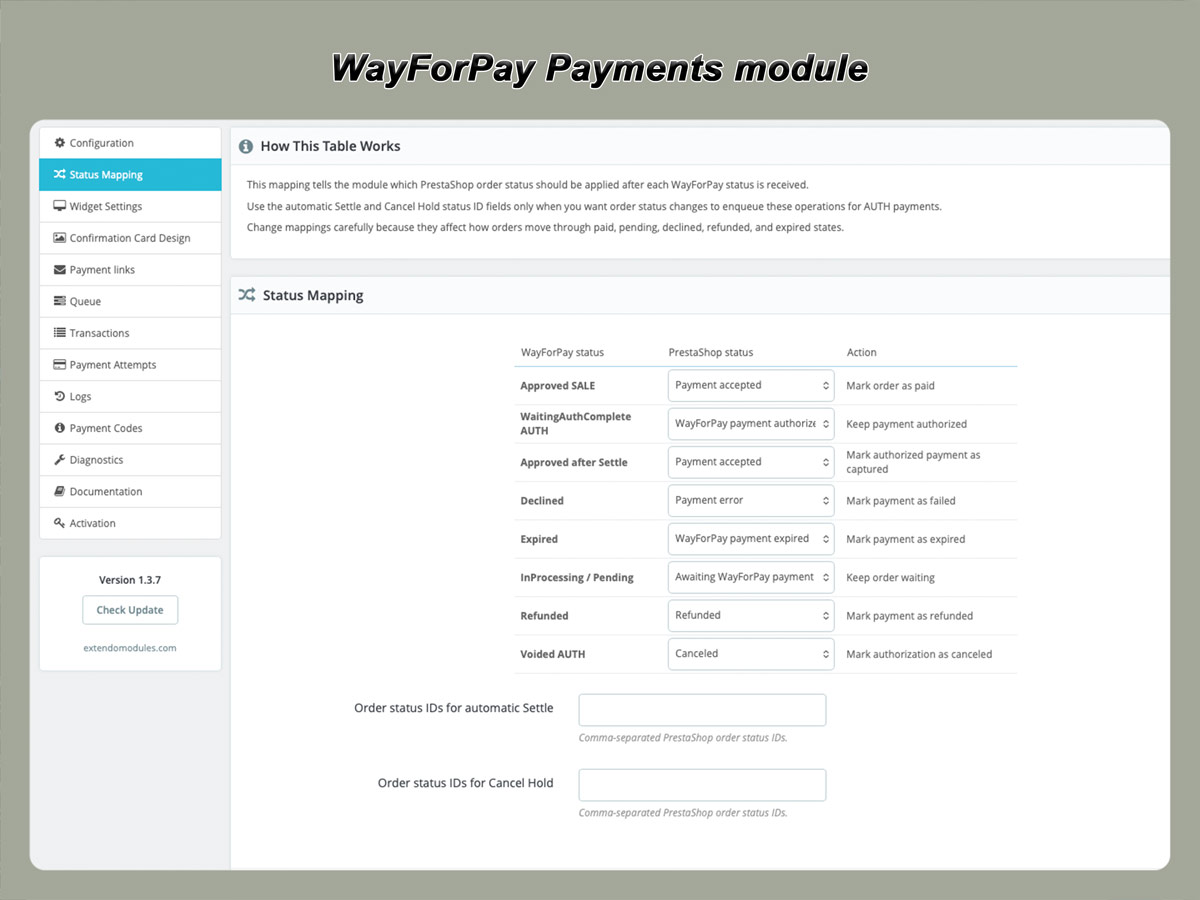
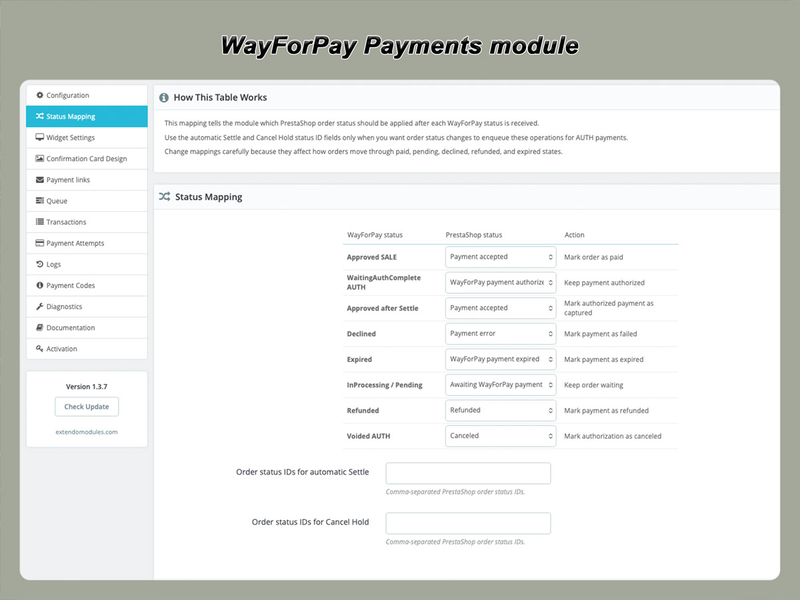
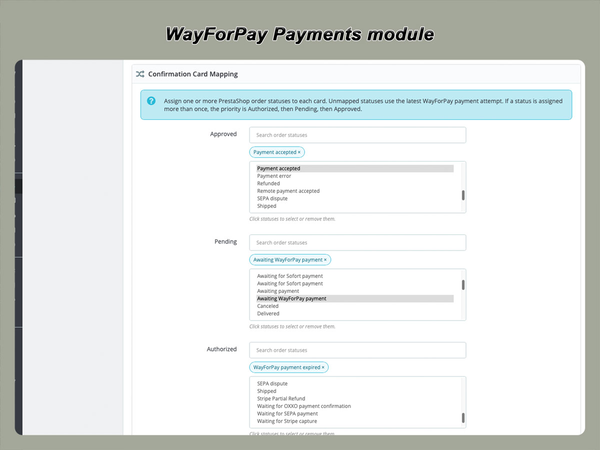
Flexible order status mapping

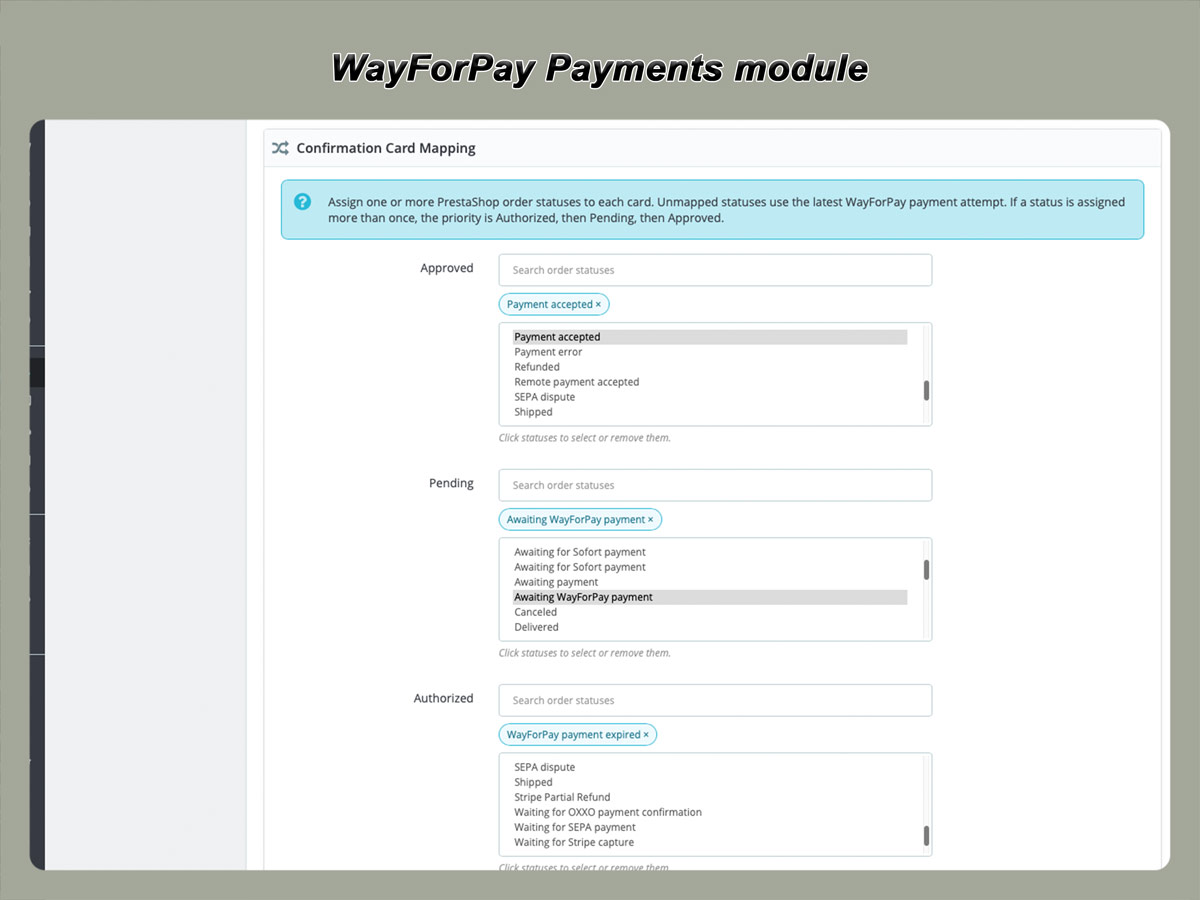
Different WayForPay transaction results can be assigned to appropriate PrestaShop order statuses.

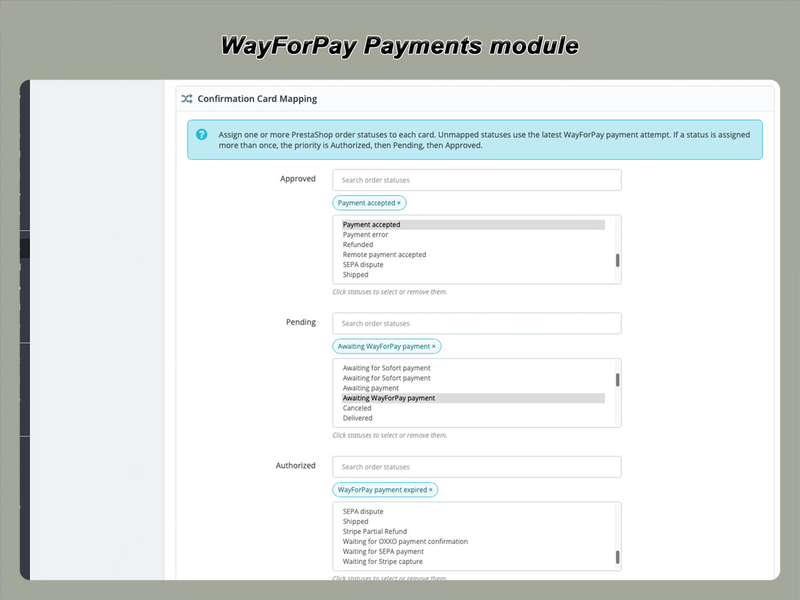
The exact mapping can be adjusted to match the store’s existing order workflow.

This is useful for stores that already use custom statuses for fulfilment, review, authorization or refund processing.

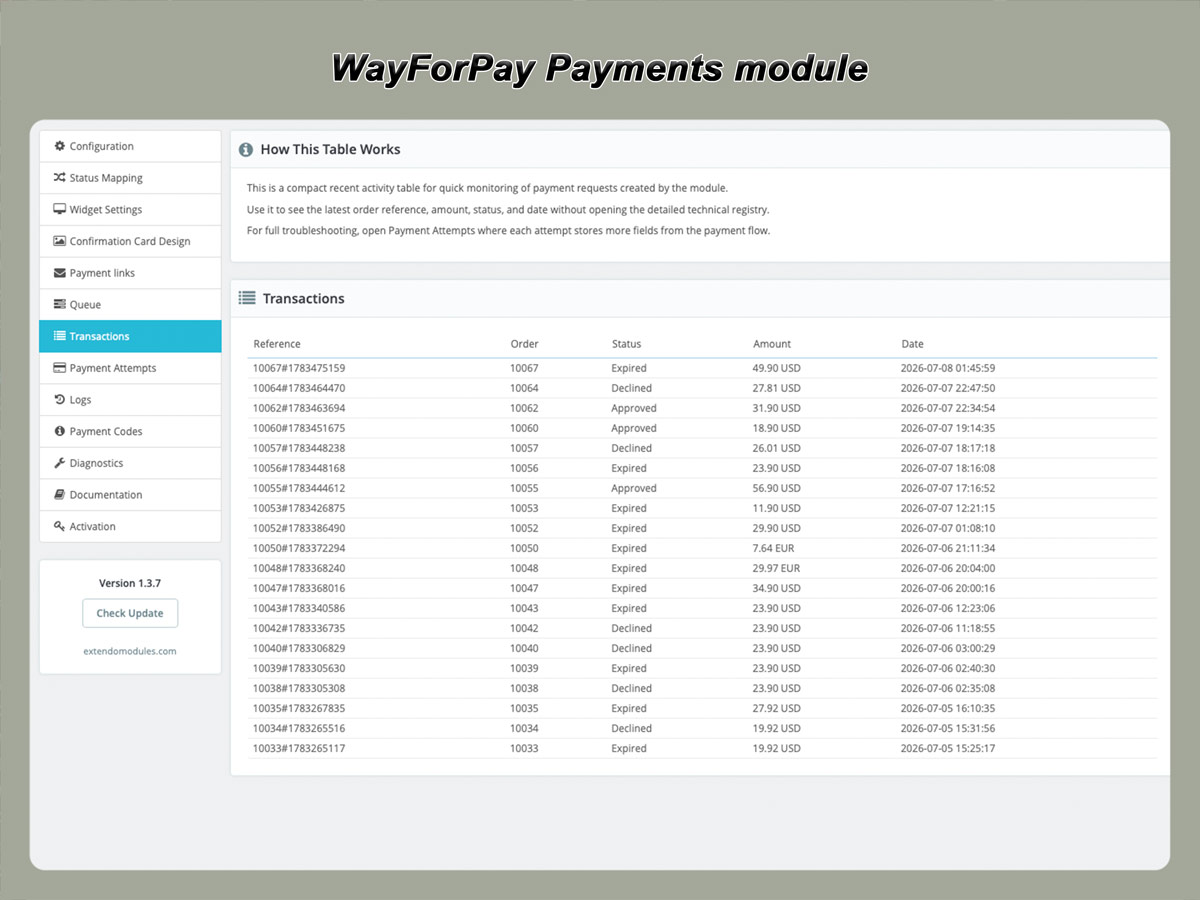
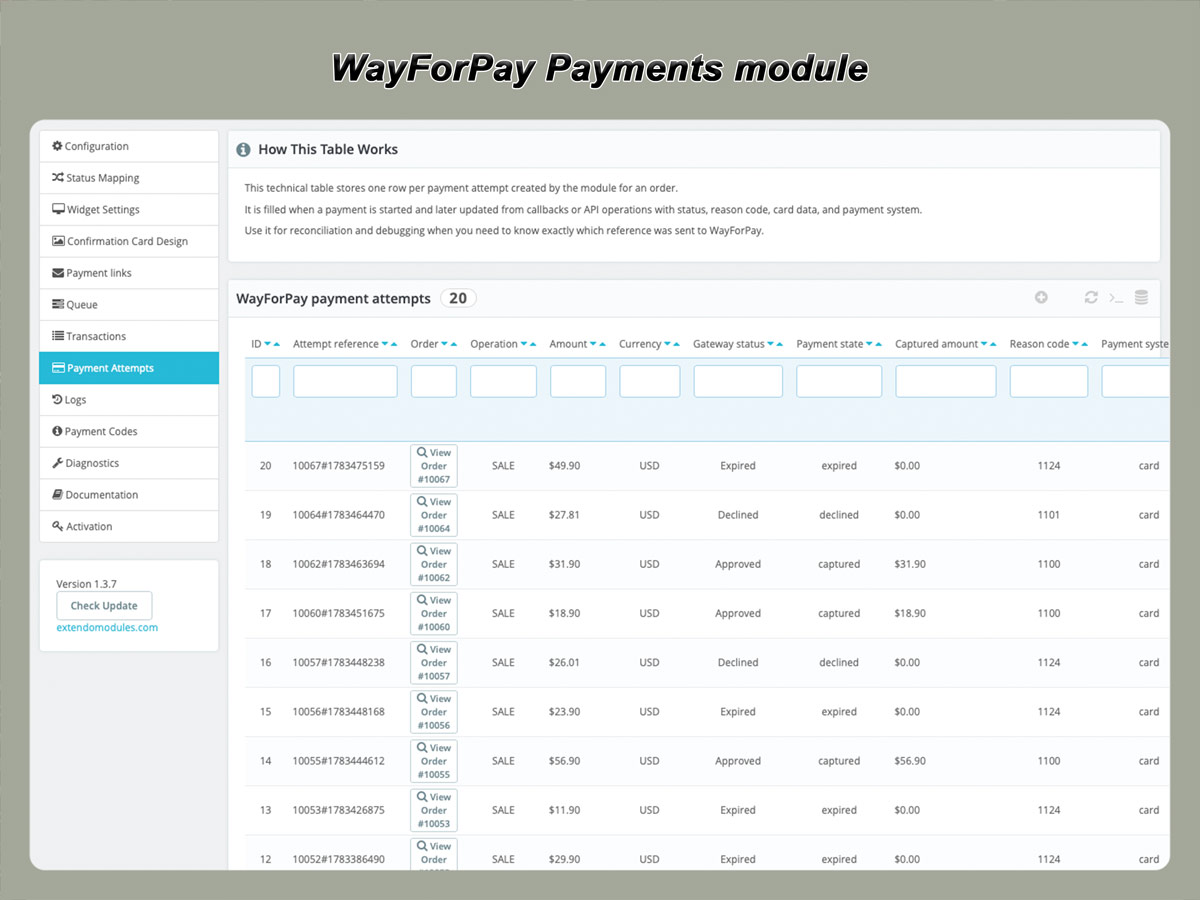
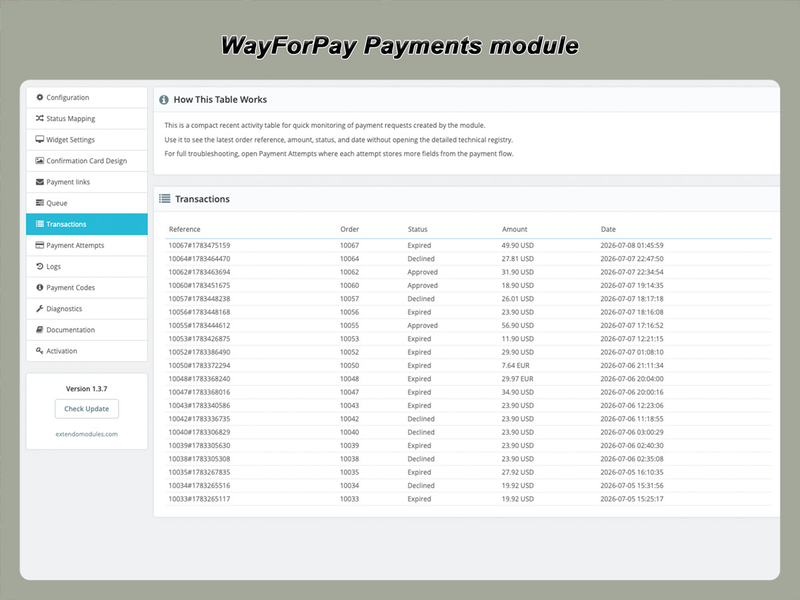
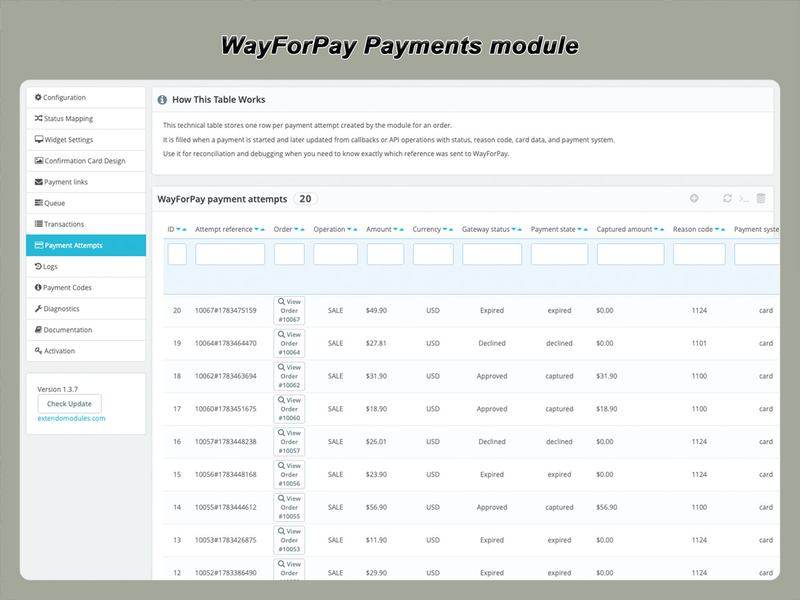
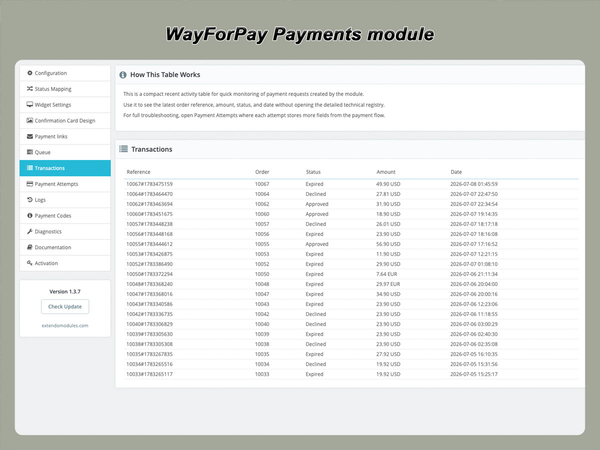
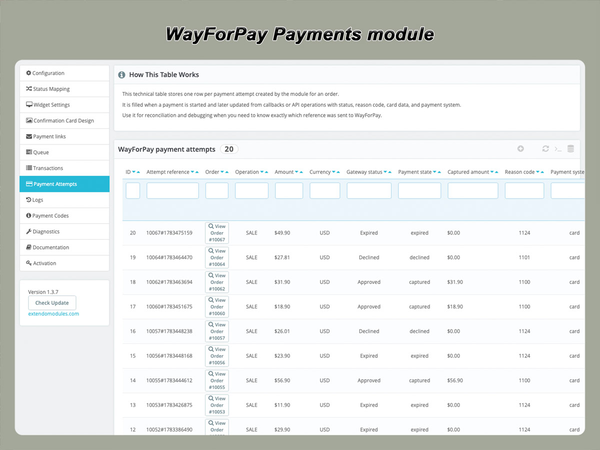
Payment attempts and transaction history

A customer may attempt to pay for the same order more than once.

The module records payment attempts separately so administrators can review the actual transaction history instead of seeing only the latest status.

Depending on the gateway response, a payment attempt may include:

  • WayForPay order reference;
  • transaction status;
  • requested amount and currency;
  • payment date;
  • processing date;
  • response code;
  • response message;
  • transaction type;
  • masked card information when returned;
  • authorization or transaction identifiers.

This helps investigate declined payments, repeated attempts, delayed callbacks and disputes about whether an order was charged.

Recover unpaid and expired orders

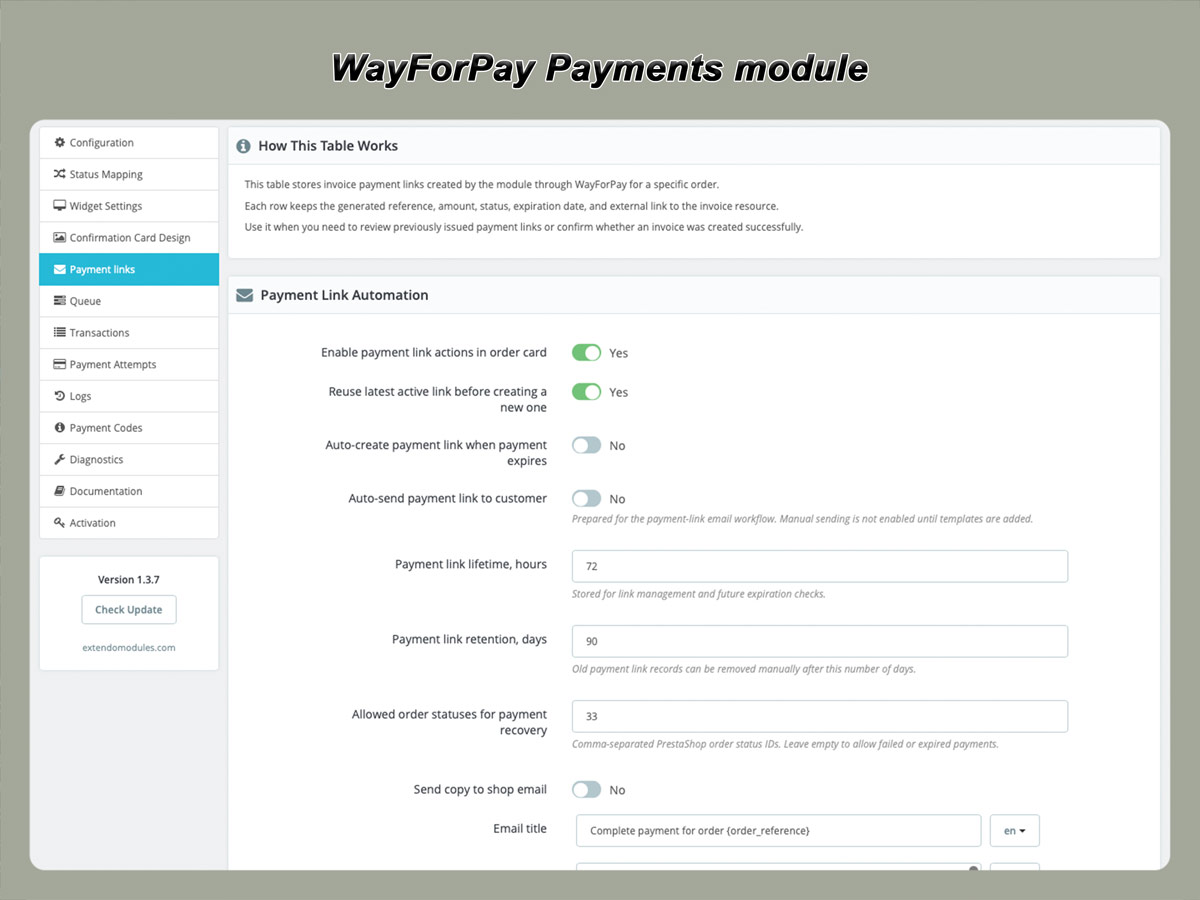
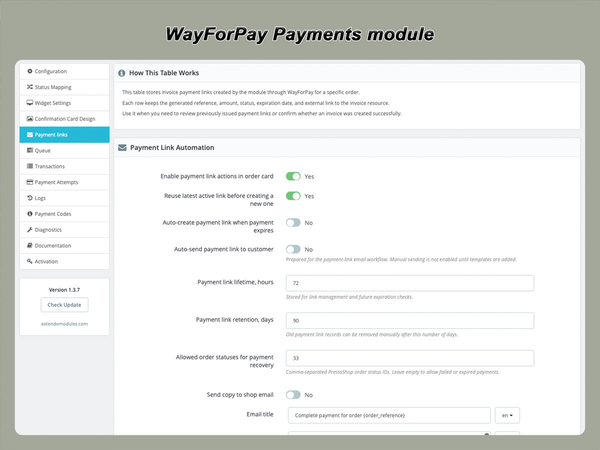
Generate a secure payment link

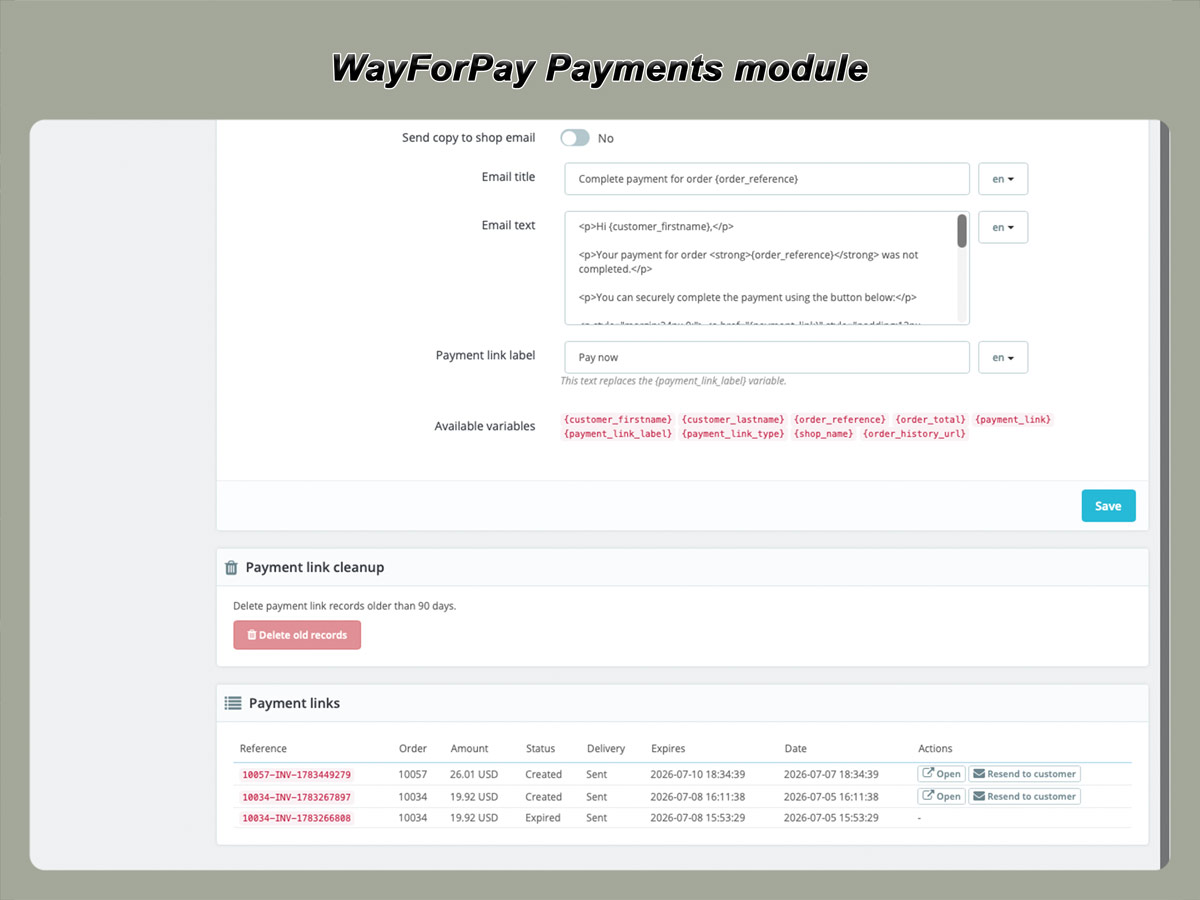
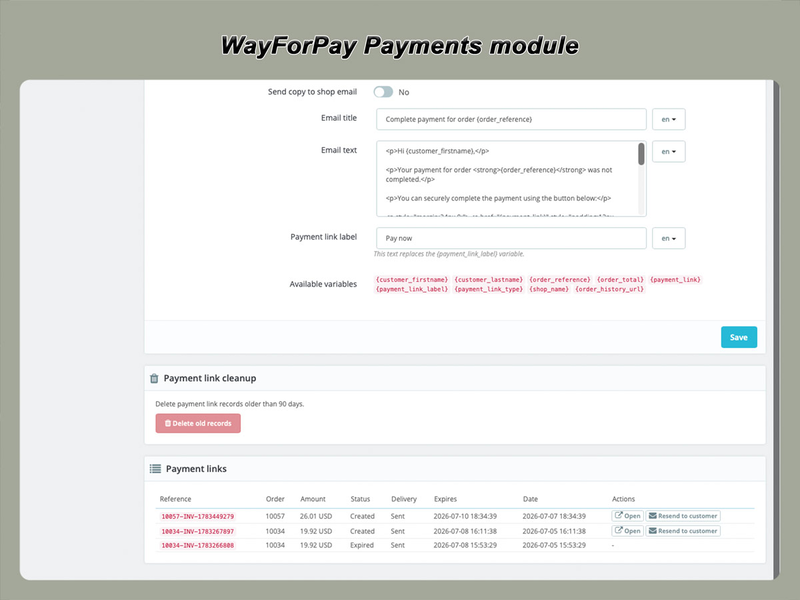
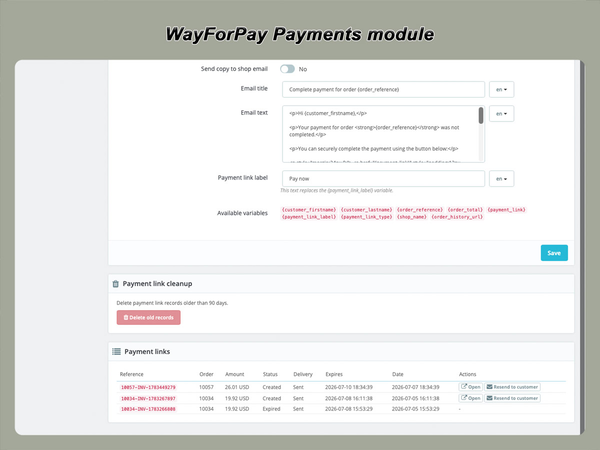
When an order remains unpaid, its previous payment session has expired, or the customer wants to try again, an administrator can generate a new WayForPay payment link.

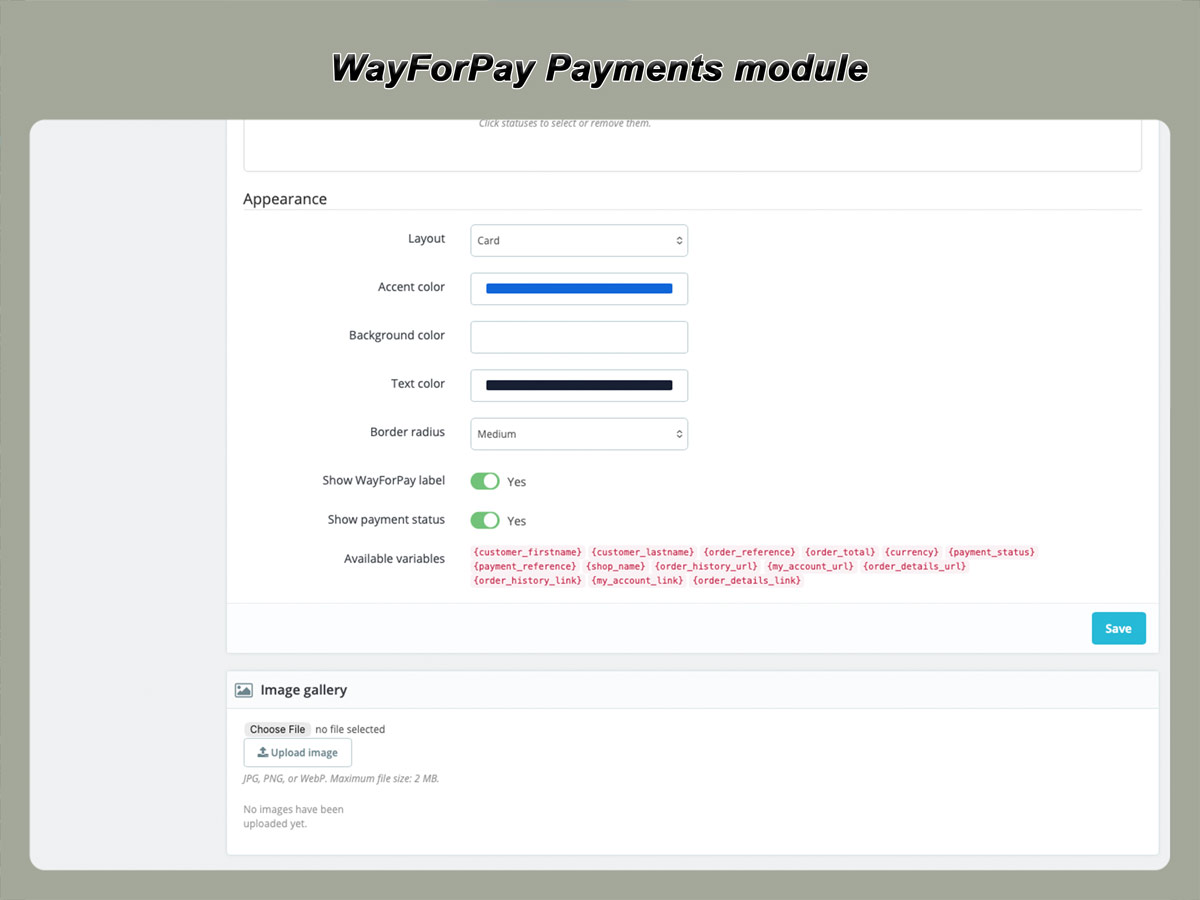
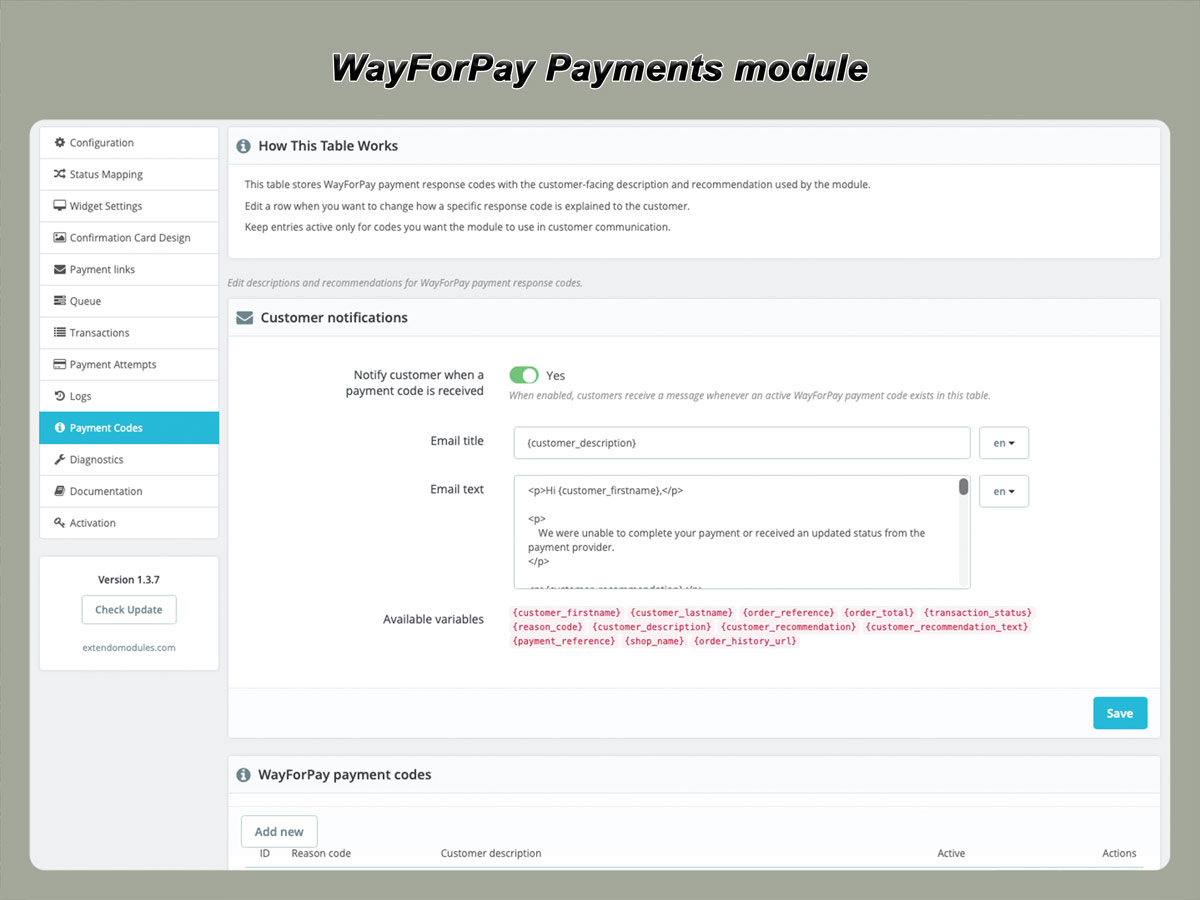
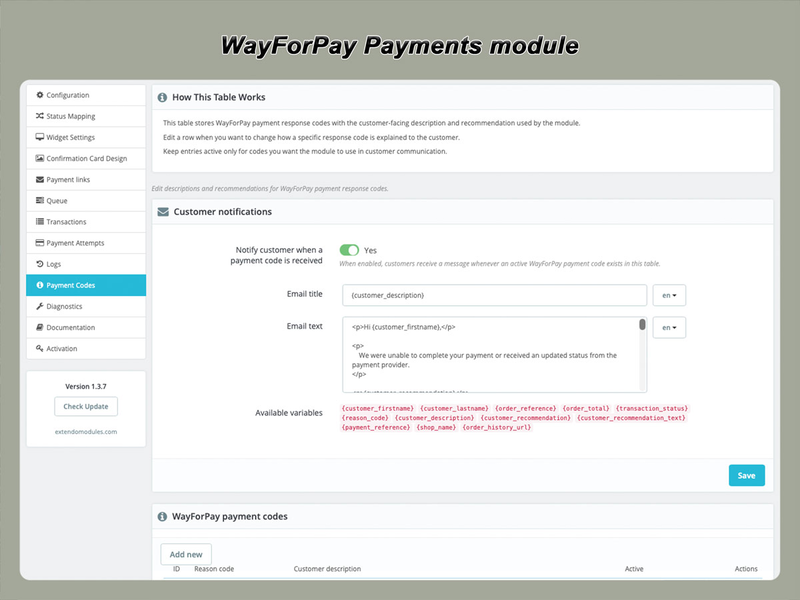
The link can be sent to the customer using an email template containing:

  • customer name;
  • order reference;
  • order total;
  • secure payment URL;
  • order history URL;
  • store name.

After the customer completes the payment, the callback workflow updates the transaction and order status automatically.

Payment links can help recover orders affected by:

  • an abandoned payment page;
  • an expired payment session;
  • a temporary card failure;
  • a customer closing the browser;
  • a declined payment followed by another payment attempt.

A payment link does not guarantee approval. The final result still depends on WayForPay, the payment method and the issuing bank.


Avoid duplicate payment

Before sending or using a new payment link, the current transaction status should be checked when there is any possibility that the original payment was completed.

Customer emails should also advise the customer not to pay again if the amount has already been charged.

This reduces the risk of duplicate payments caused by delayed callbacks, interrupted browser redirects or uncertainty after bank authorization.

Refund completed payments

Eligible approved transactions can be refunded from the PrestaShop order page.

Depending on the available WayForPay operation and transaction conditions, the module can support:

  • full refunds;
  • partial refunds;
  • refund status tracking;
  • storage of refund responses;
  • configurable order status updates.

A refund request is sent to WayForPay and does not mean the money is returned to the customer immediately.

The final processing time depends on WayForPay, the card network and the customer’s issuing bank.

The module should keep the submitted request and returned transaction result visible for administrative review.

Check the current transaction status

The Check Status operation requests the latest available payment state from WayForPay using the related order reference.

This is useful when:

  • the customer reports that payment was completed;
  • the browser redirect was interrupted;
  • a callback was delayed or not received;
  • an order remains in a pending status;
  • the administrator needs to verify a refund or authorization;
  • the local order status and gateway status appear inconsistent.

Checking the status does not create a new payment. It retrieves the current information for the existing transaction.

Reliable queue and cron processing

Some payment operations may be processed through a queue instead of requiring the administrator to wait for an immediate result in the browser.

Cron processing can be used for supported background tasks such as:

  • retrying queued operations;
  • processing pending payment actions;
  • checking unresolved transaction states;
  • handling temporary communication failures;
  • updating related operation records.

Queue processing helps separate administrative actions from external API response times and provides a controlled way to retry temporary failures.

The cron URL or command should be protected against unauthorized access and configured according to the module documentation.

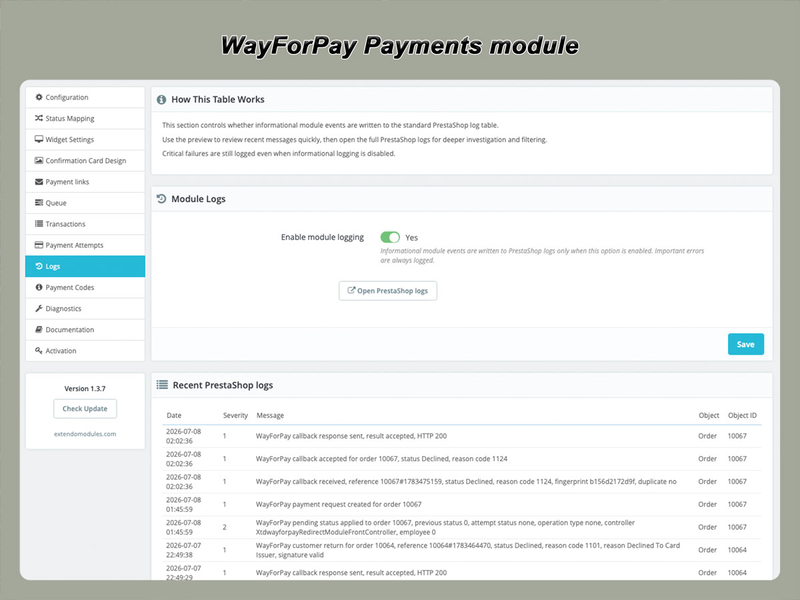
Clear payment diagnostics

Payment gateways can decline or interrupt payments for many reasons, including:

  • issuing-bank rejection;
  • incorrect card data;
  • expired card;
  • insufficient funds;
  • failed verification;
  • antifraud checks;
  • expired customer session;
  • unsupported transaction settings;
  • temporary communication problems.

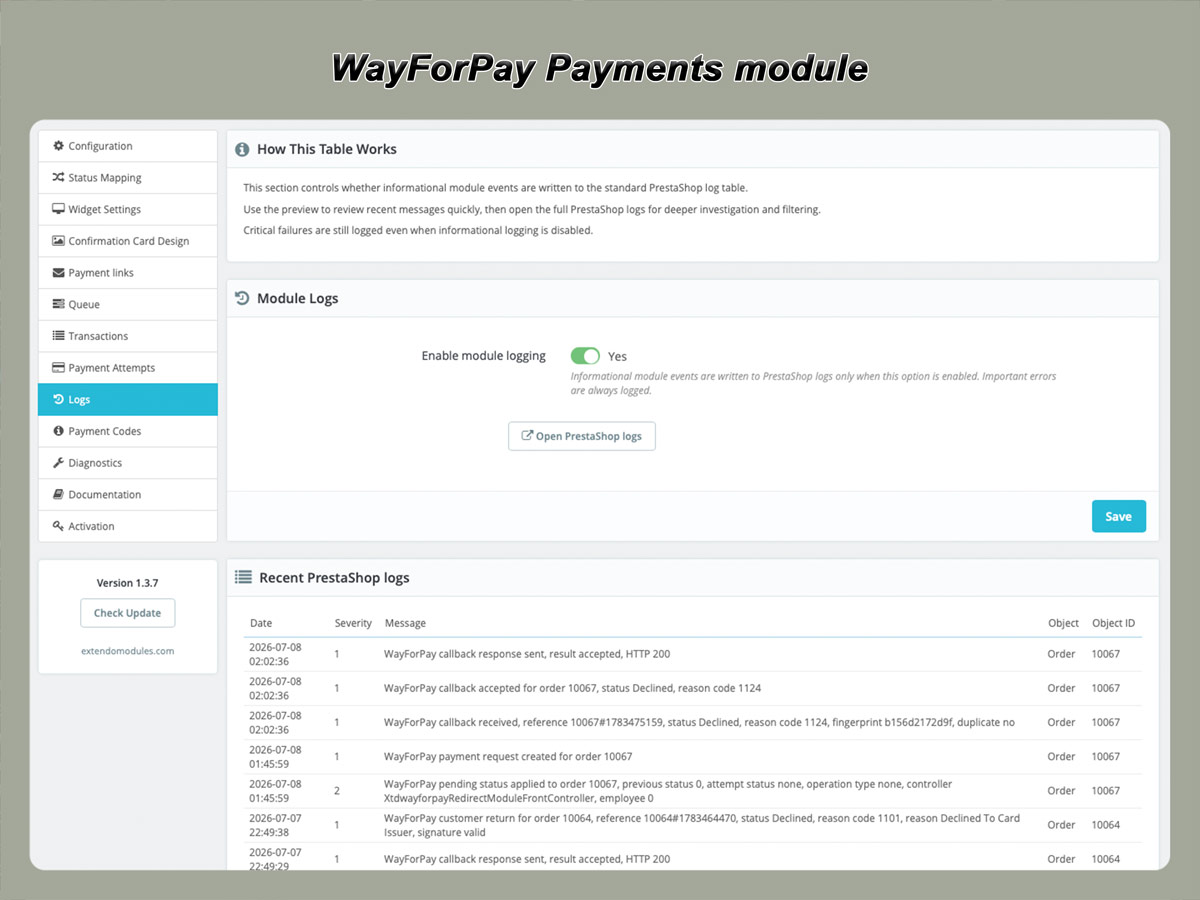
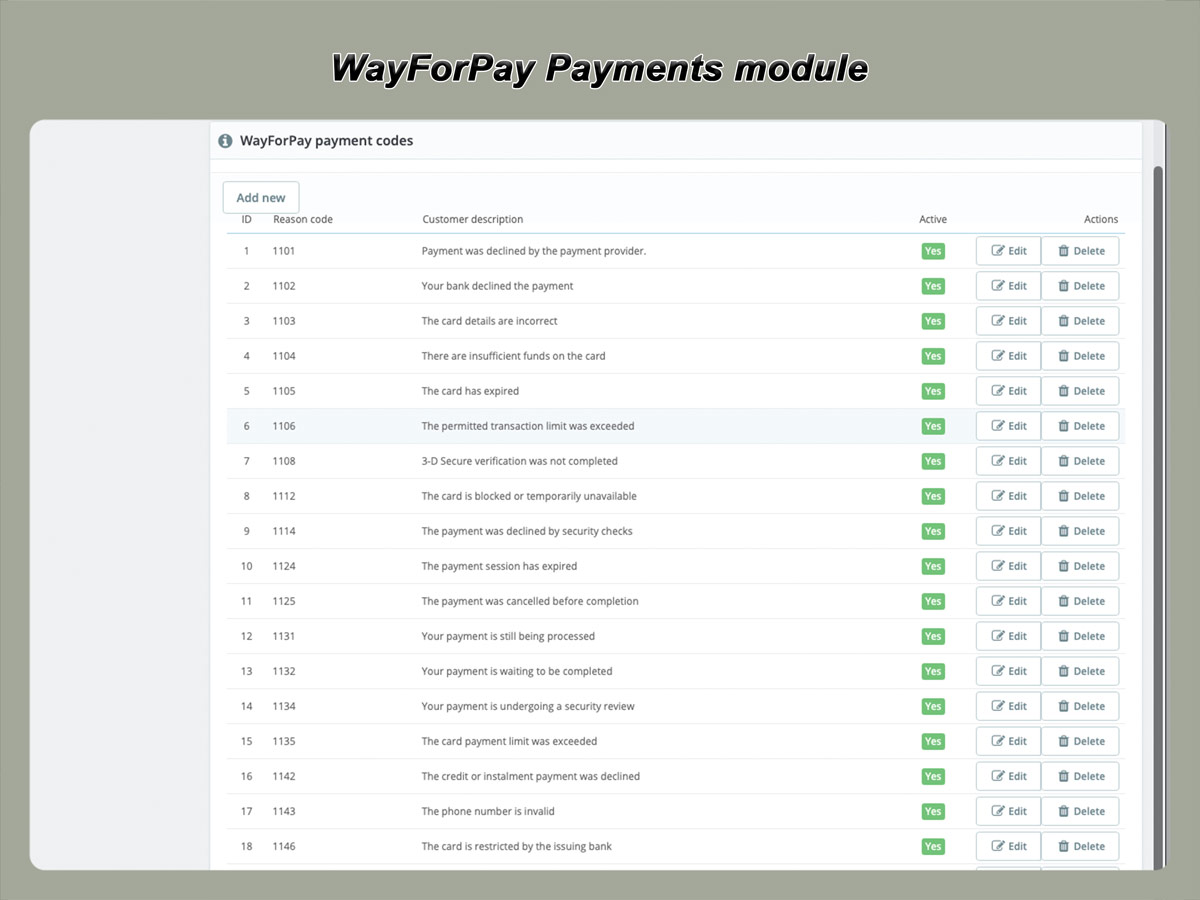
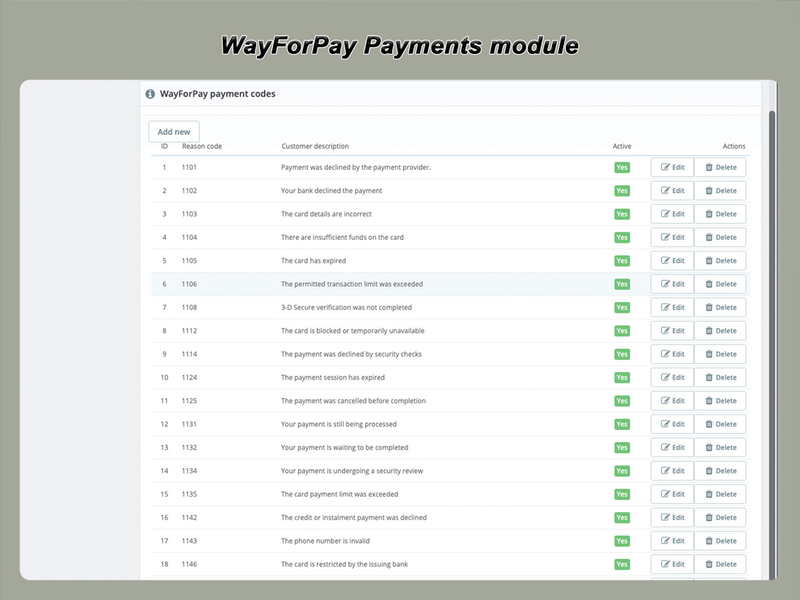
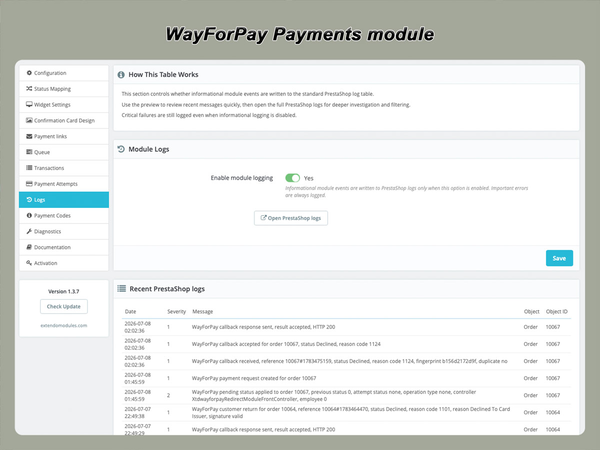
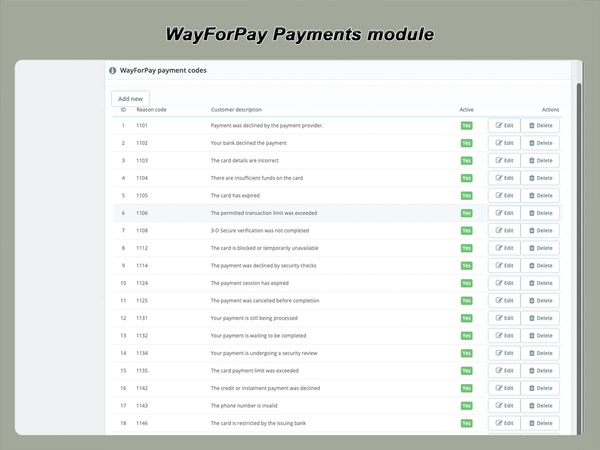
The module stores available WayForPay response codes and messages so administrators can better understand the reason for a failed payment.

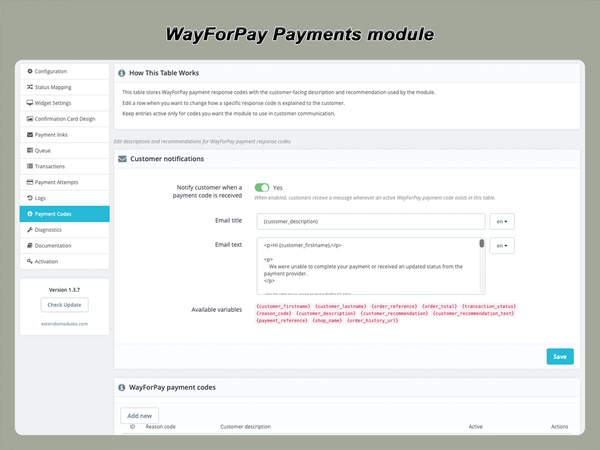
Where appropriate, customer-facing explanations can be mapped to clearer recommendations, while the complete technical response remains available to the administrator.

This makes it easier to distinguish between:

  • a store configuration problem;
  • a temporary payment issue;
  • a bank rejection;
  • an abandoned payment;
  • an unsupported operation;
  • a successfully completed transaction awaiting local synchronization.

Secure integration principles

Signed requests and callbacks

Payment requests and server callbacks use WayForPay signatures to verify data integrity.

The merchant secret key is stored in the module configuration and should never be shown to customers or included in storefront HTML.

Incoming callbacks should be processed only after:

  • signature verification;
  • merchant account validation;
  • order reference validation;
  • amount and currency checks;
  • duplicate-processing protection.
Card details are not stored by the module

Customers enter sensitive payment information through the WayForPay payment interface.

The module does not need to store complete card numbers or card security codes in PrestaShop.

Any masked card information returned by WayForPay is intended only for transaction identification and administrative reference.

Server requirements

The store must be able to:

  • establish outgoing HTTPS connections to WayForPay;
  • receive incoming WayForPay callbacks;
  • use a valid public HTTPS certificate;
  • resolve WayForPay service domains;
  • generate and verify required signatures;
  • run the selected PHP version and required PHP extensions.

Firewalls, HTTP authentication, maintenance mode, caching layers or security modules must not block the configured callback endpoint.

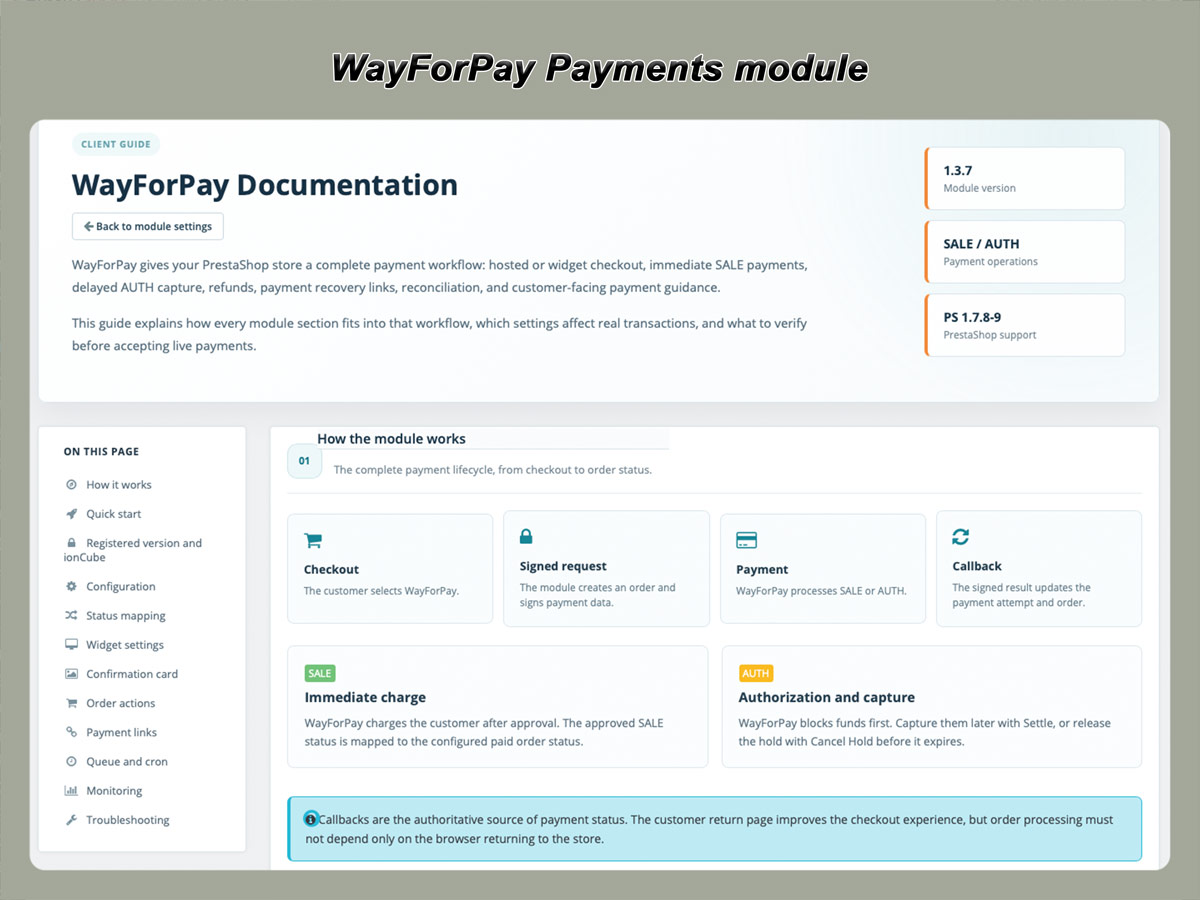
How the payment workflow works

Standard SALE payment
  • The customer places an order in PrestaShop.
  • The module creates a signed WayForPay payment request.
  • The customer completes the payment using the redirect page or widget.
  • WayForPay processes the transaction.
  • WayForPay sends a signed callback to the store.
  • The module validates the callback.
  • The payment attempt is recorded.
  • The PrestaShop order status is updated.
Two-stage AUTH payment
  • The customer places an order.
  • WayForPay authorizes the payment amount.
  • The order receives the configured authorization status.
  • The merchant reviews or prepares the order.
  • The administrator settles the payment or cancels the hold.
  • The resulting transaction status is stored.
  • The PrestaShop order status is updated.
Payment recovery
  • An order remains unpaid or its payment session expires.
  • The administrator generates a new payment link.
  • The customer receives the secure link by email.
  • The customer completes the payment through WayForPay.
  • The callback updates the corresponding order automatically.

Suitable for different store workflows

Standard online stores

Use SALE payments to charge orders immediately and move approved orders directly into preparation.

Limited-stock products

Use AUTH to reserve funds while confirming actual product availability.

Custom or manually reviewed orders

Authorize the amount first and capture it after the order has been approved.

Orders requiring another payment attempt

Generate a secure payment link instead of asking the customer to create a duplicate order.

Stores with custom order statuses

Map WayForPay transaction results to the statuses already used by the store team.

Stores requiring payment diagnostics

Review individual attempts, gateway status codes and transaction operations from the order page.

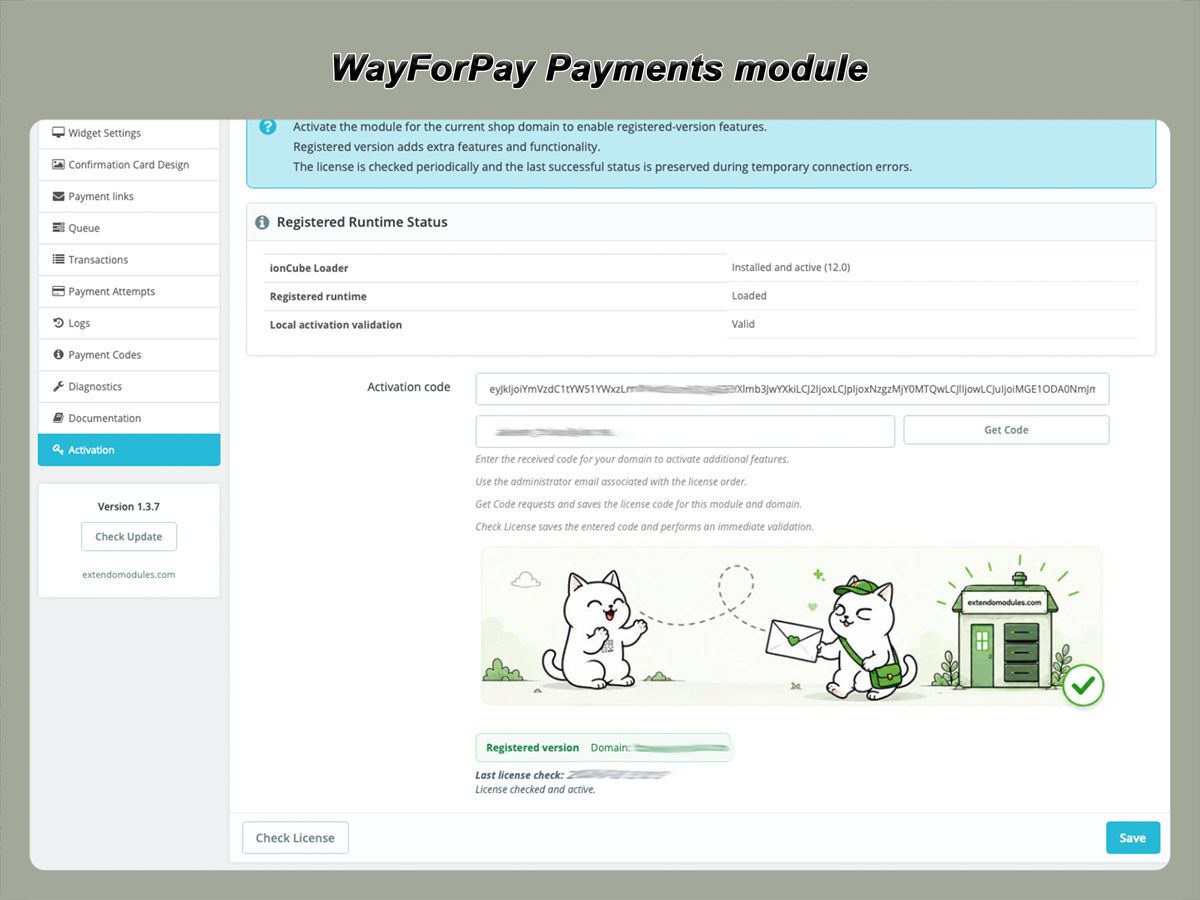
Base and Registered modes

The module package can provide basic payment processing before registration.

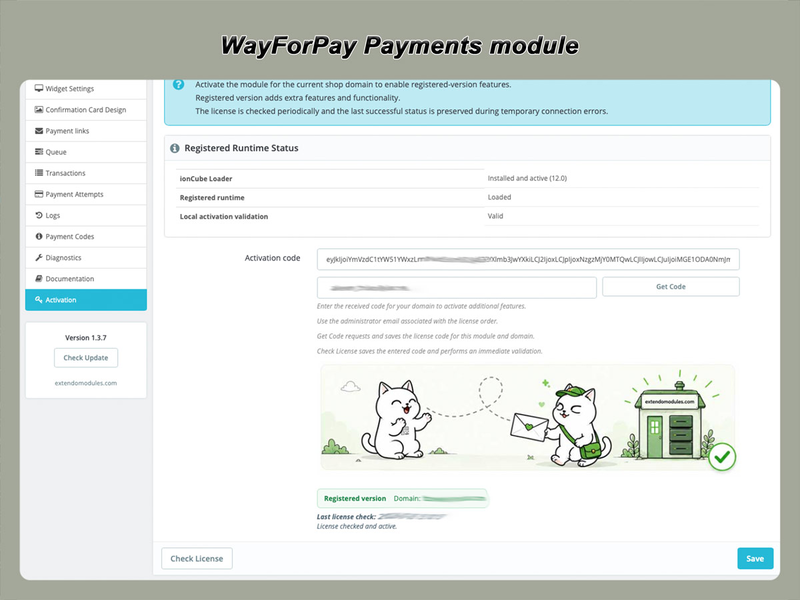
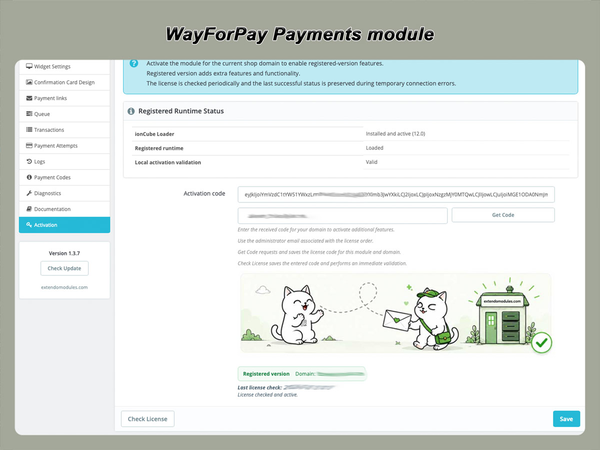
Purchasing the module includes registration for one assigned production domain and enables the complete commercial feature set listed for the product.


FeatureBase modeRegistered mode
WayForPay merchant connectionIncludedIncluded
Redirect checkoutIncludedIncluded
Basic SALE paymentsIncludedIncluded
Signed callback processingIncludedIncluded
Basic order status updateIncludedIncluded
Widget checkoutLimited or unavailableIncluded
AUTH payment workflowLimited or unavailableIncluded
Settle authorized payment
Included
Cancel authorization holdIncluded
Full and partial refundsIncluded
Manual Check StatusLimited or unavailableIncluded
Payment linksIncluded
Payment-attempt managementLimitedIncluded
Advanced status mappingLimitedIncluded
Queue and cron automationIncluded
Advanced diagnosticsLimitedIncluded

Frequently Asked Questions

What is the WayForPay Payments module?

It is a PrestaShop payment module that connects store orders to the WayForPay gateway.

It supports payment initiation, signed callback processing, order status updates and supported transaction management from the PrestaShop back office.

Do I need a WayForPay merchant account?

Yes. The module connects PrestaShop to an existing WayForPay merchant account.

Account approval, supported currencies, payment methods and processing conditions are determined by WayForPay.

Can customers pay by card?

Yes. Customers can use payment cards supported by WayForPay and the merchant account.

Does the module support Apple Pay and Google Pay?

The integration can display Apple Pay and Google Pay when these methods are available for the WayForPay merchant account and supported by the customer’s device and browser.

The module cannot force a wallet method to appear when WayForPay or the customer environment does not make it available.

What is the difference between redirect and widget checkout?

Redirect checkout sends the customer to the hosted WayForPay payment page.

Widget checkout displays the WayForPay interface in a more integrated storefront flow.

Both methods use WayForPay to process the payment.

What is a SALE payment?

SALE is a one-stage payment that charges the approved amount immediately.

What is an AUTH payment?

AUTH authorizes the transaction and temporarily holds the amount without immediately completing the charge.

The merchant must later settle the eligible transaction or cancel the authorization.

Can I capture an authorized payment later?

Yes. Registered mode provides the supported Settle operation for eligible authorized transactions.

Can I cancel a hold?

Yes. An eligible authorization can be cancelled before capture.

The release time for the blocked amount depends on WayForPay and the issuing bank.

Can I issue refunds from PrestaShop?

Registered mode supports refund operations for eligible transactions.

Full or partial refund availability depends on the current transaction status and WayForPay rules.

Can the module update the order automatically?

Yes. WayForPay sends signed callbacks to the store, and the module maps valid transaction results to configured PrestaShop order statuses.

What happens if the customer closes the browser after payment?

The order can still be updated through the server-to-server callback, provided the callback endpoint is reachable and the notification is valid.

The administrator can also use Check Status when manual verification is required.

Can I send a new payment link for an unpaid order?

Yes. Registered mode can generate a secure WayForPay payment link for an eligible unpaid order.

The link can be sent using the configured customer email template.

Can the same order have multiple payment attempts?

Yes. The module can record separate attempts so administrators can review declined, expired and successful transactions associated with the order.

How are duplicate payments prevented?

The module validates transaction references and callback data and should avoid processing the same successful event more than once.

Administrators should check the current payment status before asking a customer to retry when the original result is uncertain.

Does the module store card details?

No complete card details or card security codes should be stored in PrestaShop.

Sensitive payment entry and processing are handled by WayForPay.

Why might Apple Pay or Google Pay not appear?

Possible reasons include:

  • the payment method is not enabled for the merchant;
  • the device or browser does not support the wallet;
  • the customer has no suitable card in the wallet;
  • the transaction currency or account configuration is unsupported;
  • WayForPay does not make the method available for that transaction.
Does the module include a WayForPay account?

No. The module provides the technical connection between PrestaShop and WayForPay. Merchant registration and payment processing services are provided separately by WayForPay.

Is IonCube Loader required?

IonCube Loader is required for advanced Registered-mode runtime features.

Base payment functionality may remain available without IonCube Loader according to the current module version.

Is the licence permanent?

The module licence remains valid for the assigned domain according to the licence terms.

The module can continue to be used after the included update period ends.

Downloading, registering and using a module

Translations
English
Ukranian
PrestaShop version support
1.7.8.x
8.x
9.x
Requirements
PHP extension - IonCube Loader v14

Current version: 1.3.5


Version 1.3.5

- Record captured WayForPay transactions in the standard PrestaShop order payment history.

- Backfill a missing standard payment record when Check Status confirms an existing captured transaction.

- Return to the WayForPay order panel after its Back Office actions reload the order page.

- Process order actions before PrestaShop builds the order view so newly backfilled payments are visible immediately.

- Report a failed PrestaShop payment backfill instead of showing Check Status as fully successful.

- Identify the exact standard payment backfill stage and exception class when PrestaShop rejects it.

- Avoid an invalid duplicate `LIMIT 1` when checking for an existing PrestaShop payment.

- Serialize standard payment backfills without wrapping PrestaShop payment hooks in an outer transaction.

- Send discounted product totals, shipping, and gift wrapping consistently with the charged WayForPay amount.

- Prevent the same Back Office payment action from being processed more than once during one request.

- Serialize order state transitions from synchronous API responses and callbacks.

- Treat repeated Settle and Cancel Hold submissions as idempotent confirmations.

- Treat `WaitingAuthComplete / 1100` as a successful AUTH hold awaiting Settle.

- Treat `Approved` for an AUTH payment as captured rather than merely authorized.

- Accept both documented WayForPay signature layouts for Settle responses.

- Repair affected AUTH payment and order states during the 1.3.3 upgrade without sending customer emails or triggering automation.

- Added a dedicated `WayForPay payment authorized` order status for AUTH payments awaiting capture.

- Added canonical payment lifecycle state and captured amount tracking.

- Added duplicate-operation protection and legacy AUTH reconciliation state.

- Send `merchantTransactionType=AUTH` in Purchase requests.

- Treat gateway business declines as failed operations even when the HTTP response is successful.

- Prevent Check Status and failed Settle responses from reopening captured payments for capture.

- Keep Settle, Cancel Hold, and Refund availability aligned with the canonical payment state.

- Queue Cancel Hold as the correct protected operation.

- Select the Authorized confirmation card from the canonical AUTH payment state.

- Wait briefly for the authoritative AUTH callback before opening the order confirmation page.

- Store and display the WayForPay retry payment URL returned for an unsuccessful payment attempt.

- Added SALE and delayed-capture AUTH payment flows with hosted redirect and configurable WayForPay widget checkout.

- Added Back Office order actions for status checks, capture, hold cancellation, refunds, and payment link creation.

- Added configurable status mapping, automatic refund and AUTH actions, and a secure retry queue processed by cron.

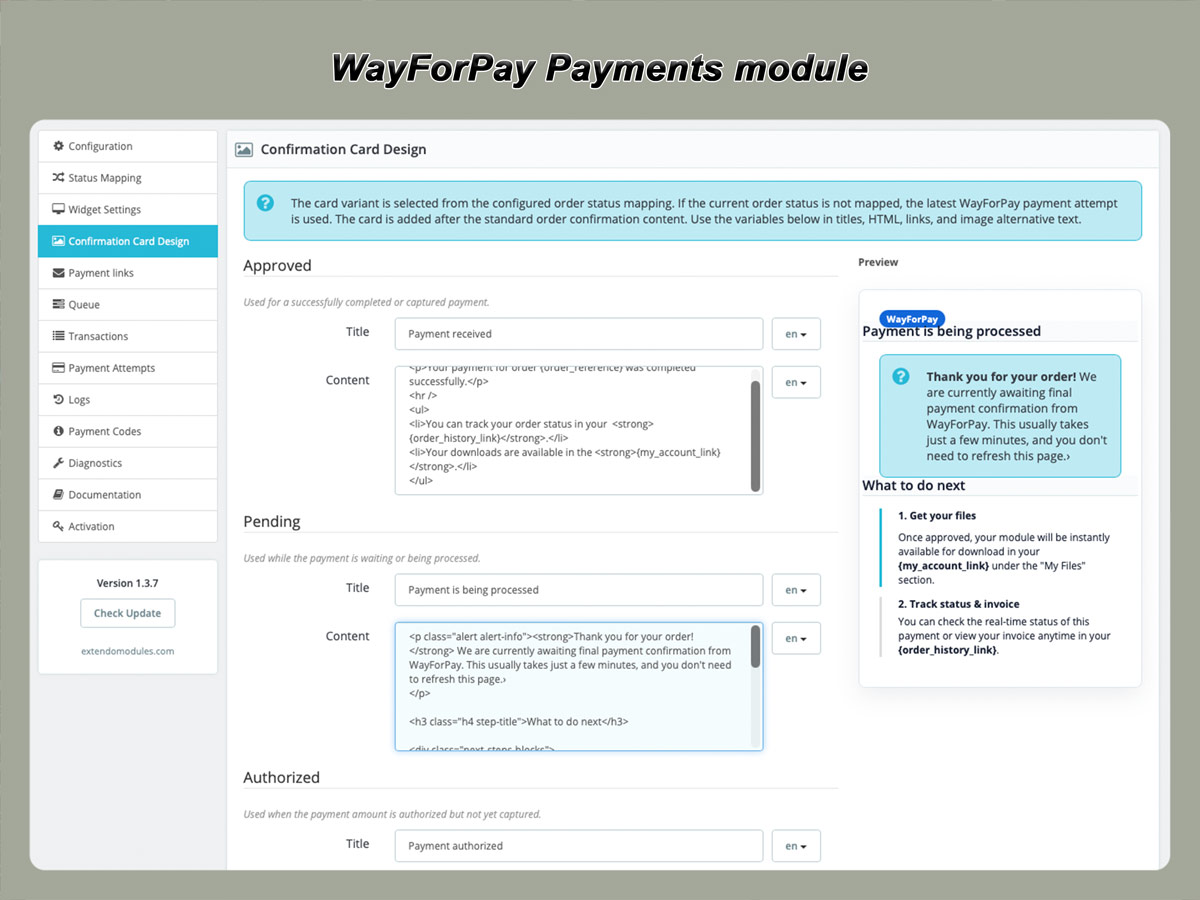
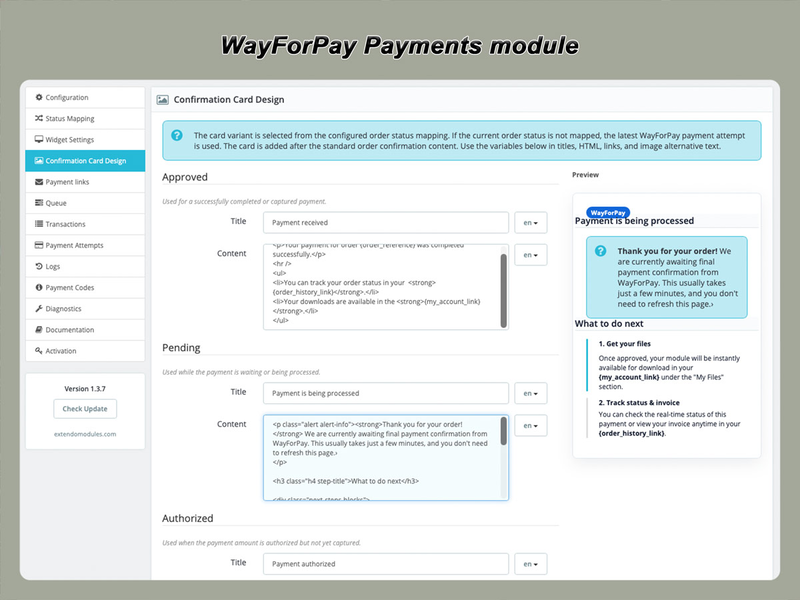
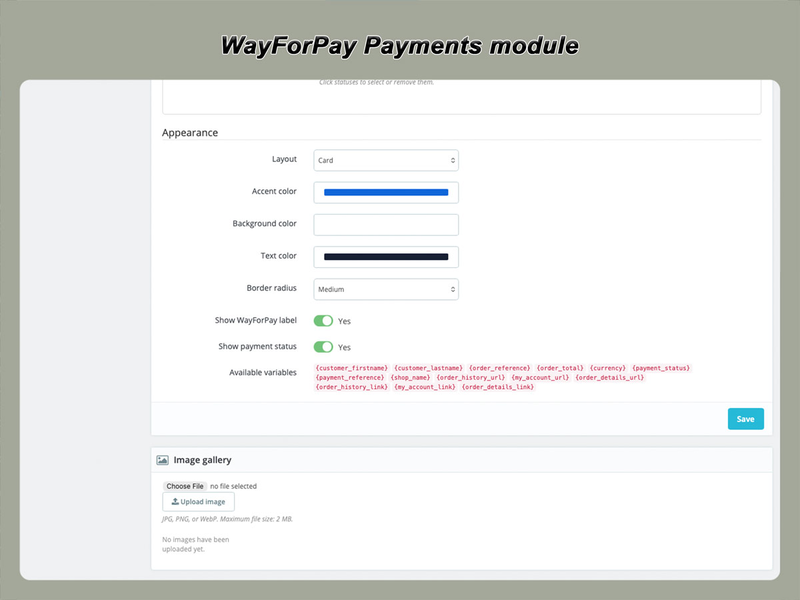
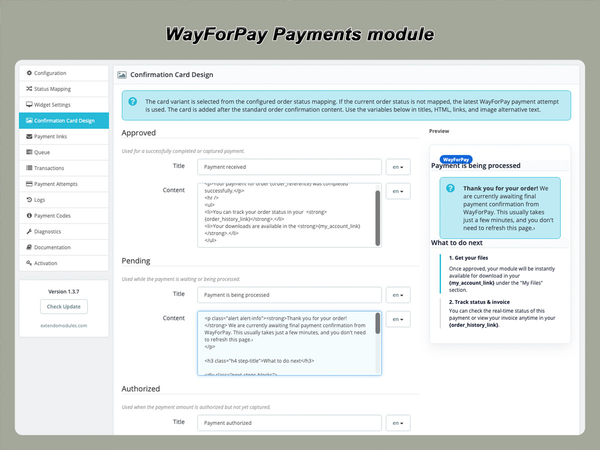
- Added payment attempts, transactions, payment links, Payment Codes, logs, diagnostics, and multilingual confirmation cards.

- Added customer payment recovery links with optional automatic creation and localized email delivery.

- Added activation and update checks with separate Base and Registered feature sets; Base payments remain available without ionCube Loader.

- Added compatibility with PrestaShop 1.7.8 through 9 and PHP 7.3 through 8.5.


Version 1.2.5

Initial stable release

Product added to wishlist